Brizy Unstable

But surely whats happening to brizy???
When you update the brizy the website crashes, secondly when you make changes they are not reflected at all https://mooiadventures.com/
-

Hi Omoya,
Kindly try implementing the suggestions in the last comment at https://support.brizy.io/hc/en-us/community/posts/20407658702098 Please set the PHP parameters as per the recommended values and then update Brizy plugins to these versions after taking a full backup. Please check if this resolves issue.
0 -
i did all that but there no change
0 -
its now over a day, no reply
0 -
Am really getting irritated with brizy
0 -
Hi Omoya,
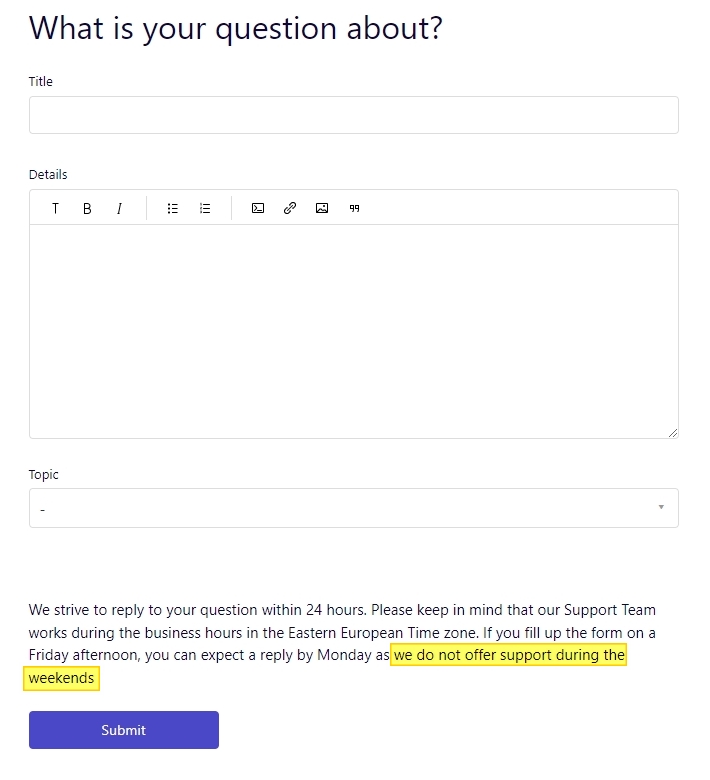
We apologize for the delay in getting back. As you can see at the Support Forum, we do not offer support during the weekends.
To investigate the reason why you are unable to make changes to your website, we will need access to your WordPress Dashboard and cPanel. Please add a new user to your WordPress Dashboard and and cPanel send the following details to our email: communitysupport@brizy.io
- Community Post link: https://support.brizy.io/hc/en-us/community/posts/20511776152978
- WordPress Admin URL:
- Username
- Password
- cPanel login URL
- cPanel Username
- cPanel Password
Please let us know in this forum when you send us the email.
 0
0 -
i sent the email already
0 -
Will i please get help?
0 -
Hi Omoya
We have fixed this issue for https://mooiadventures.com/ Kindly check.
0 -
there are 2 website, please its also better to let mi know how you fixed it
0 -
Hi Omoya
Kindly update the plugins to the latest versions, make an edit to any page and check the preview
0 -
i just did and the website crashed. https://primatelinksafaris.com/
0 -
hello please
0 -
Hi Omoya,
We have fixed the issue with https://primatelinksafaris.com/ You had updated Brizy to its most recent version; however Brizy Pro was not updated. I have now updated Brizy and Brizy Pro to these versions.
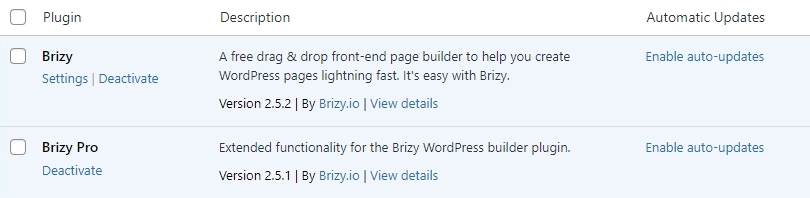
After updating a website to these versions, if the global header and footer are either not visible or messed up, kindly follow these steps
- Make a minor change in the header: Navigate to any page within your project, make a small edit in the global header (such as modifying the padding by one pixel), and then revert the change.
- Make a minor change in the footer: Similarly make a small edit in the global footer (such as modifying the padding by one pixel), and then revert the change.
- Save the Project: Save your work by clicking on the "Update' button at the bottom right corner and check if the header and footer display well in the frontend
0
Please sign in to leave a comment.
Comments
13 comments