With the latest update things are not working well

With the latest update things are not working well. one issue I have is when I update Brizy pro to the latest version on some sites header and footer disappears. and I have to go in and remove it and add it again. I have a lot of sites and I can't be doing it to all of them.
another issue is blog posts, the two first ones are not showing the text like the third one does and it is an issue.
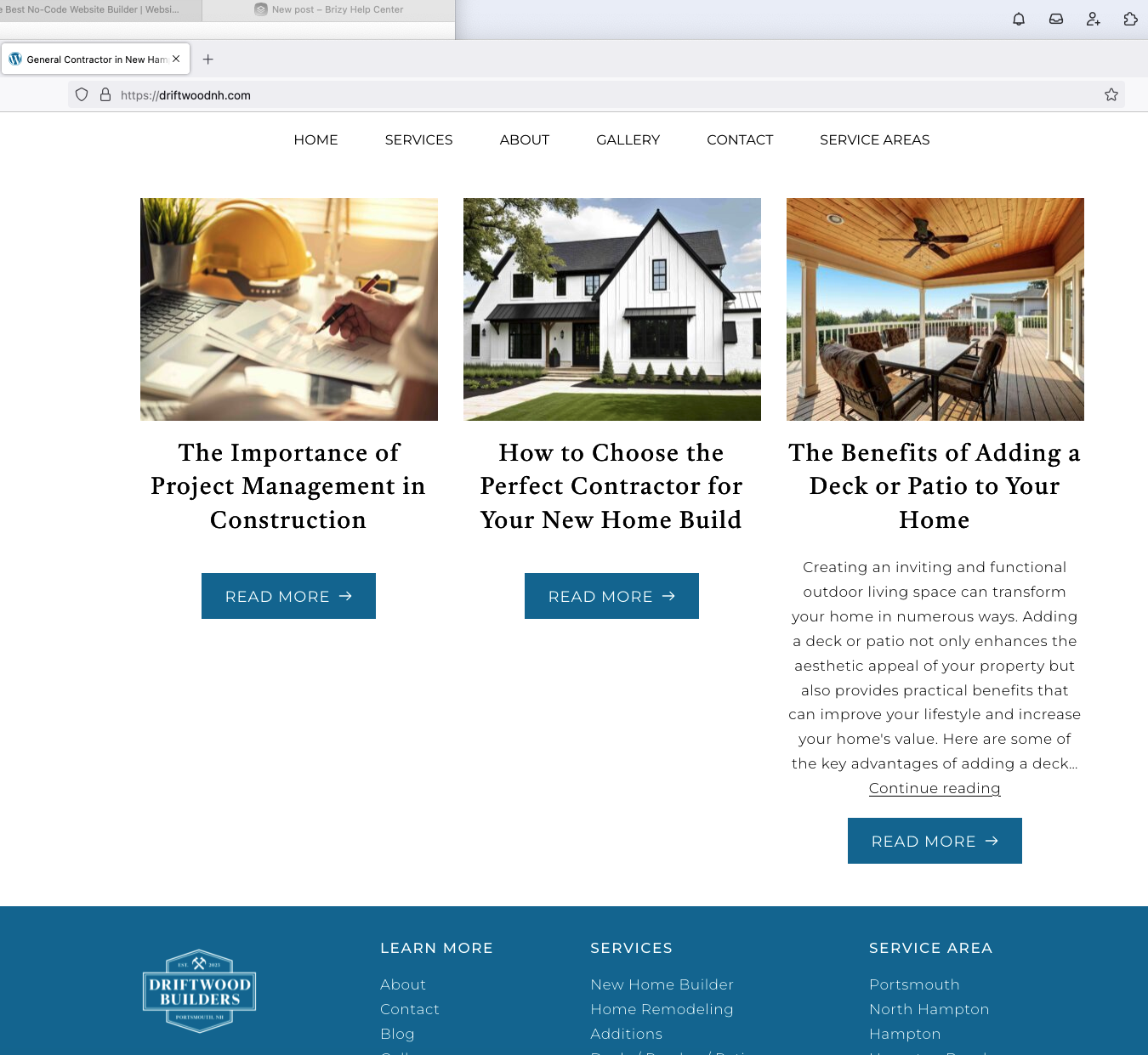
-

Hi Tatsiana,
Thank you for the update. Unfortunately, this issue is still ongoing.
You can try to fix the issue, by making minor modifications to your pages, dynamic templates, or in your global header and footer, such as adding extra letters or adjusting elements, adding some margins and padding to your blocks or columns. Save the changes and update the page. Next, undo your changes, update the page again, and preview the site to check if this resolves the issue.
If it is urgent and you manage multiple websites, you can access the previous version of Brizy Pro through this link - https://tinyurl.com/mr3b4bev.
If you are considering reverting to older versions, please also disable automatic updates to prevent the Brizy free version from updating after installation - https://www.wpbeginner.com/wp-tutorials/how-to-disable-automatic-updates-in-wordpress/.
The easier approach is to install "Easy Updates Manager plugin" as described in the above article to disable automatic updates.If you have any further questions, please let us know.
Best regards,
Ariel H.0 -
what about blog posts?
and also I dont know if I can revert to the older version because on some sites it disables the pro version until I install the latest version
0 -
Hi Tatsiana,
Thank you for the update.
The provided link contains the most recent stable versions of Brizy and Brizy Pro. Both of these should be installed.
Here are the steps to roll back:
1. Proceed to the Plugins section and remove both Brizy and Brizy Pro.
2. Begin by uploading and activating Brizy.
3. Subsequently, upload and activate Brizy Pro.By following these steps, the layout of your blog posts should be restored.
Please try this and let me know how it goes.
Best regards,
Ariel H.0 -

None of the solutions work, I already downloaded the stable versions but it won't even let me install it
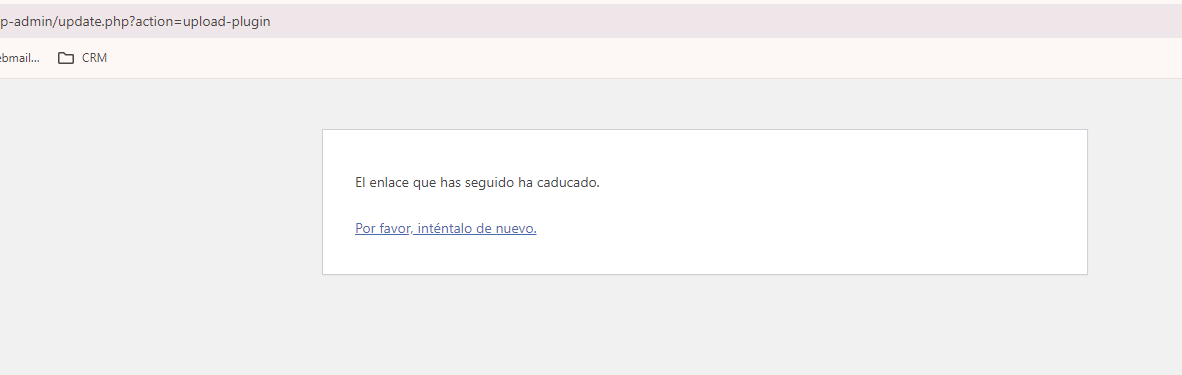 0
0 -
Hi Guanatos,
Please provide us temporary access to your WP Admin page so we can inspect your site. Please add us as an Admin user to your WordPress Dashboard and send the following details to: communitysupport@brizy.io
Community Post link: https://support.brizy.io/hc/en-us/community/posts/20480599314194
WordPress Admin URL:
Username:
Password:Please make a full backup of your site as a precaution.
Best regards,
Ariel H.0 -
I already Send it
0 -
Hola Hugo,
Lamentablemente, el nombre de usuario y la contraseña no funcionan. Por favor, proporciónanos las credenciales correctas para que podamos inspeccionar el problema en tu sitio web.
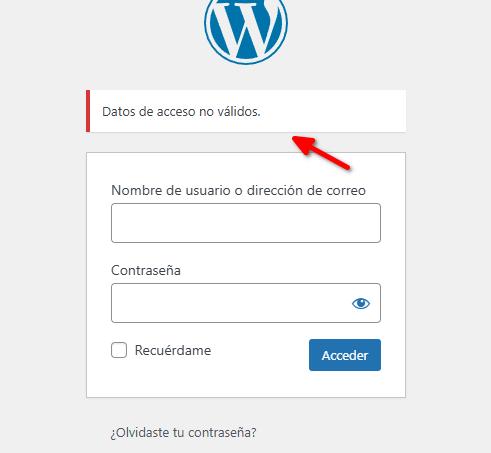
Saludos,
Ariel H.0 -
reeady to access
0 -
I saw that they were able to enter my site, but it's still the same, can you update my status?
0 -
Hi Hugo,
Thank you for your patience. It took us some time to restore your site due to certain limitations on your server: https://youtu.be/HmrDDD7KOdE
Please test it on your end to confirm. If it doesn't work, kindly clear your browser cache and try accessing it using a different browser.
I suggest reporting this matter to your hosting provider so they can investigate why you are receiving the error "the link you followed has expired" error in WordPress:
https://www.wpbeginner.com/wp-tutorials/how-to-fix-the-link-you-followed-has-expired-error-in-wordpress/Once they identify the cause of this issue, you should be able to update Brizy and Brizy Pro safely without disrupting your site's layout.
Best regards,
Ariel H.0 -
Thank you very much, I understand that the issue of the error is an issue of upload size, right?
I appreciate it and I hope they let you know when the plugin can be upgraded to a secure version.
0 -
Hi Hugo,
I tried to increase the upload size, but it did not resolve the issue. Despite following all the recommended steps outlined in the above article, it didn't fix it. Your hosting provider should conduct a more in-depth check into this issue. It is likely related to file permissions on your server.
Once they identify the cause of this issue, you should be able to update Brizy and Brizy Pro safely without breaking your site.
Best regards,
Ariel H.0 -
Hi Hugo,
We received your email in our community support inbox.
Have you reported the issue I described above to your hosting provider?If the header and footer are missing again, please provide us access to your site so we can check it.
Best regards,
Ariel H.0
Please sign in to leave a comment.
Comments
13 comments