several problem occours Brizy 2.5.1 today 30 july 2024

I have several problems occurs today:
1. Suddenly cannot save latest layout updates on Brizy Wordpress; got message "This page needs a refresh. You’ve probably updated this page (or another page) in a different tab or browser."
2. Save popup not appear in saved / global popup in Brizy Clouds - have message version incompatibe "Your Plugin version is incompatible with Account version, please update plugin"
3. How to make popups appears only when unregistered/unlogged visitor visit the website?
-

Hi Hafize,
Thank you for reaching out to us.
1. This issue is found on websites using WordFence. If you have it installed, please follow these steps and see if this will help resolve the issue.:
- In the WordFence plugin settings, navigate to Firewall;
- Enable Learning Mode - https://jumpshare.com/v/3JWEACZsgmaMzJPdDdYs
- Return to your Brizy page, make some minor changes, and then update the page;
- Once done, return to the WordFence settings and re-enable the Enabled and Protecting option.2. This issue occurs every time we have an update for Brizy Cloud and Brizy WP, this should be fixed soon.
3. Unfortunately, we don't have this option yet, however, you can submit it as a feature request on this URL - https://www.brizy.io/ideas-and-roadmap
If you have any further questions, please let us know.
Best regards,
Ariel H.0 -
Thanks.
For No. 1 problem has solved.0 -
Hi, for item no. 2, when it will be fixed?
for item 1, Suddenly cannot save page after edit although my Wordfence in learning mode.0 -
Hi Hafize,
Thank you for the update.
Could you please confirm if the issue continues if WordFence is disabled?
If the issue continues, please also verify if you have access to temporarily disable the Firewall/Mod Security in your hosting console. This should help resolve the issue.Otherwise, this is something we need to inspect from your WP Admin page. Please add us as an Admin user to your WordPress Dashboard and send the following details to: communitysupport@brizy.io
Community Post link: https://support.brizy.io/hc/en-us/community/posts/20449177441810
WordPress Admin URL:
Username:
Password:Please make a full backup of your site as a precaution.
Best regards,
Ariel H.0 -
Hi,
For previous problem confirmed from unstable internet.
Any updates on problem no 2? Any suggestion to save blocks or pages from various wordpress Brizy sites to Brizy Cloud?0 -

Hi Hafize,
You can download a saved block from a WordPress project and import it into a Brizy Cloud project and vice versa. Here are the steps
- In the "Saved" tab of the Saved Blocks and Layouts library, hover over a block or a layout you want to import to another project
- Select the "Download" icon at the bottom right corner. This will download the block/layout as a ZIP file
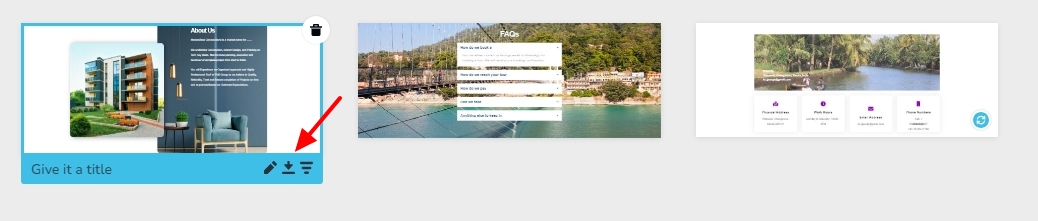
- Go to the project where you want to import the saved block/layout. To import a saved block, click on the "Import New Block" button at the bottom and select the downloaded ZIP file
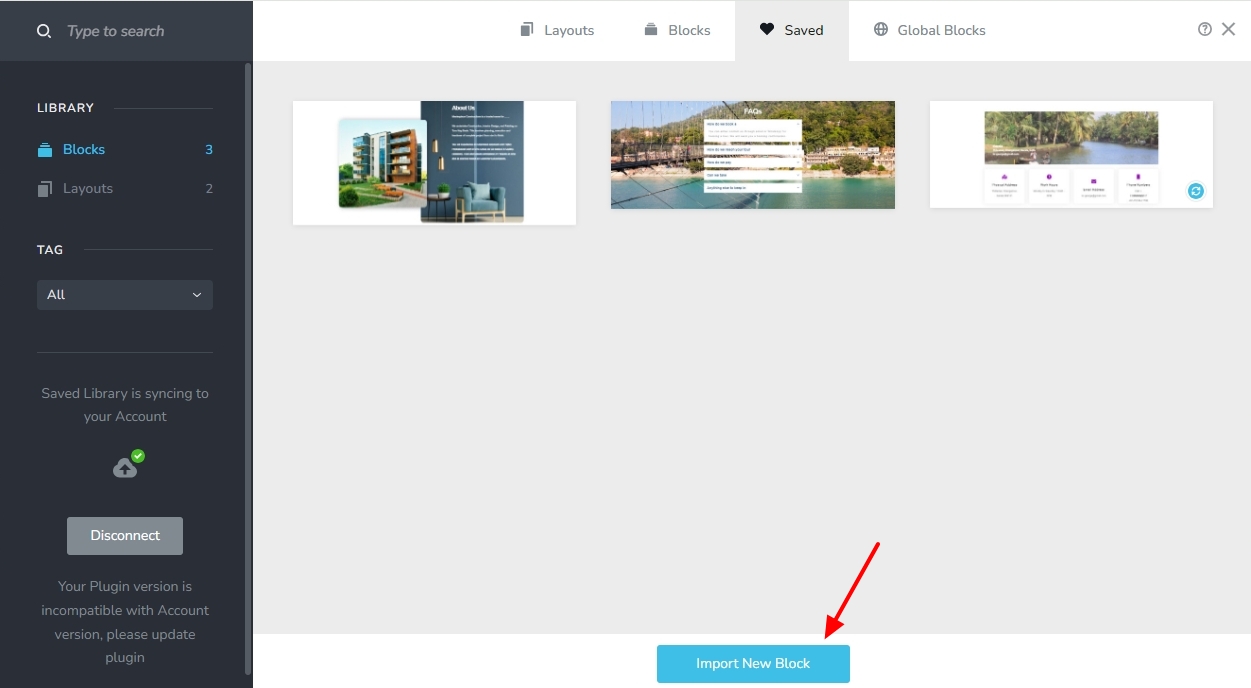
- To import a saved layout, click on the "Import New Layout" button at the bottom and select the downloaded ZIP file
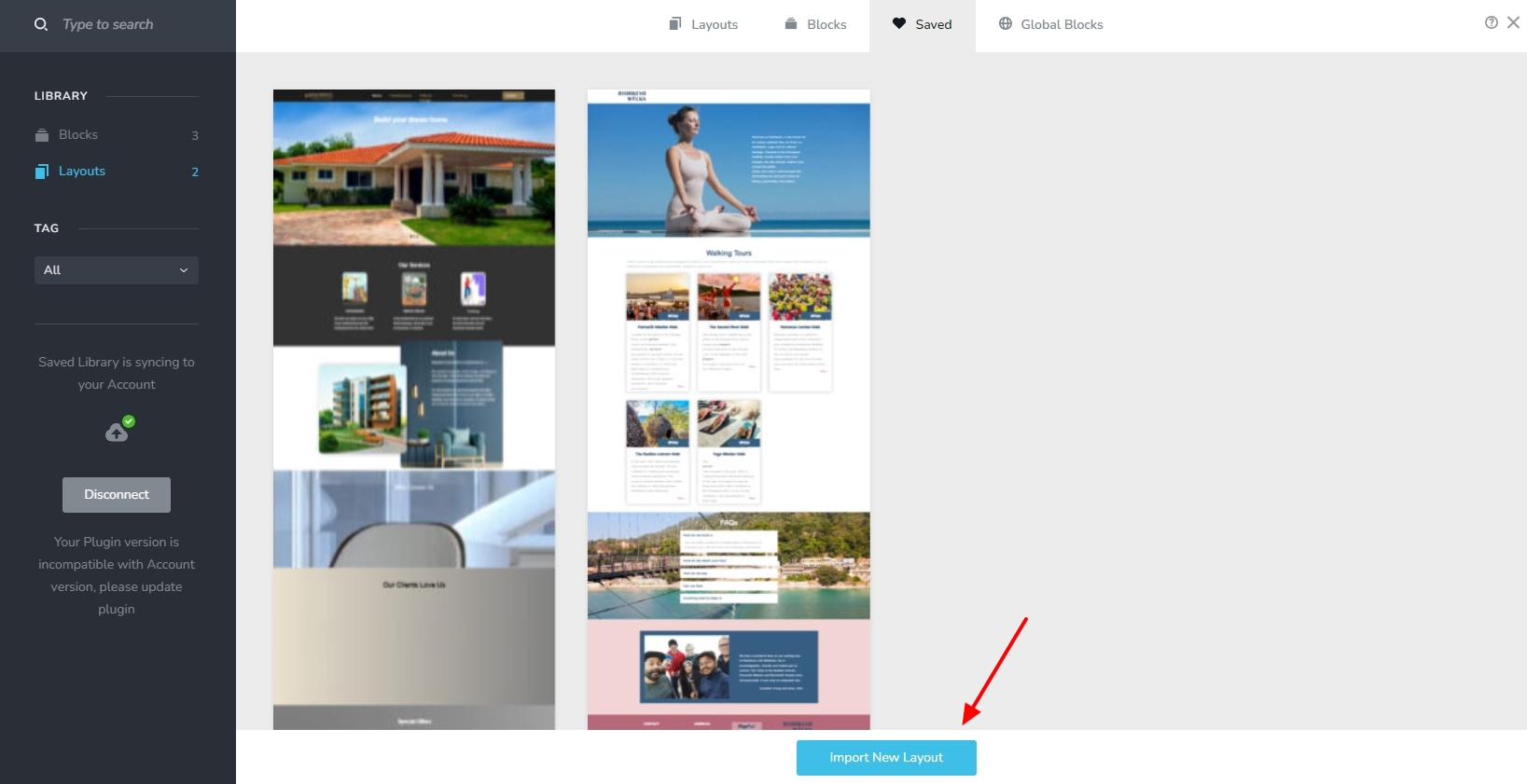
0
Please sign in to leave a comment.
Comments
6 comments