Issues with Version 2.5.0 Update Affecting Multiple Websites

Hello
Are there any problems with the latest update? There are already several different websites with the 2.5.0 update experiencing issues when editing and saving changes. The error message always says that the update could not be saved. This is not normal, and I have read several users reporting similar problems.
Solution?
Thanks.
-

Hi,
Thank you for contacting us.
Some users who faced the same issue after updating both Brizy and Brizy Pro were able to resolve it by disabling WordFence.
If you are using WordFence, please temporarily disable it, clear your cache, and check if this resolves the issue.
Additionally, you may want to consider temporarily setting it to Learning Mode, which can also help resolve the issue:
https://www.wordfence.com/help/firewall/learning-mode/A patch to address this issue will be released soon. Apologies for any inconvenience caused.
Best regards,
Ariel H.0 -

Multiple websites also out after the update. Blocks broken so only text appears all over the site. Some blocks missing. Major setback. Should I rollback to earlier versions or what can we do?
1 -
Hi Magnús,
We apologize for the inconvenience.
This is something we need to inspect from your WP Admin page. Please add us as an Admin user to your WordPress Dashboard to one of your sites that is having this issue, and send the following details to: communitysupport@brizy.io
Community Post link: https://support.brizy.io/hc/en-us/community/posts/20316872594834
WordPress Admin URL:
Username:
Password:Please make a full backup of your site as a precaution.
Best regards,
Ariel H.0 -
Hi Magnús,
Thank you for your cooperation.
We're now looking into this issue. I will get back to you as soon as we receive an update from our senior support team.
Best regards,
Ariel H.0 -
Great.
Any luck so far?0 -
Hi Magnús,
We apologize for the delay.
This issue is currently in progress, and we will inform you of any new developments on this support thread.
Best regards,
Ariel H.0 -
Hey again.
Any update so far?0 -
Hi Magnús,
Thank you for the update. Unfortunately, this issue is still ongoing.
You can try to fix the issue, by making minor modifications to your pages, dynamic templates, or in your global header and footer, such as adding extra letters or adjusting elements. Save the changes and update the page. Next, undo your changes, update the page again, and preview the site to check if this resolves the issue.
If it is urgent and you manage multiple websites, you can access the previous version of Brizy Pro through this link - https://tinyurl.com/mr3b4bev.
If you are considering reverting to older versions, please also disable automatic updates to prevent the Brizy free version from updating after installation - https://www.wpbeginner.com/wp-tutorials/how-to-disable-automatic-updates-in-wordpress/.
The easier approach is to install "Easy Updates Manager plugin" as described in the above article to disable automtic updates.If you have any further questions, please let us know.
Best regards,
Ariel H.0 -
Yeah we had around 200 Brizy pages which we could change a little bit, and mainly the global settings (header and footer) which would solve the issue. But its definitely something you would need to check out on your behalf, how global sliders affect the update.
0 -
Hi Magnús,
Thank you for keeping in touch.
Unfortunately, up to now, we don't have a solution to offer. However, I recommend updating your sites to the latest versions to take advantage of the new Compiler improvements. You will need to perform the actions previously suggested.
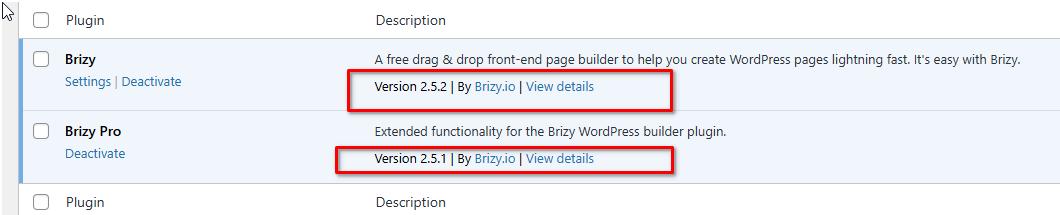
Alternatively, you can open this link (https://www.brizy.io/new-compiler-200-loading-performance-boost) and scroll down to "How to benefit from the Compiler improvements" to find similar steps that you can apply to your websites. From previous tickets I handled, making minor edits to missing elements in preview, such as the header and footer or the slider and gallery element, has resolved the issue.
If you have any further questions, please let us know.
Best regards,
Ariel H.1
Please sign in to leave a comment.
Comments
10 comments