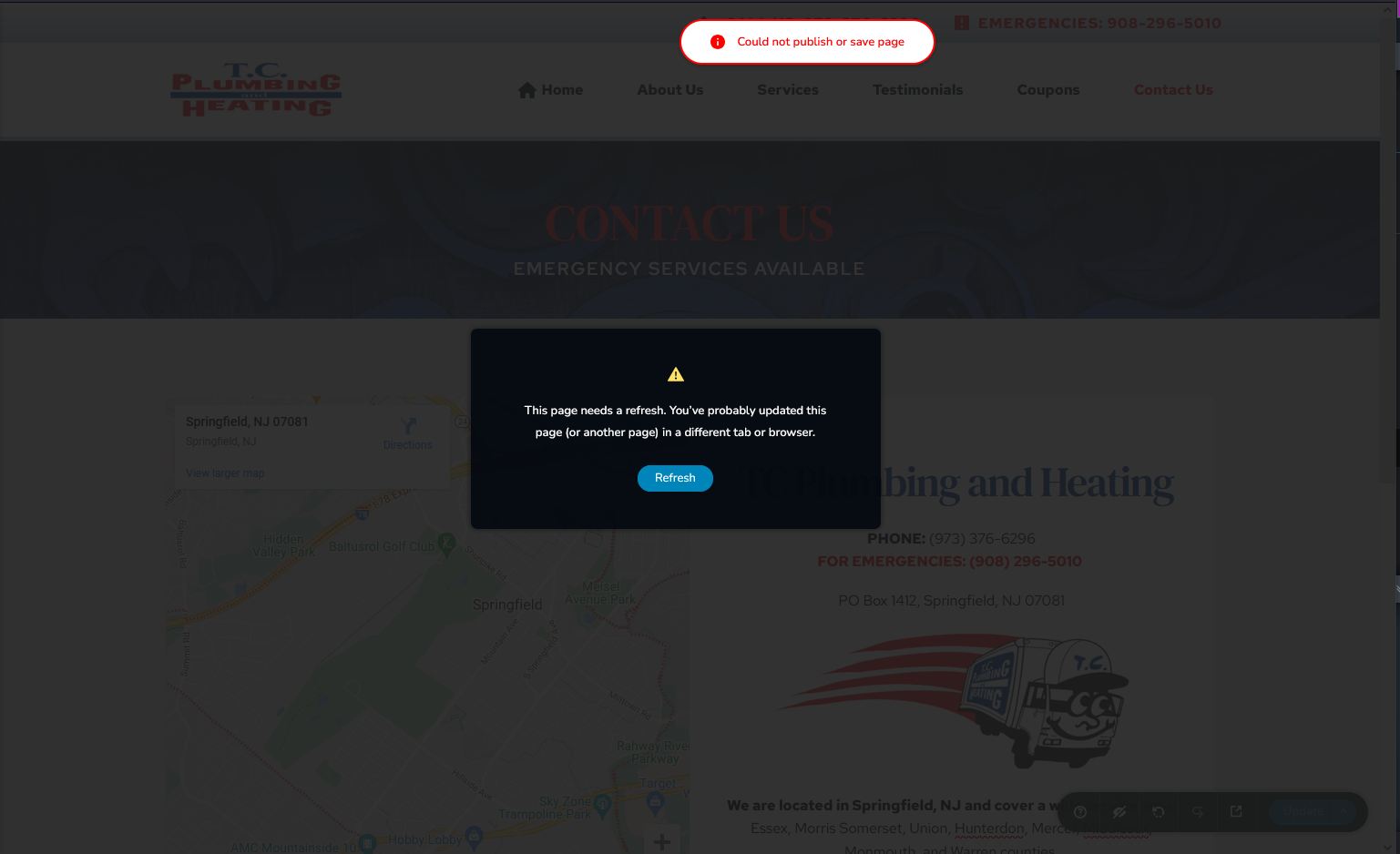
Could not publish or save page

For whatever reason, the header and footer is broken and no longer shows up on the website. I updated wordpress to 6.6 (updated php to 8.3) and also any outdated plugins and themes, but didn't fix the issue. Currently the default theme is set to Twenty-twenty.
Also, I cannot edit pages, once I do and try to save, I get the error "Could not publish or save page" and also tells me to refresh which doesn't help. (see screenshot)
Website: https://tcplumbingandheating.com/
Please let me know what can be done. Thank you!
-

Hi Philip,
Thank you for contacting us and we apologize for the inconvenience this has caused you.
For this, the team has created a ticket for your concern. Ticket number is: 39177, the team has also responded to your concern subject: Could not publish or save page.
You should be able to view their response via email.
Best regards,
Mark.
0 -

i have the same problem.
1 -

Hi Philip,
We have set up a private ticket for your concern to ensure a private discussion. Please check the email sent by my colleague Basharat, who is requesting your site's credentials to assist with resolving the issue.
In the meantime, some users who faced the same issue after updating both Brizy and Brizy Pro were able to resolve it by disabling WordFence.
If you are using WordFence, please temporarily disable it, clear your cache, and check if this resolves the issue.
Additionally, you may want to consider temporarily setting it to Learning Mode, which can also help resolve the issue:
https://www.wordfence.com/help/firewall/learning-mode/Best regards,
Ariel H.0 -
Thank you for your responses! I just sent Basharat a reply.
Kind regards,
Philip Edcius0 -

I have the same problem as well. Additionally, my website is not rendering on the web.
0 -
Hi Randall,
Please check my reply on this support thread - https://support.brizy.io/hc/en-us/community/posts/20326732548754
0 -

Hi I have the same problem, could not save page changes; and I'm not using any other plugins.
I'm using Brizy Pro 2.6.30 -

Hello Luis,
We will troubleshoot the issue using the access you have given us and keep you informed through the ticket.
0
Please sign in to leave a comment.
Comments
8 comments