Unable to edit Woocommerce checkout page on Brizy

Hi please help, I have two issues:
1 - My checkout page payment portion has a loading icon on it, and it never loads.
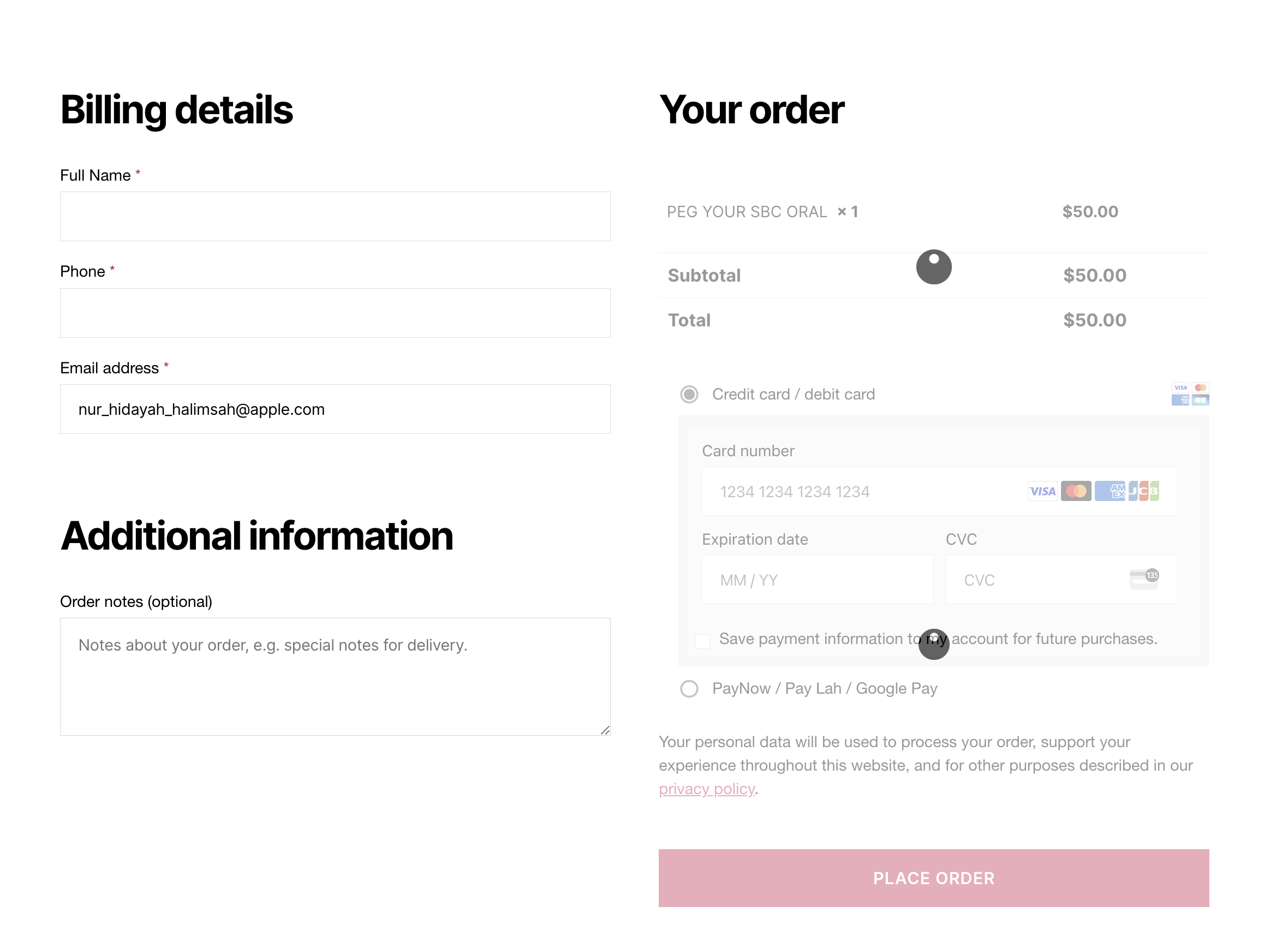
2 - When I try to go in to the page to edit as Brizy (and try to figure out whats wrong), it just keeps loading and loading and I am unable to get into the "edit with Brizy"
I have done all these troubleshooting steps:
- deactivated all plugins
- recreated my checkout page
- delete all cache
If I did not set the page to be a checkout page under the Woocommerce advance settings, i can edit the page with no issues. This only happen the moment the page is set to be the checkout page. I don't know if the issue is with woocommerce or brizy. If I remove it as the default check in page on woocommerce, i can edit with brizy and by accessing the URL directly, i can also see the payment options being loaded well.
Please help.
-

Hi,
Thank you for reaching out to us.
Could you please provide the URL for us to inspect your site? Rest assured that we will not display it on this support thread.
In the meantime, could you try the solution provided in this link to see if it resolves the issue:
https://woocommerce.com/document/endless-loadingspinner-on-the-checkout-pageI look forward to your response.
Best regards,
Ariel H.0 -
Hello.
My website is s************dz.com.
You won't be able to options to check out or anything because the site is live so I test at night and then took everything down. You may need to go into the pages if you'd wanna do some testing for checking out with products.
I have confirmed the URLs do match in settings > general.
As for the rest, I am not sure where to check really. I use Safari.
But as mention again : If I did not set the page to be a checkout page under the Woocommerce advance settings, i can edit the page with no issues. This only happen the moment the page is set to be the checkout page. I don't know if the issue is with woocommerce or brizy. If I remove it as the default check in page on woocommerce, i can edit with brizy and by accessing the URL directly, i can also see the payment options being loaded well.
0 -
Hi,
Thank you for your cooperation.
There is indeed an issue with the checkout page as it appears to be stuck. My colleague has recommended that recreating the checkout page may resolve this issue, as it has successfully resolved similar issues for other users.
Please consider recreating the shopping cart using the steps outlined in this screencast - https://jmp.sh/2LPeARV.
Kindly give this a try and inform me of the outcome.
Best regards,
Ariel H.0 -
Hi Ariel, I have done this multiple times. It don't work.
Again to emphasize, if I did not set the page to be a checkout page under the Woocommerce advance settings, i can edit the page with no issues. This only happen the moment the page is set to be the checkout page. I don't know if the issue is with woocommerce or brizy. If I remove it as the default check in page on woocommerce, i can edit with brizy and by accessing the URL directly, i can also see the payment options being loaded well.
Here is a video to show what I mean. You can see the beginning before I set the page as the checkout page, and then what happens thereafter when I see the page as checkout page for WooCommerce.
Video -> https://app.box.com/s/a1wjzjphg9cm2thziipqx0nbmsq3tij6
0 -
Hello, anybody can help? I'm happy to start my page from fresh if that is what is needed, but I'm not sure how to do a backup.
0 -
Hi,
Thank you for the update.
By design, if you have already created a dynamic template for the checkout page or any WooCommerce page, you will need to edit or make changes to the template not directly in the WooCommerce page, in this case the Checkout page. If you haven't created a template for your WooCommerce page, you can try this approach - https://youtu.be/T6x5T1ya900
If the issue continues, this is something we need to inspect from your WP Admin page. Please add us as an Admin user to your WordPress Dashboard and send the following details to: communitysupport@brizy.io
Community Post link: https://support.brizy.io/hc/en-us/community/posts/20241852715026
WordPress Admin URL:
Username:
Password:Please make a full backup of your site as a precaution.
Best regards,
Ariel H.0 -
Hi Ariel,
I do not have any dynamic templates. I tried creating one as shown in the video - does not work. I have deleted it.
I have also send an email to communitysupport@brizy.io with my admin credentials.
Please please help urgently.
0 -
Hi,
Thank you for your cooperation.
I tried to reproduce the issue on my end, but it seems to be working correctly. This is demonstrated in this screencast: https://youtu.be/HW0Vx-aHHp8
However, I noticed that the global header is not functioning properly, so I made changes to it on the checkout page.
The issue may be related to your browser. Could you please check if you can replicate the issue in incognito mode or by using another browser?
Please try this and inform me of the outcome.
Kind regards,
Ariel H.0 -
Hi Ariel,
Could you show me how you edit the checkout page?
You mention that you made changes to the header - I need to see how this is being done. I am still getting a loading screen when I try to Edit with Brizy.
0 -
Hi,
I've made a short demonstration for you on this link - https://youtu.be/NEUx7Gg3OQQ
Please feel free to reply if you have any further questions.
Kind regards,
Ariel H.0
Please sign in to leave a comment.
Comments
10 comments