Brizy Not Opening To Edit Pages

Hello, I have a wordpress site that uses Impreza Theme and not only is the website not showing correctly but I also can't open Brizy to edit the pages. I have uninstalled and reinstalled our pro account: License: PRP*******. Website is ww*******sion.com. Is there an issue with the most recent Impreza Theme update? Is there a conflict with Woocommerce? I have been speaking with my hosting company Hostgator and the web developer is stating that the issues are plugin related.
Your prompt attention to this matter is appreciated. Best, Mark Blake
-

Hi Mark,
Thank you for contacting us.
This is something we need to inspect from your WP Admin page. Please add us as an Admin user to your WordPress Dashboard and send the following details to: communitysupport@brizy.io
Community Post link: https://support.brizy.io/hc/en-us/community/posts/20001535072786
WordPress Admin URL:
Username:
Password:Please make a full backup of your site as a precaution.
In the meantime, could you please try disabling all other plugins except for Brizy and Brizy Pro to see if the issue persists? If the issue does not occur with other plugins disabled, it is possible that there may be a conflict with one of the third-party plugins installed on your site. Additionally, you can try temporarily switching to another theme to determine if the issue is related to your current theme.
Best regards,
Ariel H.0 -
Hello Ariel,
I appreciate your prompt reply. Below are the credentials you requested.
I have already disabled all the plugins except for Brizy and the site is still having issues. I have also changed the theme but this did not correct the issues. Please advise that the site is currently being redirected to another site of ours since as a business, we cannot have a site that is down.
0 -
Hi Mark,
Thank you for your cooperation.
Upon checking, some errors show on your website even with Brizy and Brizy Pro disabled. 403 errors are commonly associated with server issues.
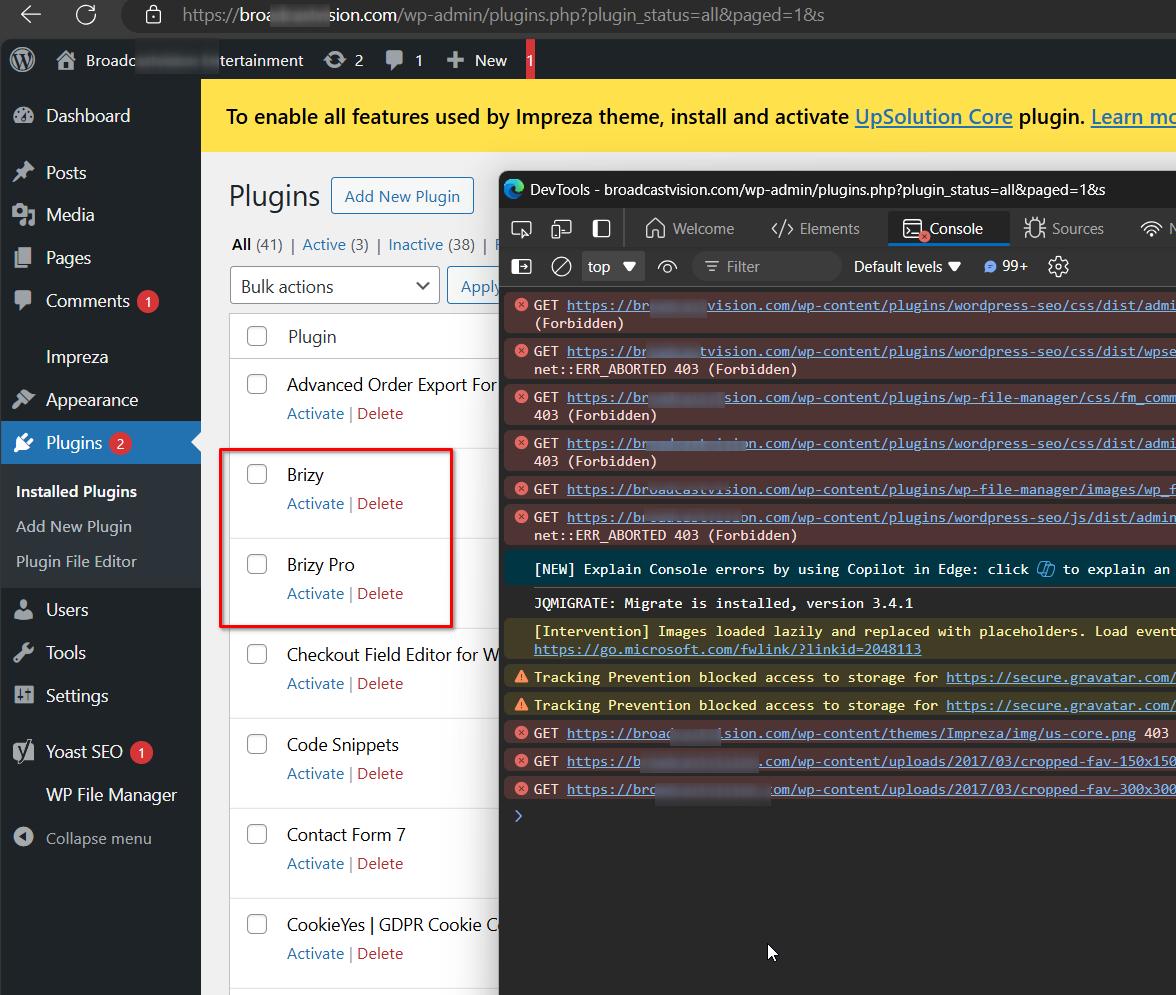
To address this, please refer to the following link for guidance:
https://www.wpbeginner.com/wp-tutorials/how-to-fix-the-403-forbidden-error-in-wordpress/If this solution does not resolve the issue, we recommend contacting your hosting provider for further assistance. They are better equipped to help you with resolving these types of issues.
Best regards,
Ariel H.0 -
Hello Ariel, I just got off the phone with the hosting company and all errors have been corrected. The issue now is that only the header and footer are displaying on the website and also when you try to edit a page in Brizy. Can you take a look please?
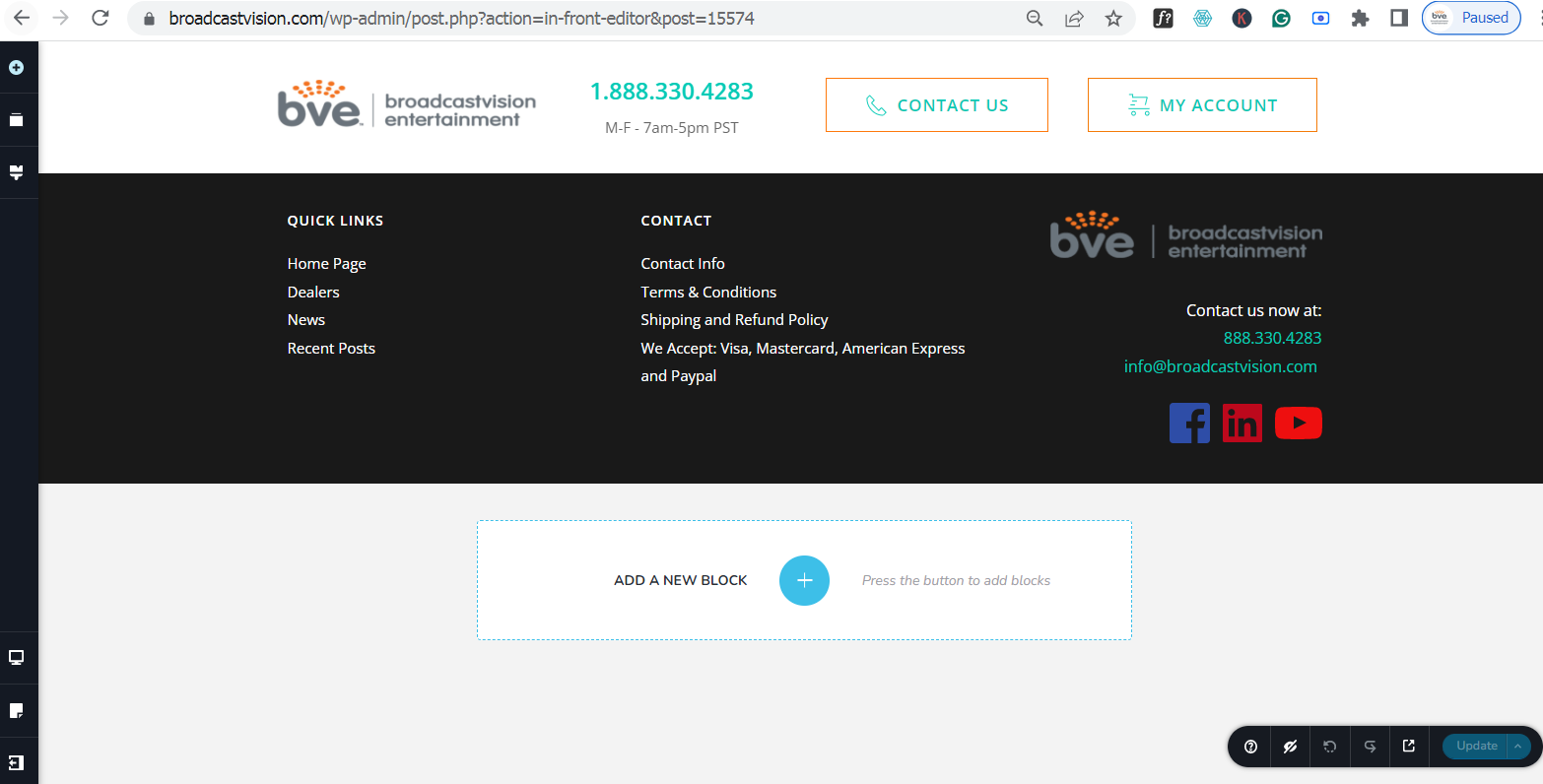 -1
-1 -
Hi Mark,
Thank you for the update.
Upon inspection of your pages, it appears that some content is missing. If this webiste was previously restored from a backup, please ensure it is restored again. If not, kindly check the most recent working backup from your hosting provider. Once this is completed, please inform us so we can assist in updating Brizy and Brizy Pro without affecting the pages.
I am looking forward to your response.
Best regards,
Ariel H.0 -
Hello Ariel, We completed restoring from a previous date and the same issues are appearing.
0 -
Hello again,
Below is the latest report from the hosting company.
Howdy!
WordPress has a built-in feature that detects when a plugin or theme causes a fatal error on your site, and notifies you with this automated email.
In this case, WordPress caught an error with one of your plugins, Brizy.
First, visit your website (https://broadcastvision.com/) and check for any visible issues. Next, visit the page where the error was caught (https://broadcastvision.com/wp-admin/admin-ajax.php) and check for any visible issues.
Please contact your host for assistance with investigating this issue further.
If your site appears broken and you can't access your dashboard normally, WordPress now has a special "recovery mode". This lets you safely login to your dashboard and investigate further.
[ LINK REMOVED ]
To keep your site safe, this link will expire in 1 day. Don't worry about that, though: a new link will be emailed to you if the error occurs again after it expires.
When seeking help with this issue, you may be asked for some of the following information:
WordPress version 6.5.5
Active theme: Impreza (version 100.10)
Current plugin: Brizy (version 2.4.44)
PHP version 7.4.33
Error Details
=============
An error of type E_ERROR was caused in line 59 of the file /home2/markb/public_html/wp-content/plugins/brizy/editor/project.php. Error message: Uncaught TypeError: Argument 1 passed to Brizy_Editor_Project::__construct() must be an instance of WP_Post, bool given, called in /home2/markb/public_html/wp-content/plugins/brizy/editor/project.php on line 130 and defined in /home2/markb/public_html/wp-content/plugins/brizy/editor/project.php:59
Stack trace:
#0 /home2/markb/public_html/wp-content/plugins/brizy/editor/project.php(130): Brizy_Editor_Project->__construct(false)
#1 /home2/markb/public_html/wp-content/plugins/brizy/editor.php(93): Brizy_Editor_Project::get()
#2 /home2/markb/public_html/wp-content/plugins/brizy/editor.php(29): Brizy_Editor->__construct()
#3 /home2/markb/public_html/wp-content/plugins/brizy/brizy.php(52): Brizy_Editor::get()
#4 /home2/markb/public_html/wp-includes/class-wp-hook.php(324): brizy_load('')
#5 /home2/markb/public_html/wp-includes/class-wp-hook.php(348): WP_Hook->apply_filters(NULL, Array)
#6 /home2/markb/public_html/wp-includes/plugin.php(517): WP_Hook->do_action(Array)
#7 /home2/markb/public_html/wp-settings.php(550):
0 -
Hi Mark,
Thank you for the update.
The following errors on your website appears to be coming from a conflict.
Uncaught TypeError: Argument 1 passed to Brizy_Editor_Project::__construct() must be an instance of WP_Post, bool given
This error occurs because a function expected an instance of `WP_Post`, but instead received a boolean (`false`). This issue could be due to a plugin or theme conflict, or it might originate from your database.
Some pages on your website appear to be working, but the home page is still only showing the header and footer, without the main content.
To troubleshoot, please try the following:
1. Temporarily deactivate both Brizy and Brizy Pro plugins. This will help us determine if the issue is directly related to Brizy. If the homepage content appears, we can confirm the conflict with Brizy. The layout might be broken, but at least we can verify the content's presence.
2. If disabling Brizy resolves the issue, there might be a conflict with another plugin or your theme.
Unfortunately, we are unable to access your site with the link provided. Please add us again as an Admin user so we can further inspect your site and identify the root cause of the problem.
Best regards,
Ariel H.0 -
Hello Ariel, I've attached the screen views per your instructions. Here is the log in credentials so you can log into the admin and hopefully you can get this corrected.
[ CREDENTIALS REMOVED]
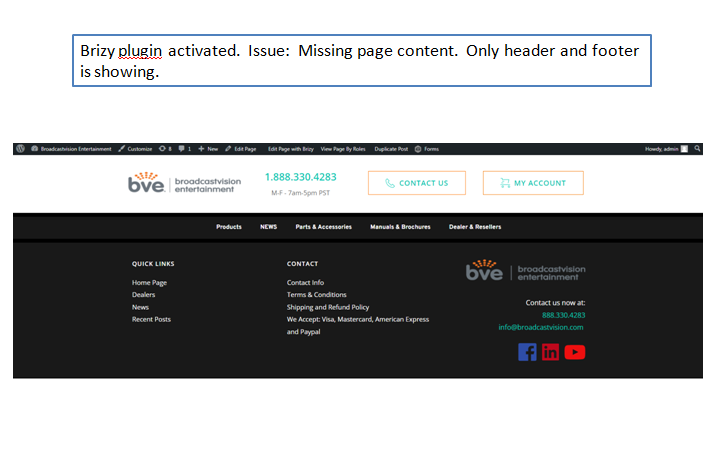
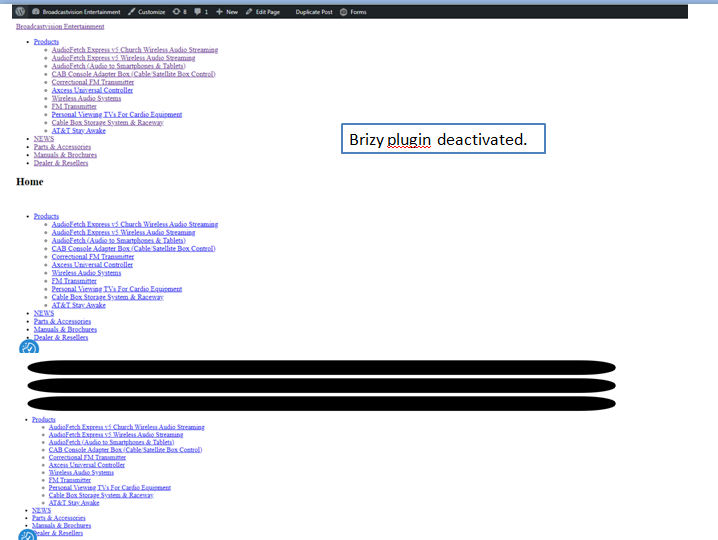 0
0 -
Hi Mark,
Thank you for your cooperation.
Unfortunately, we are still encountering the same error on your website. Please contact your hosting provider so they can assist in resolving this issue.
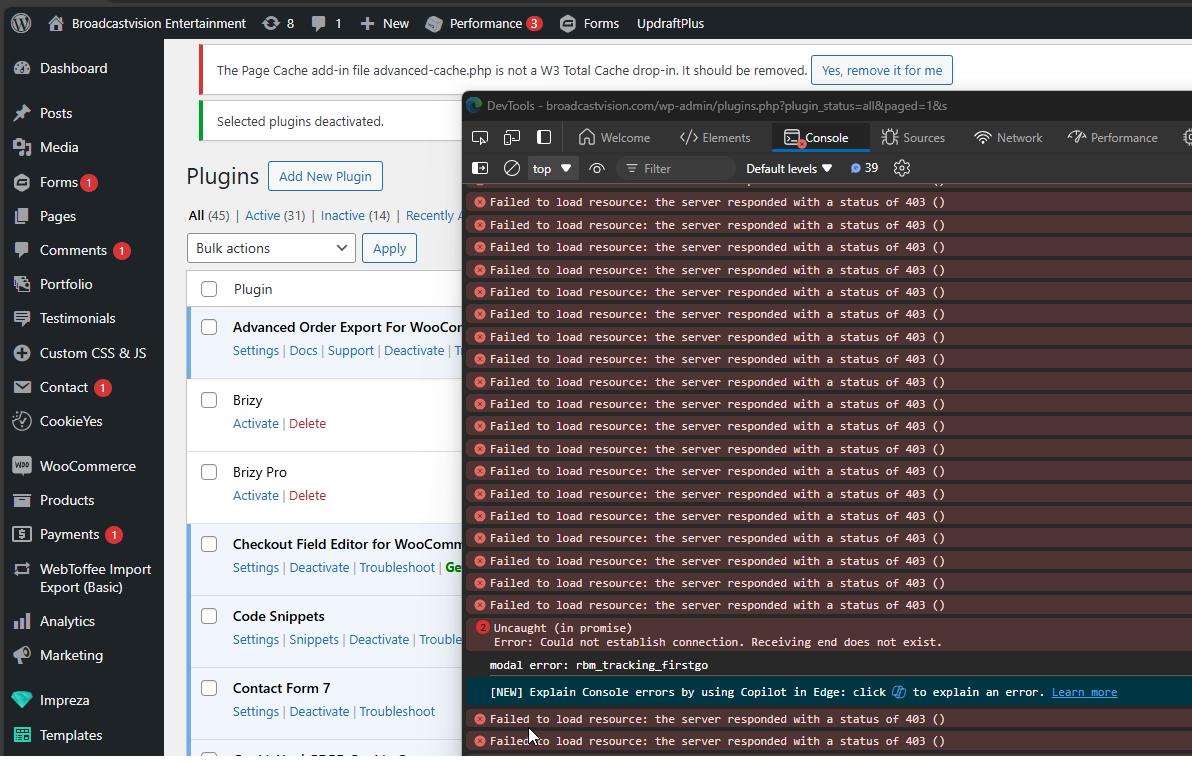
Alternatively, you may also provide us temporary access to cPanel so we can take a closer look.
Best regards,
Ariel H.0 -
Hello Ariel, SInce this doesn't seem to be going anywhere with the hosting company, it would be greatly appreciated if you could access the cpanel to investigate further. Details below:
0 -
Hi Mark,
Thank you for your cooperation.
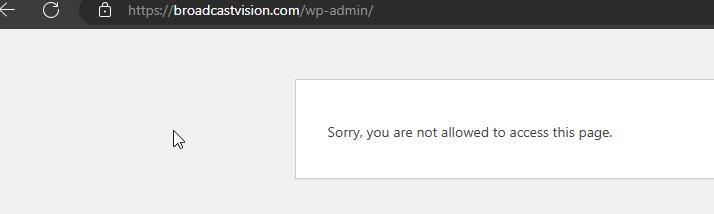
Unfortunately, we can no longer access your site using the previous credentials.
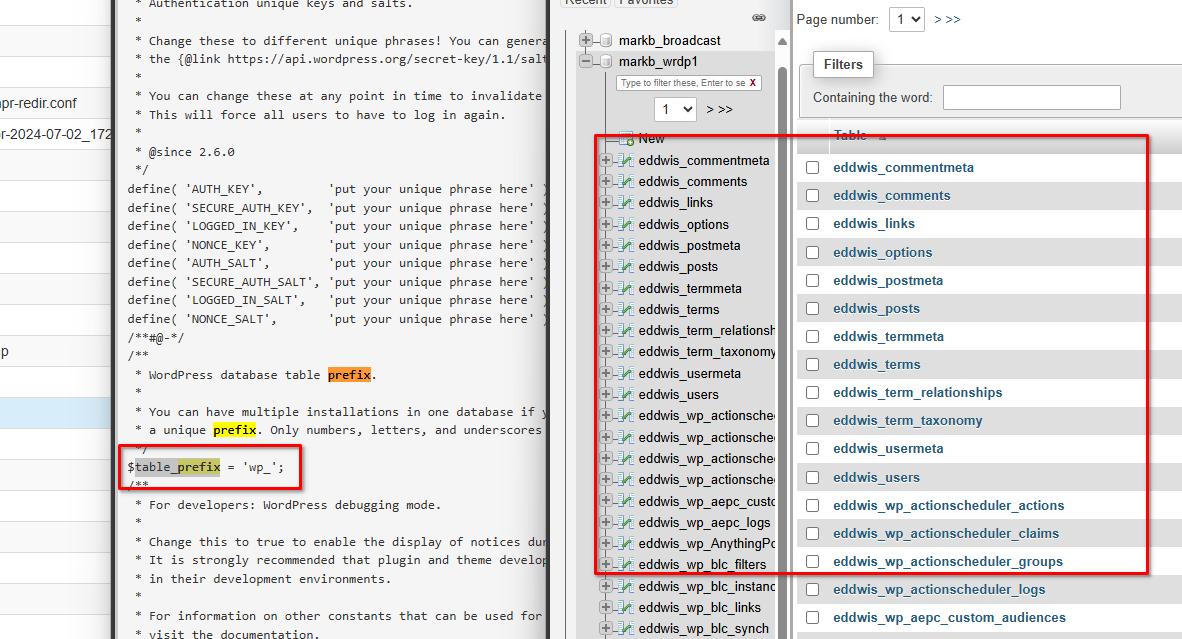
Upon checking, there seem to be a discrepancy between the table prefix in your wp-config.php file. ($table_prefix = 'wp_';) and the prefix shown in PHPMyAdmin (eddwis_) can lead to several issues. As a result, the site will not function properly because it cannot access the necessary data.
Unfortunately, this issue is beyond our scope of support. You may need to reach out to your site's developer so they can help you correct this issue or possibly help you in restoring it to its previous working state.
Sorry for the inconvenience.
Best regards,
Ariel H.0
Please sign in to leave a comment.
Comments
12 comments