Front page not showing up for website

Hello,
I design a new website, (Brizy WP plugin) and the front page does not show up. I use Kadence for theme, and that page contains a Filter Everything element.
The page works fine in the Editor, and the interesting part is that if I make a change in the page, save it then load it in incognito, it does work, but as soon as I refresh, it is gone.
Can you help please?
Thanks,
Alban
-

Hi Alban,
Thank you for contacting us.
Could you please confirm if the page you currently built was set as your default home page based on the instructions in this article:
https://www.domain.com/help/article/wordpress-how-to-change-your-front-pageIf this is not the issue, this is something we need to inspect from your WP Admin page. Please add us as an Admin user to your WordPress Dashboard and send the following details to: communitysupport@brizy.io
Community Post link: https://support.brizy.io/hc/en-us/community/posts/19622693228946
WordPress Admin URL:
Username:
Password:
Name of the affected page:Please make a full backup of your site as a precaution.
Best regards,
Ariel H.0 -
Hi Alban,
Thank you for your cooperation.
It appears that a dynamic template was applied to the homepage which is breaking your layout. Setting is to draft has fixed the issue.
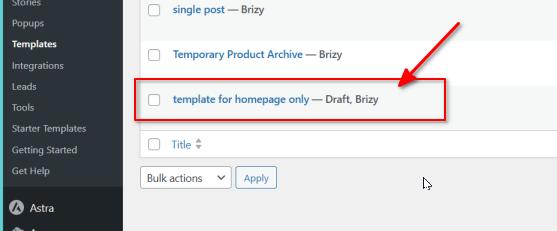

If you have any further questions, please let us know.
Best regards,
Ariel H.0 -
Hello,Thanks a lot for your help!Sorry I still have an issue :)The page I put in front page was a test page (home test), so that one is fixed, but I did not see any Template set to Draft, so I don't know which one caused issues.The correct Front Page is now 主页Another issue is that even in the repaired page, I cannot see the Filter on this page, despite assigning it to the correct page, and linking it to the correct Posts list.
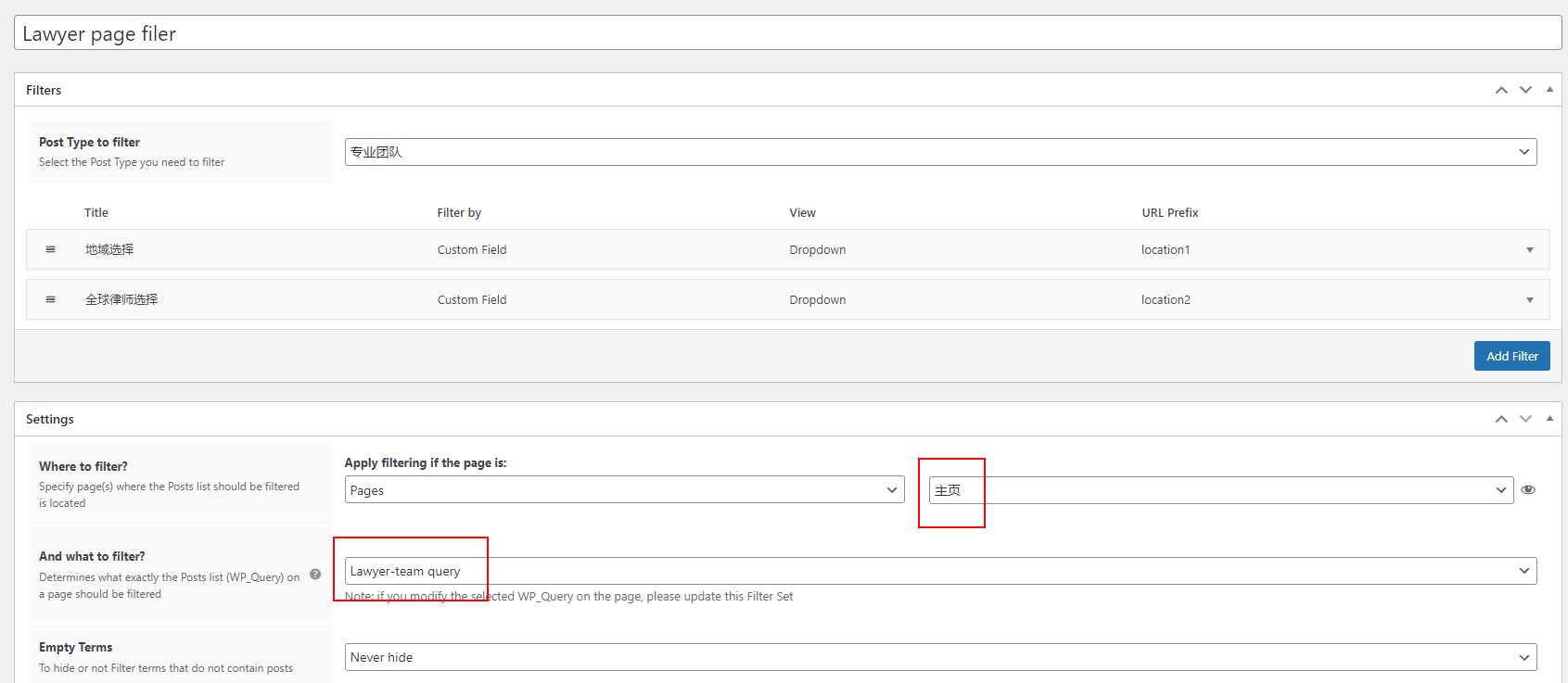
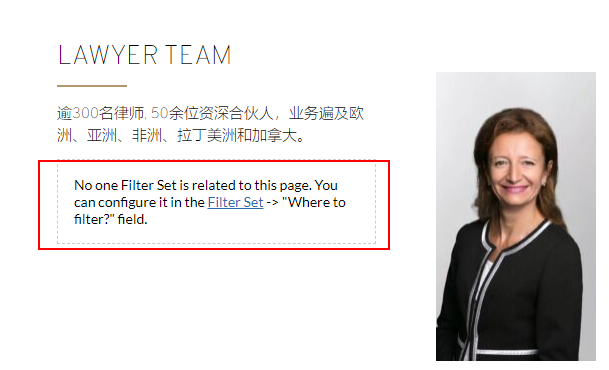
 Thanks,
Alban0 -
Hi Alban,
Thank you for the update.
Unfortunately, we are unable to determine what is causing this issue. I recommend also reaching out to the developers of the filter plugin for support and providing them with the same details so they can compare both pages and possibly offer a solution.
Sorry for the inconvenience.
Best regards,
Ariel H.0
Please sign in to leave a comment.
Comments
4 comments