Brizy Starter Template internal server error

I am getting an internal server error on all WP installations when trying to load new Starter templates?
-
This means I am not able to install a new template using the standard Brizy method. Perhaps I could go via themes and try my luck at finding a Brizy theme, would this work as a backup?
0 -

Hi Victor,
Kindly check these details
- Do you have compatible Brizy and Brizy Pro versions. For example, these versions are compatible with each other
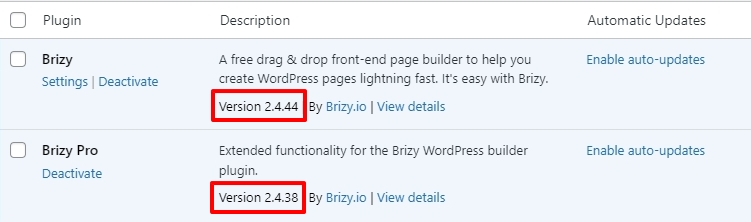
- Is your WordPress instance using PHP 7.4 or above? If not, kindly upgrade your PHP version
- In your WordPress Dashboard under Tools - Site Health - Info tab select the "Server' accordion
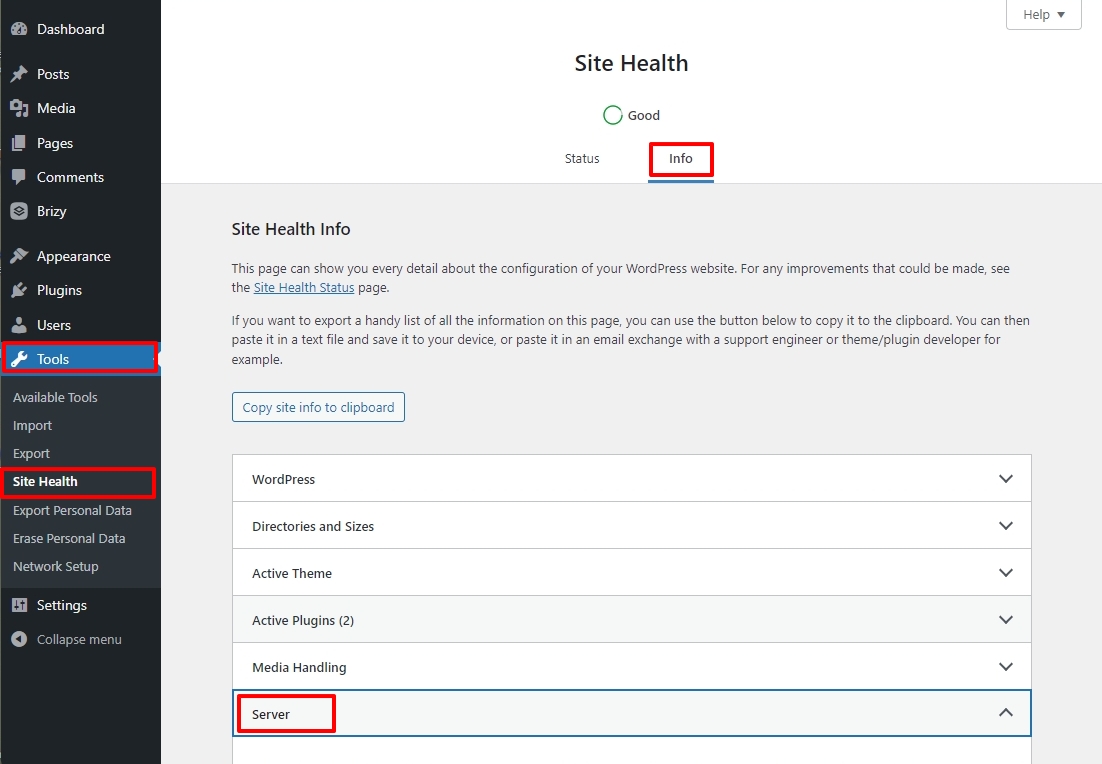
- Kindly check "PHP time limit" and "Max input time". If these values are below 400, kindly increase its value to 400 or above. You can increase these PHP options in cPanel. You can also request your hosting provider to change it for you.
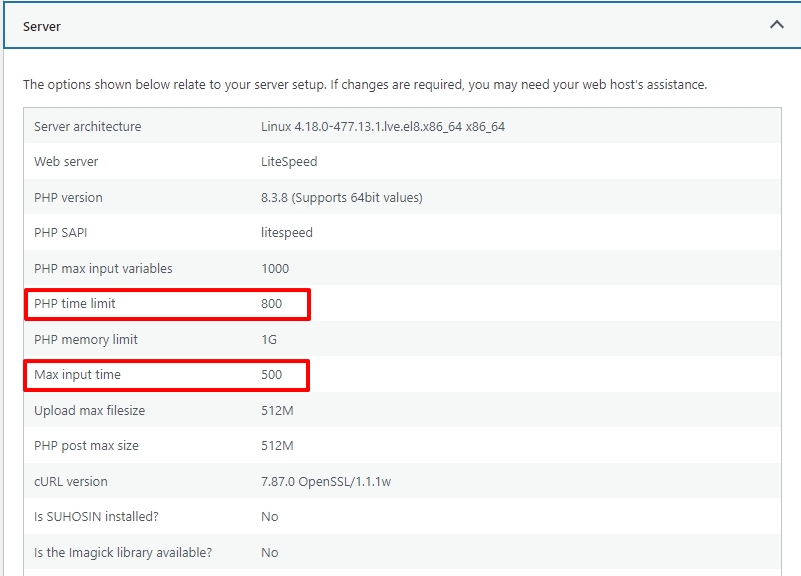
If none of the above helps, kindly get back to us. We will need access to your WordPress Dashboard and your cPanel (or a similar server administration software) to fix this issue
0 - Do you have compatible Brizy and Brizy Pro versions. For example, these versions are compatible with each other
-

Hello,
i have checked everything as shown and also changed the value of the PHP time limit etc.
But still did not work0 -

Hi Amir,
Thank you for the update.
This is something we need to inspect from your WP Admin page. Please add us as an Admin user to your WordPress Dashboard and send the following details to: communitysupport@brizy.io
Community Post link: https://support.brizy.io/hc/en-us/community/posts/19600538415506
WordPress Admin URL:
Username:
Password:Please make a full backup of your site as a precaution.
Best regards,
Ariel H.0 -
Hi Amir,
Thank you for your cooperation.
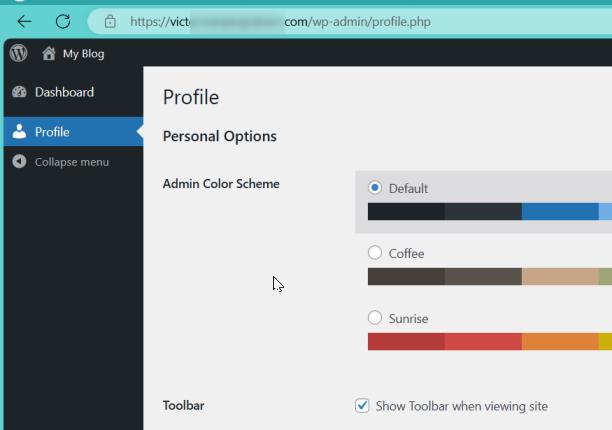
Unfortunately, the temporary user account does not have administrative access. Could you please update it to an Administrator account?
Best regards,
Ariel H.0 -
Hi Amir,
Thank you again for your cooperation.
We can also reproduce this issue in our testing environments, this appears to be a glitch. We have now escalated this issue to our senior support team for further investigation.
I will reach out to you as soon as we have an update. Sorry for the inconvenience.
Best regards,
Ariel H.0 -

Im experiencing the same issue.
0 -
Hi Timothy,
Thank you for contacting us. This issue was already reported to our developers so they can fix it as soon as possible.
Best regards,
Ariel H.0 -

Hello,
If it can help,
I didn't get the error Internal server error with the free Brizy module, I could have access to all starter templates, but ever since I have installed the Brizy pro version, I get the error Internal server error when I click on starter templates.
Best regards
cyril
0 -
Hi Cyril,
Thank you for contacting us. We are aware of this issue, and it should be fixed in the upcoming updates.
Best regards,
Ariel H.0 -

I am having the same issue and a site design due today!!!
0 -
Hi Barry,
My apologies in the delays in addressing this issue.
Please choose a template you like from this link ( https://www.brizy.io/templates ); we can export the template and send it to you.Best regards,
Ariel H.0 -

Hi Ariel, hope you're doing fine
I'm having the same Internal Server Error for the starter templates, can I have a exported version of the Alpine Lodge template?
Best regards
0 -
Hi,
Thank you for contacting us.
Please log in to this website to recover your password using your email address:
https://sitebuilder1.online/alpine/wp-login.php?action=lostpasswordI have uploaded the template here and pre-installed some backup plugins that you can use to download the site. You can also save the layouts and import them into your site.
Your access to this staging site will expire after 72 hours. Please let us know when you have downloaded the site.
Best regards,
Ariel H.0 -

Hi, I have carried out the above recommendations on my server. Having the same timeout problem as others.
I need the Scooto template.
Dean0 -
Hi Dean,
Thank you for contacting us.
You can import this template as a Layout as shown on this screencast - https://youtu.be/62l0aeiLMWo
Please try this and let me know how it goes.
Best regards,
Ariel H.0 -

I'm relieved to see I'm not the only one having issues and that it's nothing I did or didn't do.
Is there any timeframe for the update to fix this? I have a few different client sites I'm attempting to build out soon that I'd love to start with templates for them!
Thanks in advance!
0 -

I am having the same issue, and still no update!
0 -
Hi Travis and Duraid,
Thank you for contacting us.
Unfortunately, this issue is still ongoing, and we are unable to provide an estimated time for resolution at the moment. However, rest assured that we will reach out to you as soon as we receive any updates.
We apologize for the inconvenience.
Best regards,
Ariel H.0 -
I'm glad to hear it's being worked on and appreciate being kept in the loop. Hopefully its a quick fix, for all our sakes. Thanks again!
0 -
Hi,
Thank you for your patience. We have recently rolled out an update to resolve this issue.
Please try it and inform me if you are still experiencing difficulties accessing the Starter Templates.
Best regards,
Ariel H.0 -
Hello,
i can see the templates now.
But as i try to install it there occurs an error.I'm trying to install the template called driving.
Need help ASAP0 -
Hi Amir,
Most recently launched designs are still being added to the Starter Templates. Kindly download the Driver template from the ZIP file at https://jmp.sh/3DeqT5zw To import this design to your project,
- Download the ZIP file to your computer
- Add a new page in your WordPress Dashboard, add a name for the page and publish it
- Click on the "Edit with Brizy' button
- Select Start Building your page
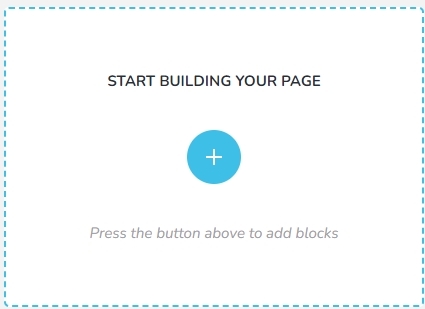
- Click the "Saved" tab in the Layouts and Blocks library and the Layouts option on the left side bar
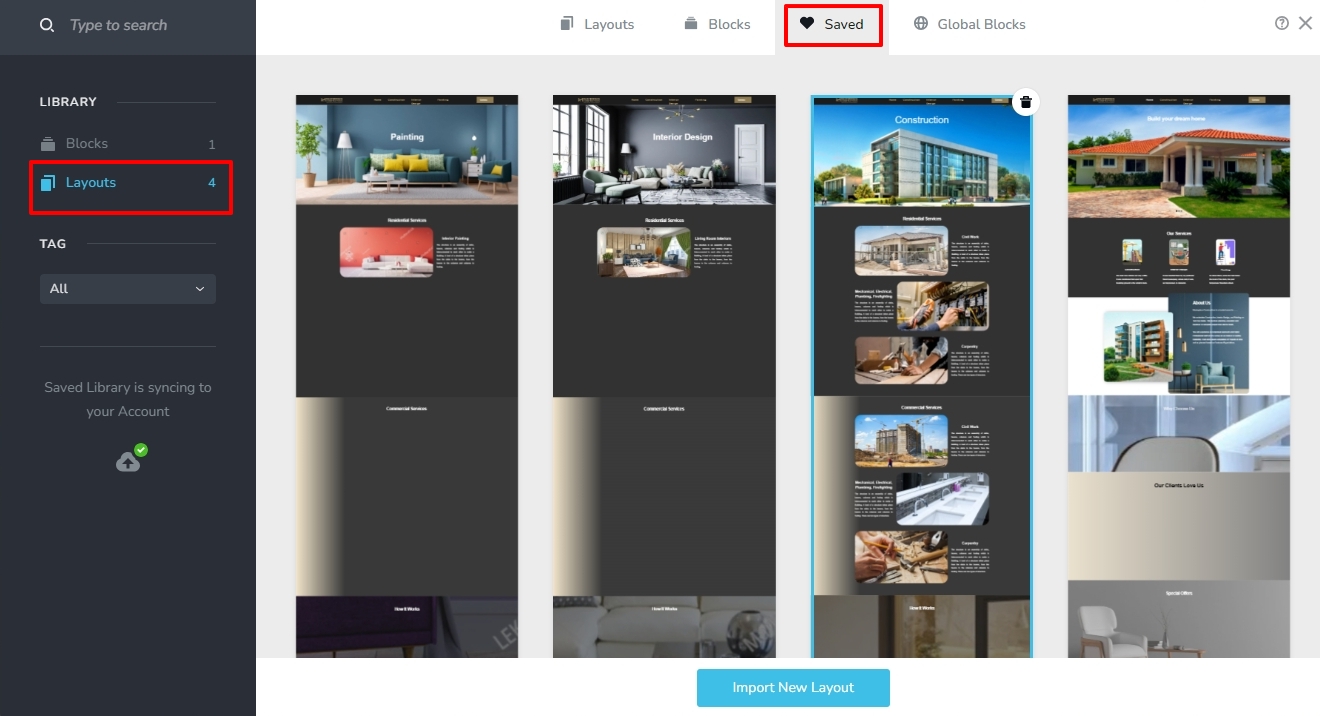
- Select the "Import New Layout" button at the bottom and select the ZIP file you have downloaded at Step 1
0
Please sign in to leave a comment.
Comments
23 comments