Unable to save pages since a few days

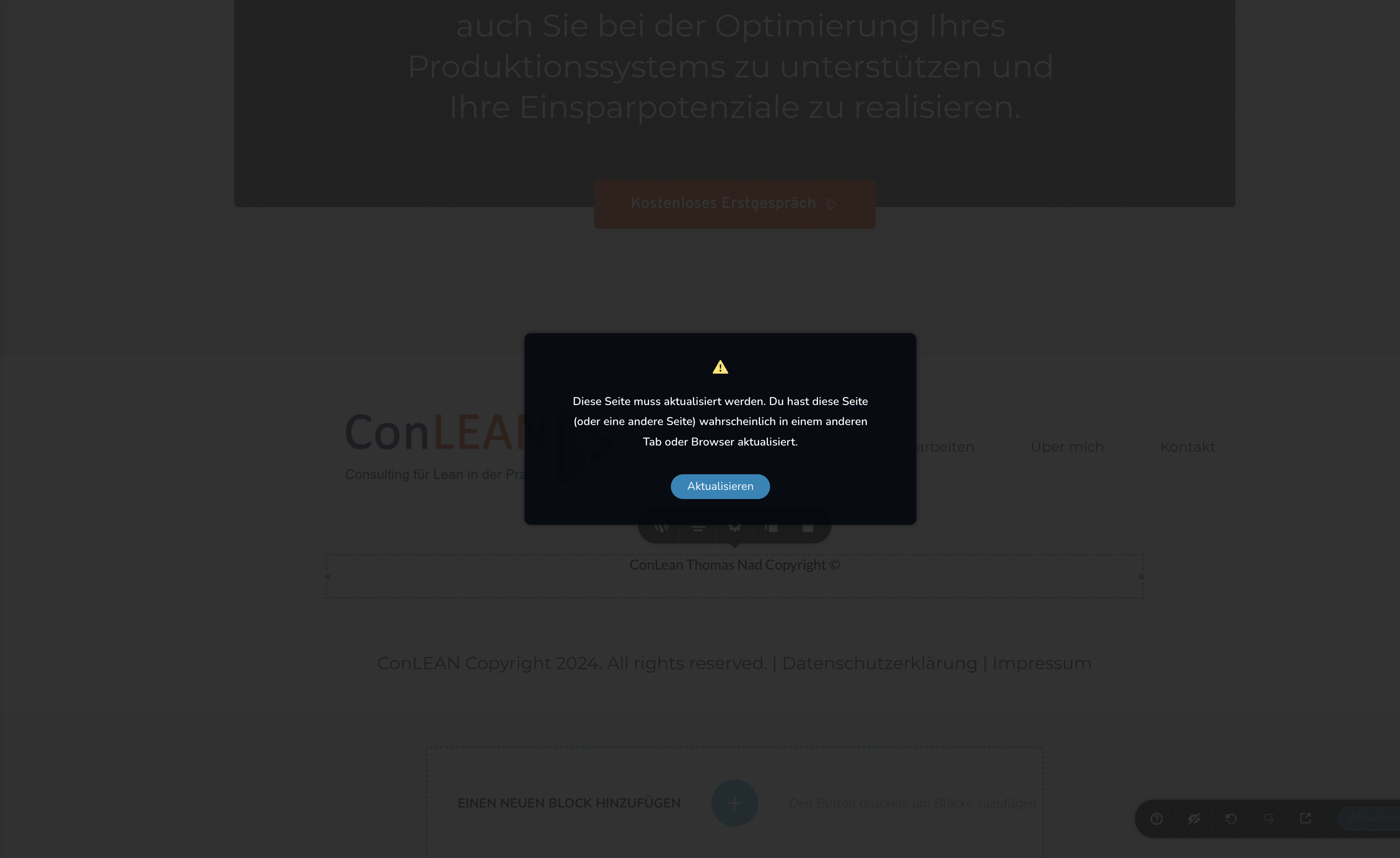
Every time I click on the "Save Draft" button, I get this error since a few days and I`m unable to save my pages. I have cleared my cache, tried a new browser and updated the versions of Brizy and my Astra Theme - same problem. What can I do?
 :
:
-

Hi Silke,
Thank you for reaching out to us.
Does it occur on all pages or one specific page only? From my observation, the issue appears to be related to pages with so many page revisions.
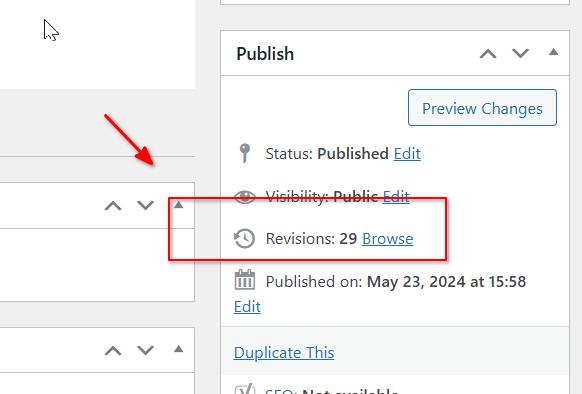
To address this issue, I recommend trying the steps outlined in this link to see if it resolves the issue:
https://www.elegantthemes.com/blog/wordpress/how-to-manage-wordpress-revisions-to-optimize-site-performanceIn the above article offers a manual method of limiting page revisions using PHPMyAdmin, or you can opt for WP Optimize, which is simpler to operate.
If the issue continues, this is something we need to inspect from your WP Admin page. Please add us as an Admin user to your WordPress Dashboard and send the following details to: communitysupport@brizy.io
Community Post link: https://support.brizy.io/hc/en-us/community/posts/19213988105490
WordPress Admin URL:
Username:
Password:Please make a full backup of your site as a precaution.
Best regards,
Ariel H.0 -
Hi Ariel,
perfect, seems like it works now! It occured at all pages but I have deleted all revisions and have installed WP Optimize. At the moment the problem is solved. Thanks for your fast reply!
Best regards,
Silke0 -
Hi Silke,
Thank you for the update. I'm glad that this is now sorted out.
Best regards,
Ariel H.0 -
Hi Ariel,
I'll get back to you about the Brizy error. As I had written, it worked that I was able to save the pages again after I cleaned up the revisions with the WP Optimize plugin.
But now for the last week I keep getting a 502 Gateway error when I try to save a page in Brizy. Not always, but very often. I have completely deleted all other plugins to see if another plugin, e.g. a caching tool, is causing the error. But the problem was not solved, although I deleted all plugins completely as I said.
I also received the following error message from WordPress:
WordPress has a built-in feature that detects when a plugin or theme is causing a fatal error on your site and notifies you with this automated email.
In this case, WordPress has caught an error in one of your plugins, Brizy Pro.
Please contact your hosting company for assistance in investigating this issue further.
To protect your site, this link will expire in 1 day. But don't worry: a new link will be emailed to you if the error occurs again after the deadline.
If you're looking for help with this issue, you may be asked for some of the following information:
WordPress version 6.5.4
Active theme: Astra (version 4.7.0)Current plugin: Brizy Pro (version 2.4.38)
PHP version 8.3.8Error details
==============
An error of type E_ERROR was caused in line 39 of the file /var/www/vhosts/conlean.ch/httpdocs/wp-content/plugins/brizy-pro/vendor/composer/autoload_real.php. Error message: Uncaught Error: Failed opening required '/var/www/vhosts/conlean.ch/httpdocs/wp-content/plugins/brizy-pro/vendor/composer/../guzzlehttp/promises/src/functions_include. php' (include_path='.:/opt/plesk/php/8.3/share/pear') in /var/www/vhosts/conlean.ch/httpdocs/wp-content/plugins/brizy-pro/vendor/composer/autoload_real.php:39
Stack trace:
#0 /var/www/vhosts/conlean.ch/httpdocs/wp-content/plugins/brizy-pro/vendor/composer/autoload_real.php(43): {closure}()
#1 /var/www/vhosts/conlean.ch/httpdocs/wp-content/plugins/brizy-pro/vendor/autoload.php(25): ComposerAutoloaderInitdcec5939a645ff489b339027c220ee74::getLoader()
#2 /var/www/vhosts/conlean.ch/httpdocs/wp-content/plugins/brizy-pro/autoload.php(2): include_once('...')
#3 /var/www/vhosts/conlean.ch/httpdocs/wp-content/plugins/brizy-pro/brizy-pro.php(24): include_once('...')
#4 /var/www/vhosts/conlean.ch/httpdocs/wp-settings.php(517): include_once('...')
#5 /var/www/vhosts/conlean.ch/httpdocs/wp-config.php(88): require_once('...')
#6 /var/www/vhosts/conlean.ch/httpdocs/wp-load.php(50): require_once('...')
#7 /var/www/vhosts/conlean.ch/httpdocs/wp-admin/admin.php(34): require_once('...')
#8 /var/www/vhosts/conlean.ch/httpdocs/wp-admin/edit.php(10): require_once('...')
#9 {main}
thrownWhat can I do ???
Many thanks in advance for your help !!!Best regards,
Silke0 -
Hi Silke,
Thank you for contacting us.
This error typically occurs when the specified file, in this case, 'functions_include.php' cannot be found or accessed. The file itself may be missing or inaccessible.
To address this issue,
1. Please try to uninstall/reinstall Brizy and Brizy Pro
2. Please ensure that your server has the correct file permissions - https://themeisle.com/blog/wordpress-file-permissions/
If the problem persists, kindly provide us with a copy of your server's error logs. Contact your hosting provider for assistance in locating the error logs on your server.
Best regards,
Ariel H.0 -
Hi Ariel,
thanks for your fast response. I have done what you told and until now the mistake didn`t pop up again.
Best regards,
Silke0
Please sign in to leave a comment.
Comments
6 comments