Sticky Header Not Showing

Hey Brizy Team! The sticky header on this page isn't working/not showing up on scroll. I've deactivated all plugins and changed the theme to a generic WordPress theme and the sticky header still isn't working on scroll. Any ideas on how to fix this? This is the page: https://visitljstaging.wpengine.com/tarantula-trek/
-

Hi Cait,
I don't see sticky header on any of your pages at https://visitljstaging.wpengine.com/ If you have setup Sticky header in the Brizy editor, kindly sign into your hosting control panel and purge all server cache by clicking on the 'Clear All caches' button in the Cache section.
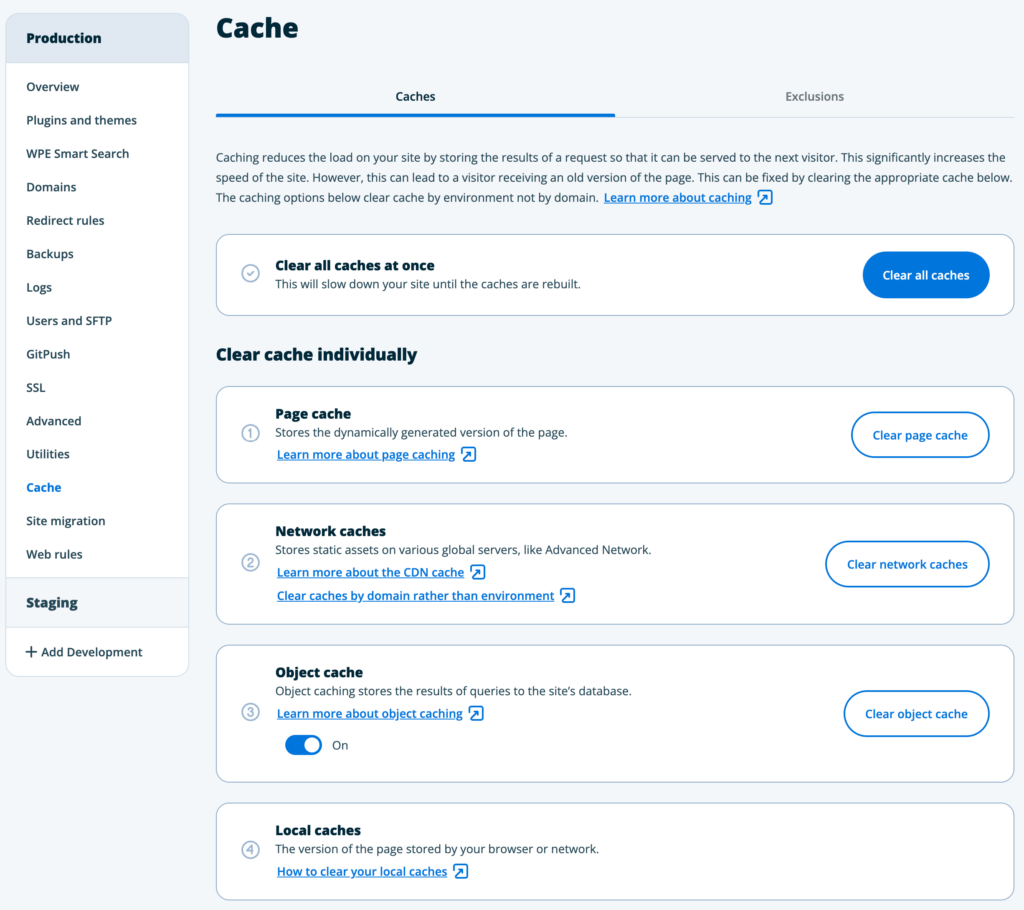
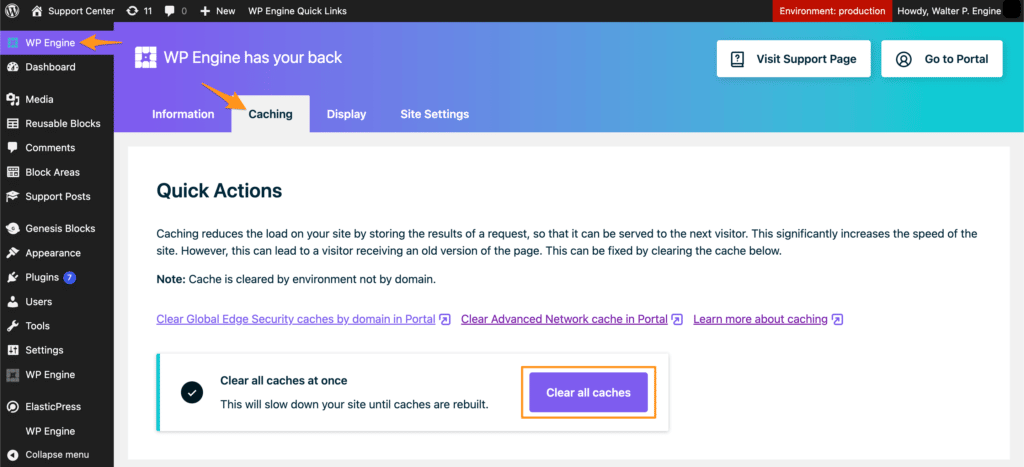
If you have installed the WP Engine plugin in your WordPress Dashboard,
- Click on the WP Engine in the left sidebar
- Select 'Caching' tab
- Click "Clear All Caches"
 0
0 -
Hi KC George! I've only set up a sticky header on this page - https://visitljstaging.wpengine.com/tarantula-trek/ And, I did clear the caches already and no luck. Any other ideas?
Here's a loom video showing the sticky header working in the editor but not on the live page.
0 -

Hi Cait,
Thank you for the update.
This is something we need to inspect from your WP Admin page. Please add us as an Admin user to your WordPress Dashboard and send the following details to: communitysupport@brizy.io
Community Post link: https://support.brizy.io/hc/en-us/community/posts/19207423092754
WordPress Admin URL:
Username:
Password:Please make a full backup of your site as a precaution.
Best regards,
Ariel H.0 -
User info sent to that email. Thanks!
0 -
Hi Cait,
Thank you for your cooperation.
The issue appears to be a conflict with your current theme. I've installed and activated the Blocksy theme, and the issue no longer occurs.

I left it activated for you to try. I recommend switching to another theme, possibly one of the themes listed here: https://www.brizy.io/theme-partners. Blocksy is also in the list.If you have any further questions, please let us know.
Best regards,
Ariel H.0 -
Hi Ariel. Thanks for checking. Unfortunately, they have to have their theme because the whole site would break without it and they can't transition yet to Brizy for the whole site. I know you don't work with third-party themes, but I've been looking at the css and trying for the life of me to figure out what in the theme is causing the conflict. Is there anything you saw when you were in there that I can delete so the sticky menu works with their theme? Or, do you know of a sticky Table of Contents plugin that would work?
0 -
Hi Ciat,
Thank you for the update.
Upon checking, the issue appears to be coming from a JavaScript conflict.
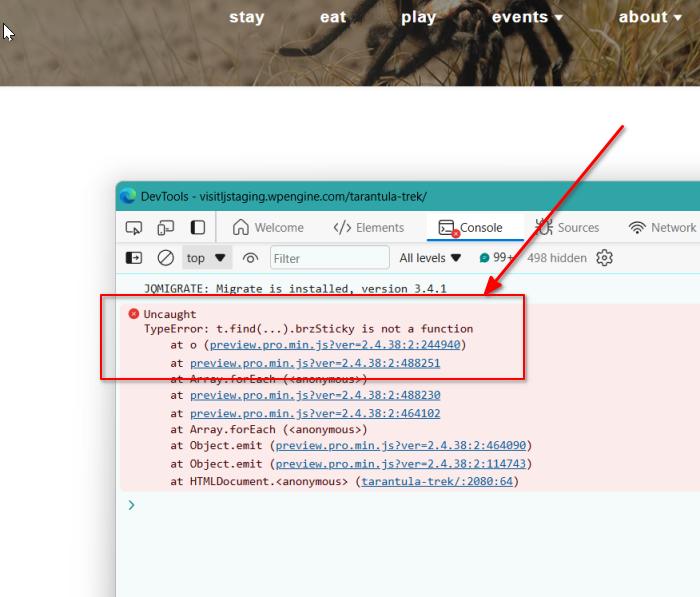
This may require some modifications in the theme to fix the issue. As much as I wanted to help, this falls outside my area of expertise.
Sorry for the inconvenience.
Best regards,
Ariel H.0
Please sign in to leave a comment.
Comments
7 comments