Images not displaying in editor on backend but displays frontend

Hi There,
I have a strange issue, when editing a page using brizy editor I can not see any images, but the images are displaying on the frontend.
I have tried changing themes, disabling all plugins and also deleting cached, not seems to be working.
Thank you for your assistance,
Riaan
-

Hi Riaan,
Thank you for reaching out to us.
If by any chance your site is hosted by GoDaddy, please try to temporarily disable CDN and see if this helps.
https://in.godaddy.com/help/enable-or-disable-my-cdn-40921Additionally, if you are using any site optimization plugins, we suggest temporarily disabling them to see if it makes a difference.
If the issue persists, would it be possible for you to provide us with temporary access to your WP Admin? You can add us as an Admin user and send the following details to communitysupport@brizy.io:
- Community Support link: https://support.brizy.io/hc/en-us/community/posts/19186812359698
- Admin User:
- Password:Best regards,
Ariel H.0 -
Hi Riaan,
Thank you for your cooperation.
Upon checking, the issue seems to be linked to cache. To ensure the images display correctly, kindly set the image size to "original" or Large 1024 x 1024 instead of "custom."
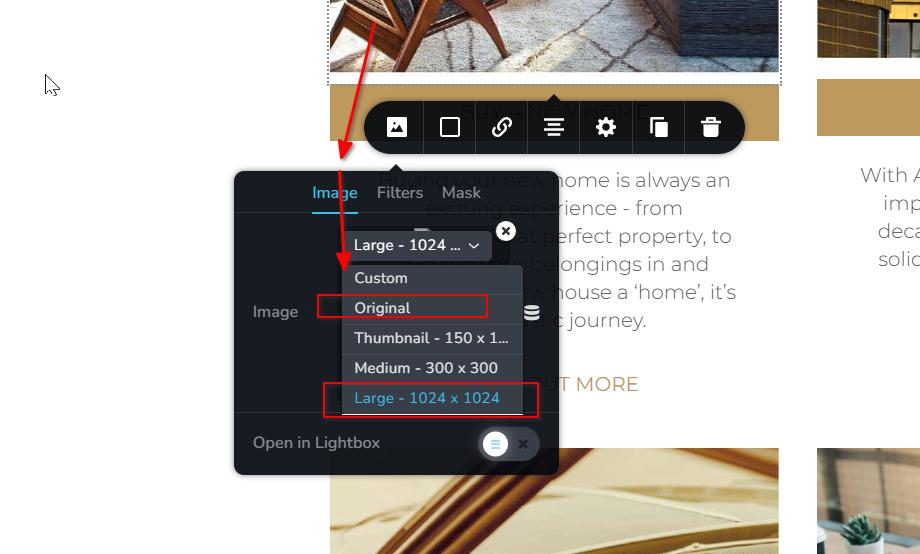
If you have any additional questions, please feel free to reach out.
Best regards,
Ariel H.0 -
Hi Ariel,
I have tied this, but it’s still not displaying the images for me. This is effecting all pages on the website. All use to work perfectly :(Thank you for your assistance. I am also not able to select any images when trying to update them. 0
0 -
Hi Riaan,
Thank you for the update.
Upon checking, it seems that your wp-config.php file was modified. At the bottom of the file, you will notice that SiteGround made modifications and added some directives, which could be causing the issue.
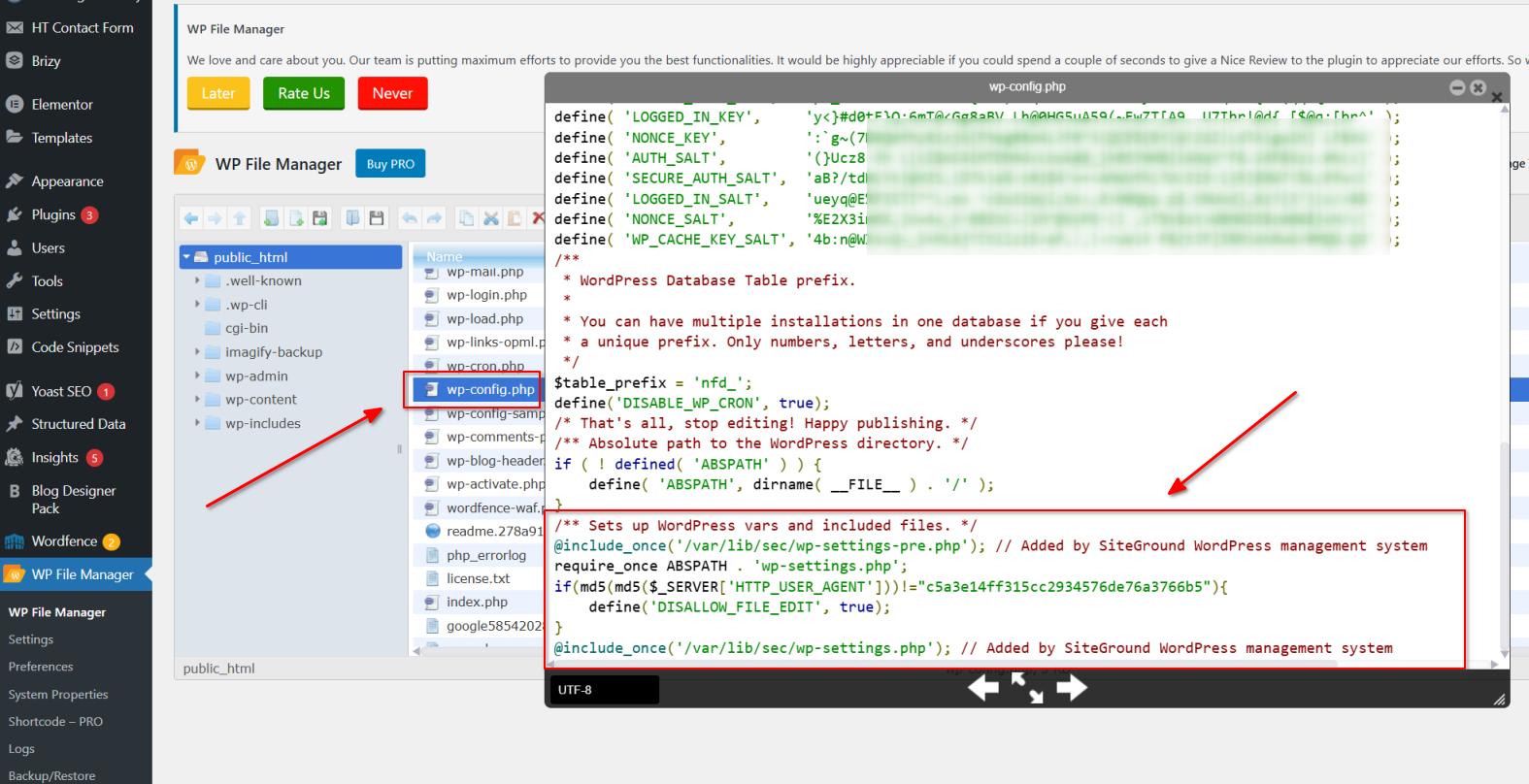
Additionally, please consider increasing the PHP memory limit from 256M to 512M for best results.
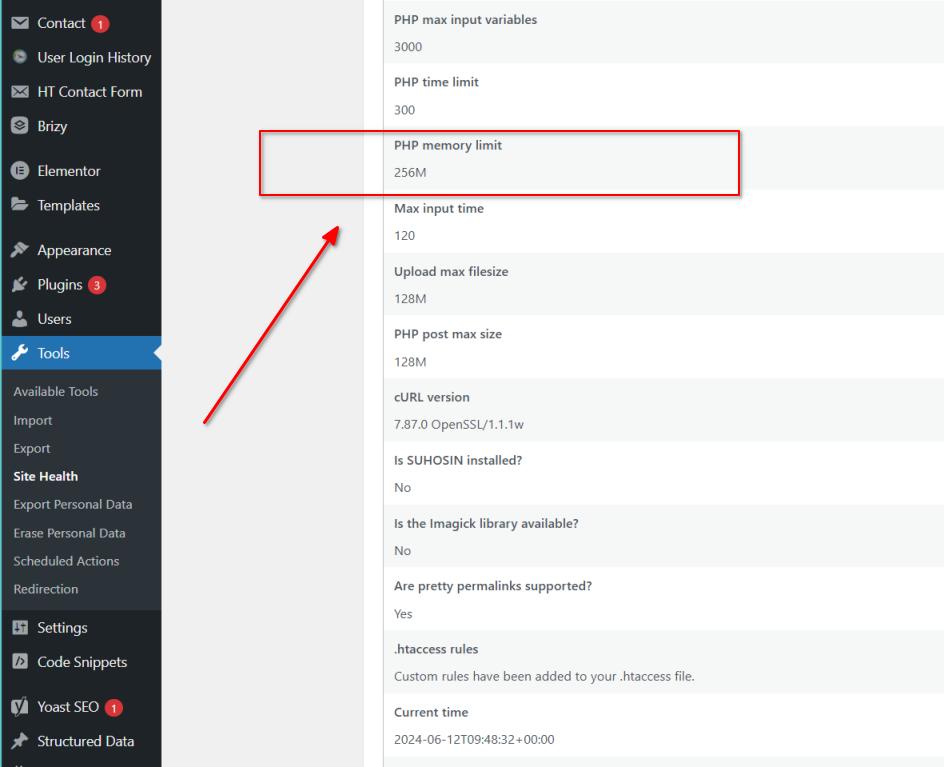
Kindly inform me once these changes have been implemented.
Best regards,
Ariel H.0 -
Hi Ariel,
Thank you for the info, I have commented out the Siteground code updates, but unfortunately, I'm still having the same issue.
Kind regards,
Riaan0 -
Hi Riaan,
Thank you for the update.
Could you please also provide us temporary access to cPanel or FTP, so we can further investigate the issue.
I am looking forward to your response.
Best regards,
Ariel H.0 -

Good Day
Previouly create a page with free brizy. Upgraded to pro and now images not displaying in editor on backend but displays frontend. Help
0 -
Hi Miguel,
Sorry to hear you're having issues with Brizy.
If you have access to WP Admin, can you please try isolating the issue by disabling all other plugins except for Brizy and Brizy Pro to check if there's a conflict. Also, try using another theme to see if that helps.
Otherwise, could you kindly give us temporary access to your WP Admin? This will allow us to further investigate the issue. Please add us as an Admin user to your WordPress Dashboard and send the following details to: communitysupport@brizy.io.
Community Post link: https://support.brizy.io/hc/en-us/community/posts/19186812359698
WordPress Admin URL:
Username:
Password:Please make a full backup of your site as a precaution.
Best regards,
Ariel H.0 -

Hi
I have the same problem. After updating to the latest version of Brizy 2.5.5, the images inside the page builder disappeared.
Installing the previous version helped. There are no problems in the previous version of Brizy 2.5.4.
(Only Brizy and Brizy Pro plugins are installed)
Photos in the page builder disappear:
Brizy 2.5.5
Brizy Pro 2.5.2Photos in the builder are displayed:
Brizy 2.5.4
Brizy Pro 2.5.2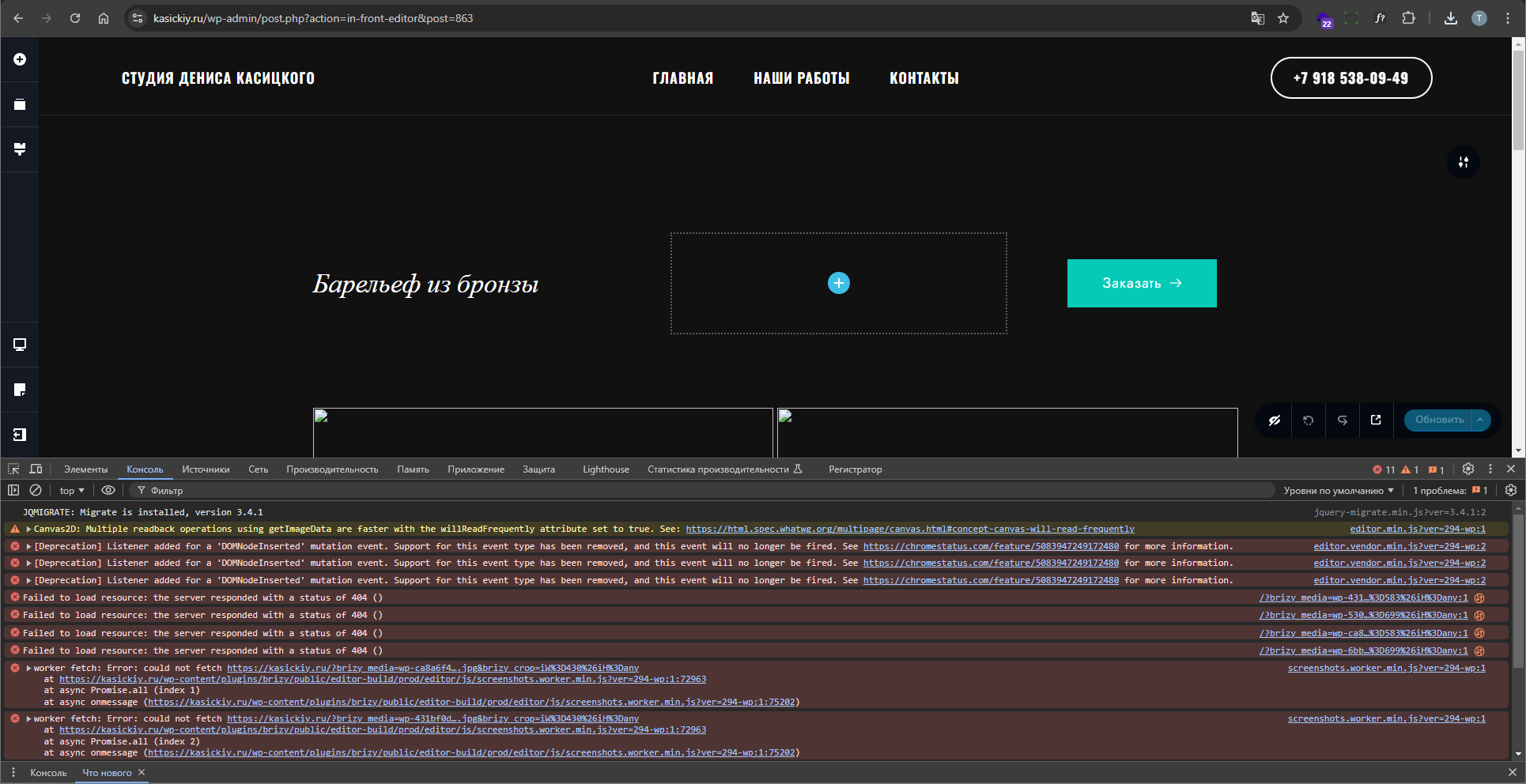 0
0 -
Hi Miguel,
Thank you for the update.
Unfortunately, the credentials don't work. Could you please revise and send us the correct login details?
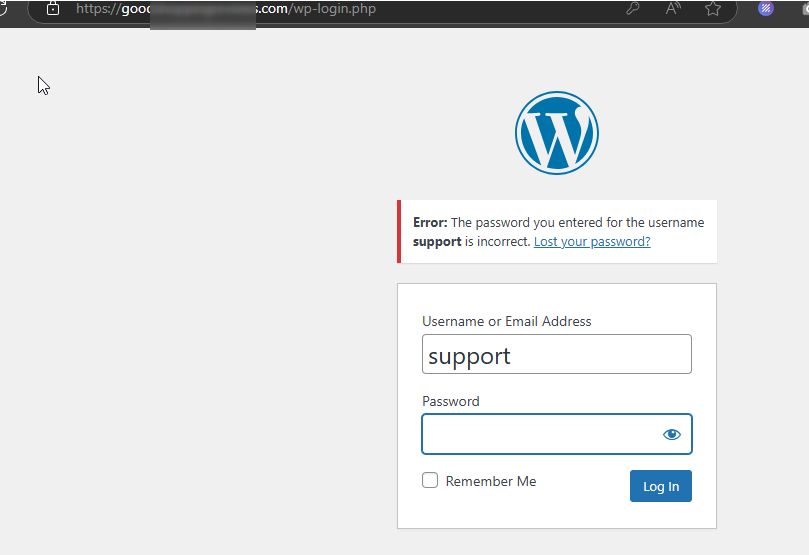
In the meantime, please update to the most recent versions of Brizy and Brizy Pro. This may help address the issue.

Best regards,
Ariel H.0 -
Fantastic. Thank you so much.
0
Please sign in to leave a comment.
Comments
11 comments