Google Review Widgets Wordpress

Hello, I would like to integrate Google reviews directly onto a website.
So I downloaded the “Google Review Widgets” plugin. By Trustindex.io With its plugin, choose the layout and we have a short code to integrate into our site. Unfortunately looking at the display it is not good.
Here is a screenshot of the display so I deleted the short code for now
Website : https://avocat-moustard.fr/
-

Hi Eric,
Unfortunately the Trustindex shortcode does not display well in the Brizy editor. However, once you have added the shortcode and saved your work, kindly visit the page frontend; you will notice that the reviews display well. Have a look at my test page at https://brizy.tech/trustindex/
 0
0 -
Even when I look more on the brizy editor the display is not good. I tried clearing the caches, the problem remains the same. I thought the problem was that I divided my block into 3 columns because I want the reviews to be displayed to the right of the website phone. But even with a single block, the bug remains. Here is a screenshot
 0
0 -
Hi Eric,
I am unable to take a look at the changes you have made as the website frontend does not display well at my end. Kindly deactivate the WP Optimize plugin and check if the issue resolves.
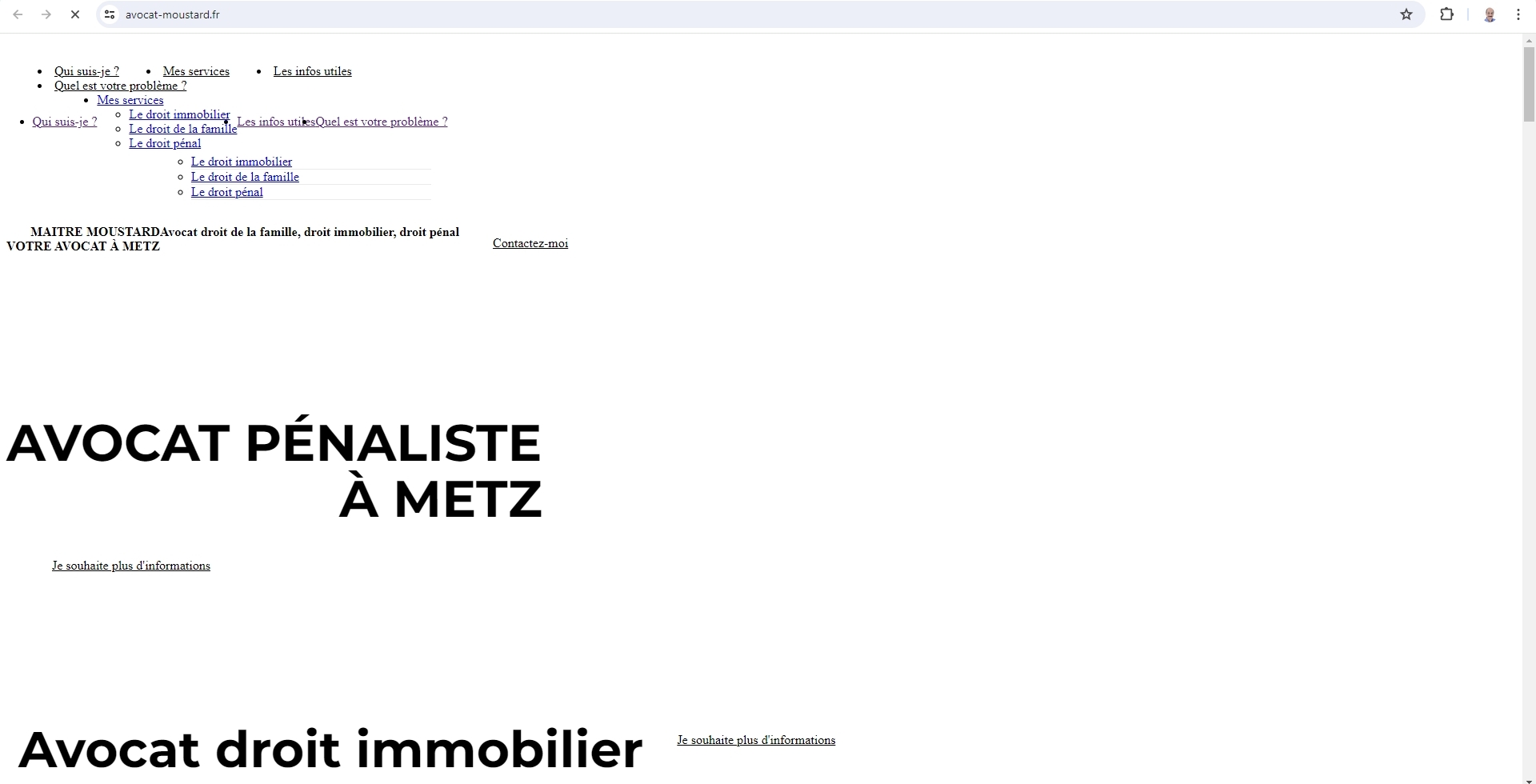 0
0 -
Yes if you haven't seen anything it's normal I removed the review block in the meantime.I just put it back.
I tried deactivating the plugin but nothing changes Otherwise I can give you access0 -

Hi Eric,
Thank you for the update.Please add us as an Admin user to your WordPress Dashboard and send the following details to: communitysupport@brizy.io
Community Post link: https://support.brizy.io/hc/en-us/community/posts/18556412761746
WordPress Admin URL:
Username:
Password:Please make a full backup of your site as a precaution.
In the meantime, it seems that WP Optimize is still enabled. Could you please disable it and try creating a new page? Insert the shortcode and see if it works on the new temporary test page.
Best regards,
Ariel H.0 -
Ok I just sent the account information
Thanks you !0 -
Hi Eric
I have not signed into your WordPress Dashboard yet. I am able to see the Google reviews on your website frontend.
However if you place the reviews within one of the three columns, Trustpilot reviews are unlikely to display well. I guess that Trustpilot reviews are designed to display using the full width of the screen (and not 1/3 of the width)
If you place the Trustpilot reviews in a separate block, it should display well. Do you want us to demonstrate it on a test page?
 0
0 -
I tried on a single block even without column it doesn't work either
0 -
Hi Eric,
Even in a Gutenberg page, the TrustIndex short code does not display as it should. Kindly see my test page at https://avocat-moustard.fr/brizy-test/
Kindly check with the TrustIndex support why the plugin would not display its reviews well in the frontend.
0
Please sign in to leave a comment.
Comments
9 comments