can't get my "one year" license re-activated since I changed my domain

Hi, after some changes I now have problems getting Brizy pro to run on Wordpress.
What have I done?
#1 Changed my domain at my host
#2) updated my Brizy Pro plugin manually; as the current Wordpress edition 6.4.3 has some problems with plugins uploaded from a Mac, I had to use a workaround (console-zip). Until then, everything seemed normal.
#3 Unfortunately I couldn't use the "pro-layouts-blocks" or the other pro-features anymore. Even though the old and still current keys (1 year license) was in the right place in the WP Brizy settings menu.
#4 I then deactivated the key and then simply reactivated it. But now it just says in the WP brizy menu "Sorry, this licence is already activated on another domain".
#5 I also changed my login email address at Brizy-Browser to match my new domain. But I'm sure that has nothing to do with the problem.
Looking forward to your help. Thanks a lot. Kind regards
-

Hi Stephanie,
Thank you for contacting us.
This is something we need to inspect from your WP Admin page. Please add us as an Admin user to your WordPress Dashboard and send the following details to: communitysupport@brizy.io
Community Post link: https://support.brizy.io/hc/en-us/community/posts/17814188331154
WordPress Admin URL:
Username:
Password:Please make a full backup of your site as a precaution.
Best regards,
Ariel H.0 -
Hi Stephanie,
Thank you for your cooperation.
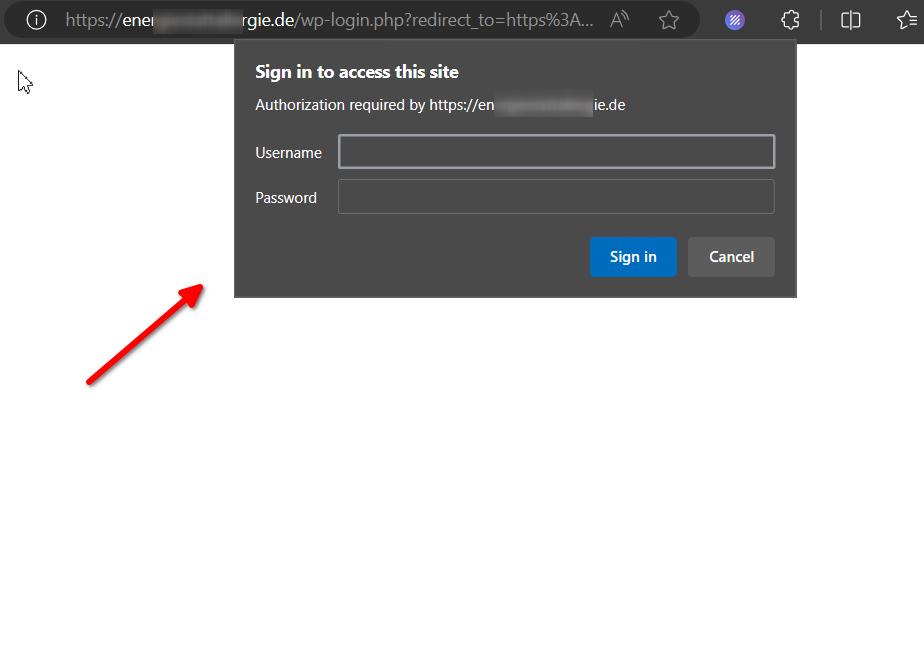
It appears that your login page is also password protected. Could you please provide the credentials so that we can inspect your site?
Kind regards,
Ariel H.0 -
Hi Stephanie,
Thank you for your cooperation.
If you are using a Mac, it's possible that you have encountered a similar issue as described in this support thread:
https://support.brizy.io/hc/en-us/community/posts/17760672481042-Incompatible-ArchiveIn any case, we have installed Brizy Pro for you and activated it using a temporary license, which will be deactivated in 72 hours.
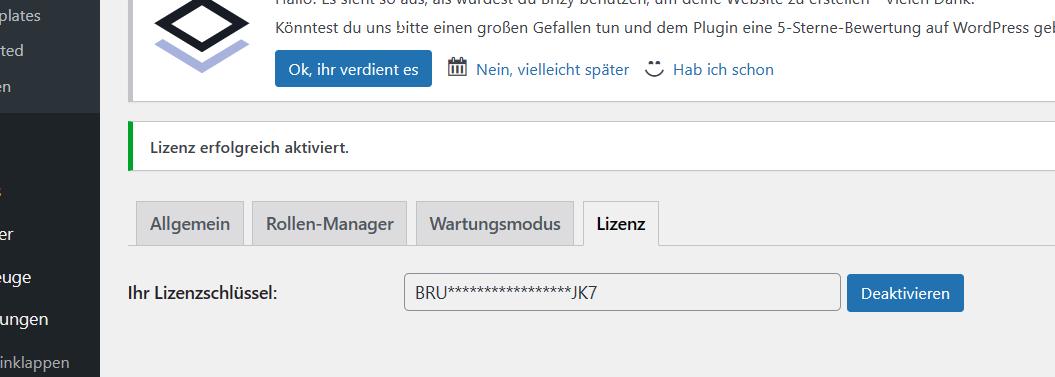
To ensure that your license will work on your new domain, please log in to your account dashboard and navigate to the WP Licenses Tab. Make sure to disable the license associated with your old domain name. Once done, you can return to your website and replace the temporary license.

I hope this information is helpful. If you have any further questions, please let us know.
Best regards,
Ariel H.0
Please sign in to leave a comment.
Comments
3 comments