Lighbox and image setting stopped working suddenly

-

Hi Pavol,
The lightbox feature should ideally work well on a product page setup using Brizy Template and the Blocksy theme. Kindly have a look at any product listed at https://brizy.tech/shop/ You can see that the lightbox feature works fine.
To investigate why it does not work at your end, we will need access to your WordPress Dashboard. IF you want us to take a look, kindly add a new user to your WordPress Dashboard and send the following details to our email: communitysupport@brizy.io
- Community Post link: https://support.brizy.io/hc/en-us/community/posts/17657428234770
- WordPress Admin URL:
- Username
- Password
Please let us know in this forum when you send us the email.
0 -
Hi KC George,
email was sent a few seconds ago. Thank you for the help.
Pavol
0 -
Hi Pavol,
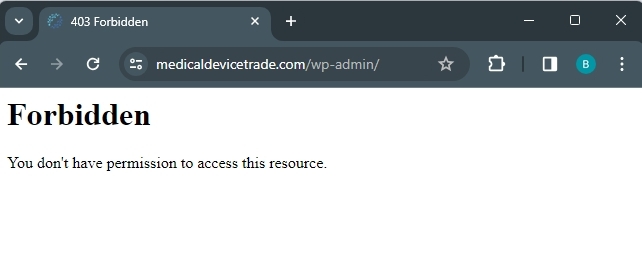
When trying to access your WordPress Dashboard, but I am seeing a 'Forbidden' notice. I'm accessing from India, and my public IP address is 136.185.20.143
 0
0 -
Hi KC George,
try now, please.
0 -
Hi Pavol,
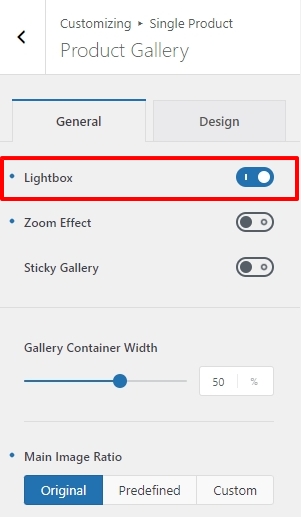
The Lightbox option in your theme was disabled. I have enabled it in your WordPress Dashboard under Appearance - Customize - Single Product - Product Gallery. Kindly check your product pages again.
 0
0 -
Hi KC George,
thank you very much. It is working fine now. How can Lightbox get disabled on its own? Was it caused by Blocksy update?
0
Please sign in to leave a comment.
Comments
6 comments