Contact form problem

Hello,
I'm contacting you because we have a problem with the contact form. We've made the various settings (recipient & sender email) but sending doesn't work.
When we press send, we get a blank page with a "0".
With Brizy pro, we've tried configuring SMTP or Brevo but it still doesn't work.
-

Hi Eric,
Thank you for keeping in touch.
This is something we need to inspect from your WP Admin page. Please add us as an Admin user to your WordPress Dashboard and send the following details to: communitysupport@brizy.io
Community Post link: https://support.brizy.io/hc/en-us/community/posts/17397948549778
WordPress Admin URL:
Username:
Password:
Contact form URL:Please make a full backup of your site as a precaution.
Best regards,
Ariel H.0 -
Hello Ariel,
Thanks for your feedback. I sent an e-mail on Friday and you should now have access to it.
Thank you for finding the solution
Best regards,
Eric0 -
Hi Eric,
Thank you for your cooperation.
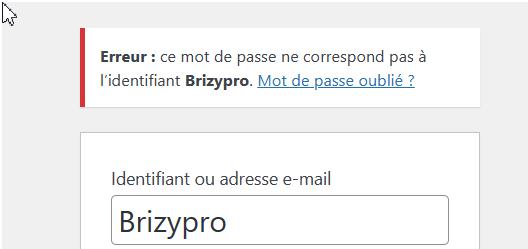
We've received your details, but unfortunately, they don't seem to be functioning correctly. Could you kindly review them and send us an updated version?
Kind regards,
Ariel H.0 -
I have sent a new email with the login details
Thanks for your feedback
0 -
Hi Eric,
Thank you for your cooperation.
I've checked your website, and it seems that the form is functioning properly. All the emails from the contact form can be found in the Leads section of the Dashboard. This is demonstrated on this screencast - https://youtu.be/niC-0tUFRhk
I also temporarily added my email address as a CC and successfully received the email - https://youtu.be/BNdrhJcz6z4
If you're still experiencing issues, I recommend trying a different browser to see if that makes any difference. Additionally, please check if you have any security software running in the background and make sure to whitelist your domain name.
Please try this and let me know if this helps.
Kind regards,
Ariel H.0 -

I am having the same issue. The form works on Edge, but produces a blank page with a "0" at the top on Chrome and Firefox. The form is only sent out to my email from Edge. They do not show up in "Leads" either if Chrome or Firefox is used.
Upon further testing, I realized that the forms are only being received if logged into WordPress. I get the blank page results if signed out on all browsers. The forms have worked for several years, but I reconfigured it from scratch and I am getting the same results. I am also using BREVO.URL: lan************dspa.com
0 -
Hi Chris,
Thank you for reaching out to us.
Could you please provide us with temporary access to your WP Admin page so that we can take a closer look into this issue? Please add us as an Admin user to your WordPress Dashboard and send the following details to communitysupport@brizy.io:
Community Post link: https://support.brizy.io/hc/en-us/community/posts/17397948549778
WordPress Admin URL:
Username:
Password:Please make a full backup of your site as a precaution.
Best regards,
Ariel H.0 -
Remeber that the issue only occurs when logged out. Thanks for your help!
0 -
Hi Chris,
Thank you for your cooperation.
I have created a separate test page, and the form appears to be working correctly. To further investigate, I duplicated the form on the same page to check if there are any issues with the settings of the current form. The duplicate form is shown to be working properly, as demonstrated in this screencast: https://youtu.be/uff0YTbRHzQ. I have now deleted the duplicate form for you to try it on your end.
Please note that duplicating the form will remove the previous settings, allowing you to reconfigure it as needed.
Please give this a try on your end and let me know if you have any further questions.
Best regards,
Ariel H.0 -
Everything seems to be working correctly now. Thanks!
0
Please sign in to leave a comment.
Comments
10 comments