Not Able to access the edit with brizy pages

Hi Team
I am again facing the issue of 'Not able to access the edit with brizy pages'
Following are the pages:
https://saadho.org/wp-admin/post.php?action=in-front-editor&post=836494
https://saadho.org/wp-admin/post.php?action=in-front-editor&post=703363
https://saadho.org/wp-admin/post.php?action=in-front-editor&post=708463
Can you help me resolve it at the earliest. All my plugins and wordpress version if updated to the latest.
-

Hi Srishti,
Thank you for contacting us.
Have you had a chance to disable all plugins, except for Brizy and Brizy Pro, to see if the issue might be due to a conflict? Have you also tried switching to a different theme?
If you've already taken these steps, we would appreciate it if you could provide us with temporary access to your WP Admin details. This will help us investigate the issue further. Please add us as an Admin user to your WordPress Dashboard and send the following details to: communitysupport@brizy.io
Community Post link: https://support.brizy.io/hc/en-us/community/posts/17340919057682
WordPress Admin URL:
Username:
Password:Please make a full backup of your site as a precaution.
Best regards,
Ariel H.0 -
Hi Srishti,
Thank you for your cooperation.
I attempted to access your site using the details you provided, but unfortunately, they didn't work.
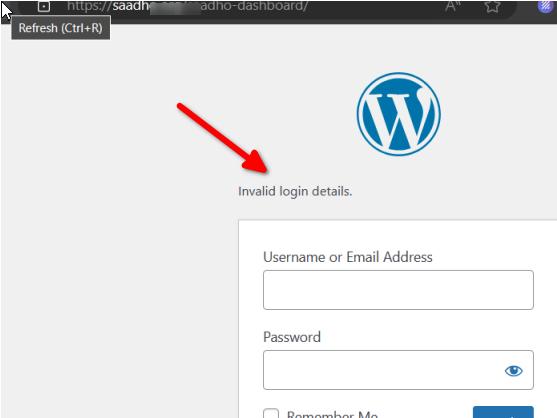
I made sure to copy them exactly as you sent. Could you kindly review and resend them?Best regards,
Ariel H.0 -

Hi Srishti,
Using more than one optimization plugin can complicate the functioning of your WordPress project. Autoptimize and WP Fastest Cache are active in your WordPress instance. If you disable Autoptimize, and use only WP Fastest Cache you should be able to edit pages you have mentioned using Brizy.
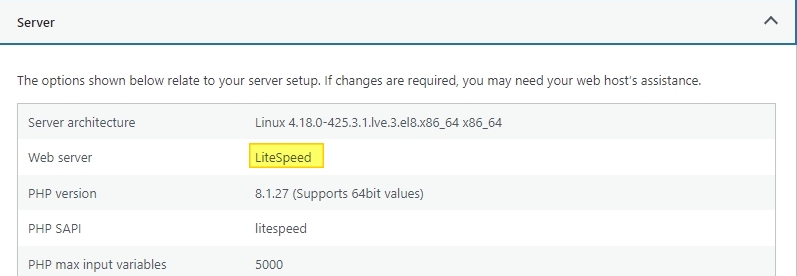
The Litespeed Cache plugin would be a more compatible caching and optimization plugin since your website is hosted on a LiteSpeed Webserver. Using a compatible caching solution will reduce the number of unexpected issues you encounter.
 0
0 -
Thank you so much Ariel for helping me out quickly. The edit pages are not breaking anymore. And I am able to make the required changes.
0
Please sign in to leave a comment.
Comments
4 comments