How to delete a row / column inside a row / column

Hi,
I'm trying to delete a row/column inside a row/column as shown in the red rectangle in the image below.
Thanks.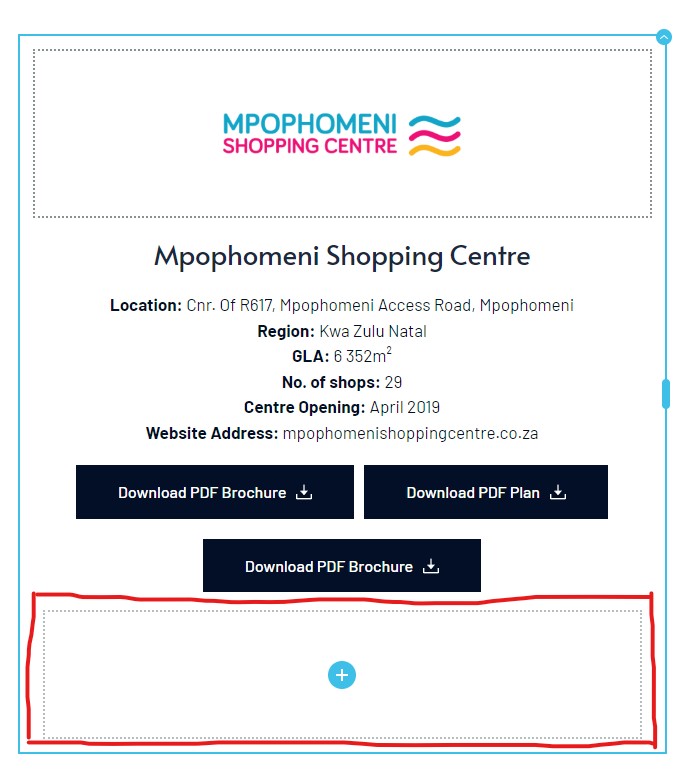
-

Hi Yianakis
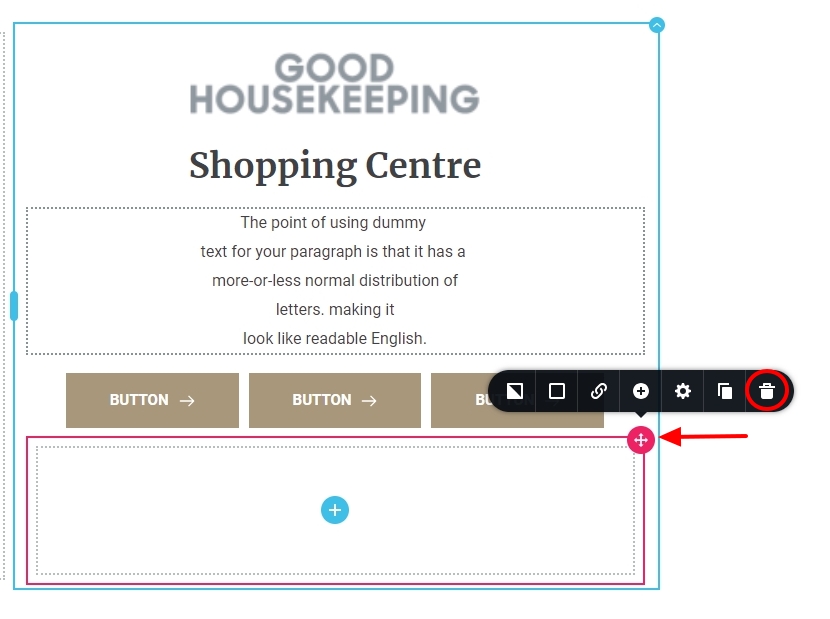
Please click on the column you want to delete and a red color border will appear around it. Click on the + sign on the top right corner and then select the 'Trash' icon to delete it.
 0
0 -
I don't have the option on the top-right to delete the row/column.
0 -
Hi Yianakis
We will need access to your project to help you fix this issue. Please add a new user to your WordPress Dashboard and send the following details to our email: communitysupport@brizy.io
- Community Post link: https://support.brizy.io/hc/en-us/community/posts/16893169005714
- WordPress Admin URL:
- Username
- Password
Please let us know in this forum when you send us the email.
0 -

Hi Yianakis,
Thank you for your cooperation.
A workaround for this issue would be to insert a spacer element into the row. This will then allow you to delete it, as shown in this screencast: https://youtu.be/k2tMpwpq200
If you have any further questions, please let us know.
Best regards,
Ariel H.0
Please sign in to leave a comment.
Comments
4 comments