Error within blog post: impossible to edit

Hi, my emails are being ignored, not really sure why, but here it is: https://www.loom.com/share/39f23574d3634a7fb07b45131987a032?sid=e5a2c1af-4af5-4d9d-8151-4198fe5b9ba8
It is impossible to edit blog posts. On the front end it is all fine, but if i want to make changes it is impossible.
I tried already to de-activate all the plugins and activate them one by one, it doesn't seem to be a conflict.
-
Ah, and if you do manage to open one of the latest articles to edit them, you may be able to do so, however edits are not being saved.
0 -

Hi Alessia,
Thank you for contacting us.
This is something we need to inspect from your WP Admin page. Please add us as an Admin user to your WordPress Dashboard and send the following details to: communitysupport@brizy.io
- Community Post link: https://support.brizy.io/hc/en-us/community/posts/16837065188370
- WordPress Admin URL:
- Username:
- Password:
Please make a full backup of your site as a precaution.
Best regards,
Ariel H.0 -
Hi Alessia,
Thank you for your cooperation.
When attempting to log in to your site, I encountered an error message. Could you please check this on your end?
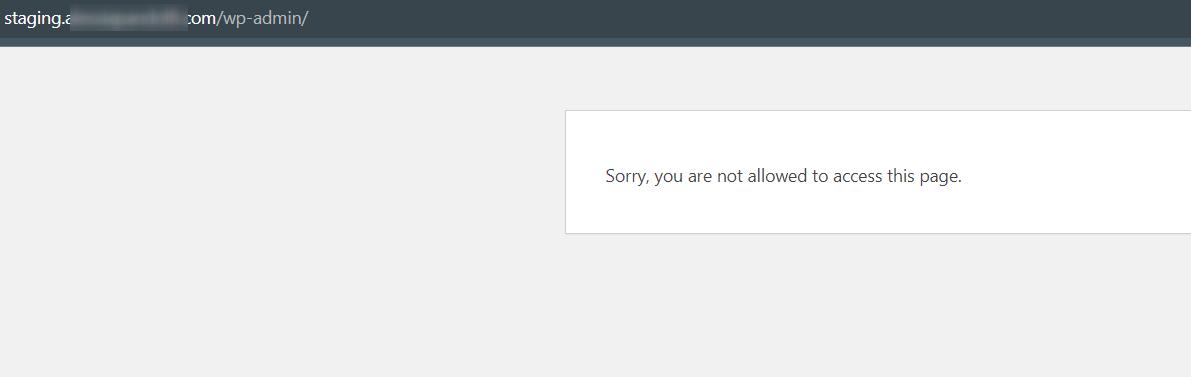
I am looking forward to your response.
Best regards,
Ariel H.0 -
Hi Alessia,
Thank you for waiting.
I tried to troubleshoot the issue however, I am unable to find the root cause of this problem.
I have now escalated this issue to one of my colleagues for further investigation. I will reach out to you as soon as I have an update.
Best regards,
Ariel H.0 -
Ariel, my emails have been ignored for one whole week: i have sent you emails already last week about this issue and still now I don't know what it happening.
I have tried to get in touch with you repeatedly in the past couple of days, but as my previous emails from last week, I get no response.
I'm so sorry I have re-made my website with Brizy and that I have the license renewal coming up soon: I'm tied to a faulty builder that has unsupportive and unresponsive customer service. Now because Brizy customer service is slow and unresponsive I have to move the publication of my website, creating problems not only to my schedule but to my team as well.
I don't think I am asking for the moon: I simply asked to be kept up to date, because I made it very clear that today I was supposed to send the website to my SEO person, but she can't obviously be working on a faulty text editor.
What are you going to do about it?
0 -

Hi Alessia
The error message you are seeing in the Brizy editor could be possibly due to the embed code you have added at the bottom of the page or due to the Cookie plugin. As an experiment, please delete the Embed code temporarily, deactivate the Cookie plugin and recreate the text from website frontend and check if the error disappears. Please watch this screen recording for the procedure. https://jmp.sh/xs4SkcjO
Please do not delete the blocks with the error message until you have a solution in place.
0 -
Hi, thanks. I'll check this and try. However I wonder how is it possible that I have never had, nor have now, any troubles with the text editor when I work on pages. This problem is only with blog posts. Can you confirm that this is possible? Otherwise it must be something else: at the end of the day a text editor is a text editor. It should be irrelevant whether it is in a proper page vs a blog post.0
-
EDIT: I confirm, it gives the same problem when editing pages, not only blog posts.
IMPORTANT: I now got this error in my published website, alessiapandolfi.com, where I have not worked for quite a while since it will be replaced. There is no cookies plugin active, nor the green web footer.
I URGENTLY need to find a solution to this problem.
0 -
Hi Alessia,
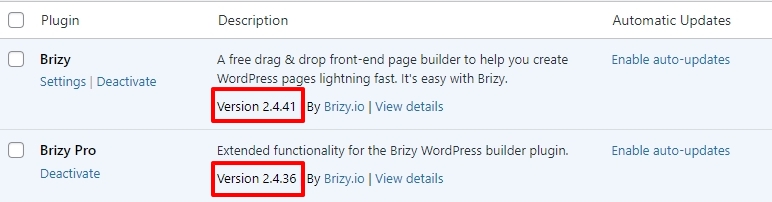
We have released a fix for the Text element issues. Can you please update to these Brizy versions and check if the issue resolves?
 0
0 -
Hi, I have updated the plugin and now it seems to be working, however the formatting does not work: if I set some text as bold it will not show.
0 -
Hi Alessia,
Thank you for the update.
I tried to reproduce the issue as described however, this doesn't occur at my end - https://youtu.be/jqNa6YC3tTc
Could you possibly try using a different browser to see if that changes anything? If not, would you mind making a brief screencast to show the issue? This will help us to reproduce it on our side.
Best regards,
Ariel H.0 -
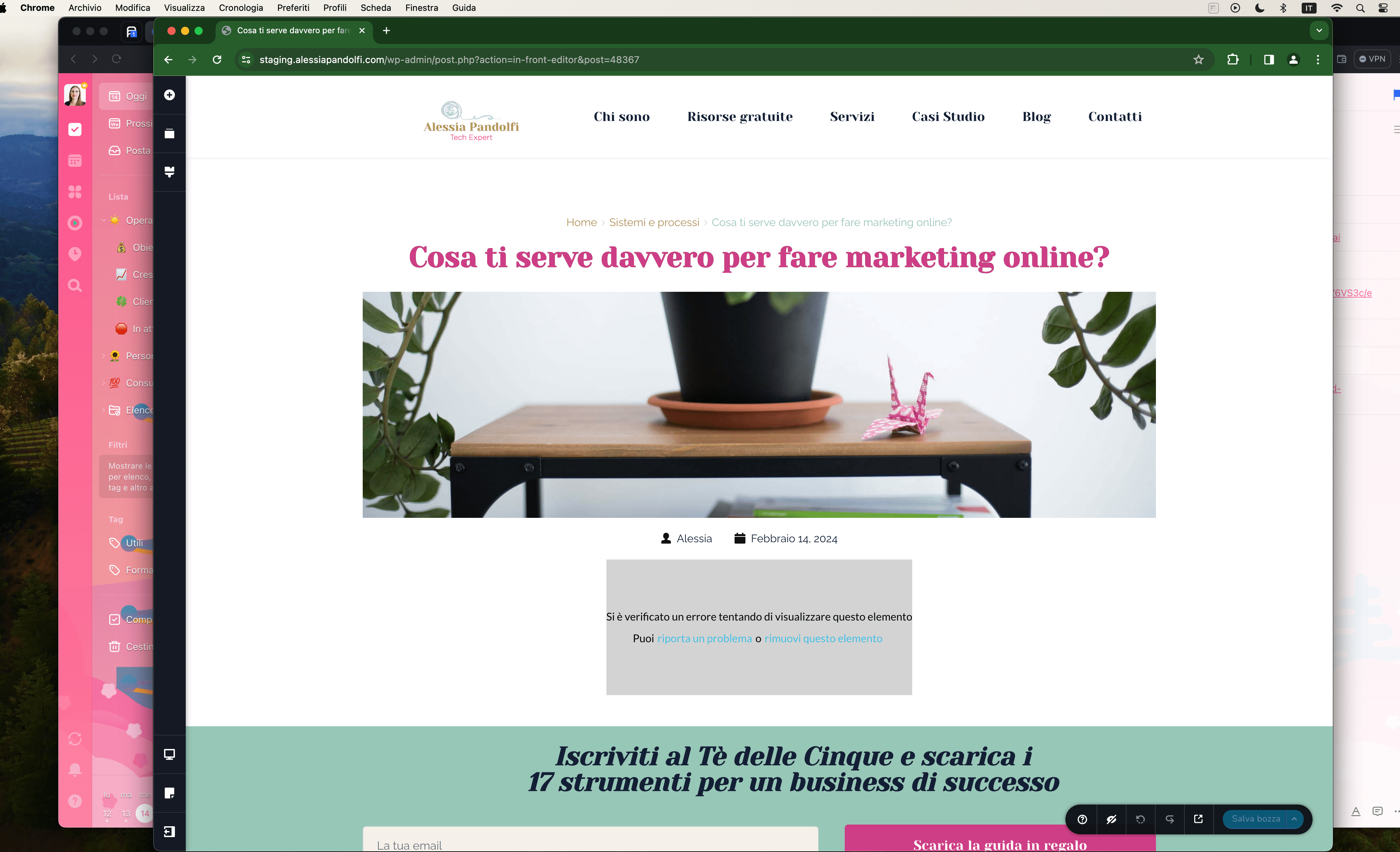
Hi, I'm using Chrome at the moment, but as you can see from the screenshot unfortunately we are back again to square one. i honestly don't know what to do.
I understand that in your website test you don't have this problem, but I do, and not only that: i have the same problem over two websites: my current website alessiapandolfi.com and more importantly on staging.alessiapandolfi.com which is my new website.
So, two separate website, a different set of plugins, and the same problem. And also, this started two weeks ago: i didn't have this problem at all up until a couple of weeks ago
 0
0 -
Hi Alessia,
Apologies for the inconvenience. We have already reported this issue to our developers, and they are currently working on resolving it. In the meantime, please refrain from editing or making any changes to these pages until this is resolved. I will get back to you as soon as I receive any new information about this issue.
Best regards,
Ariel Hl0 -
Hi Ariel, sure, let me know if you need anything else. I'll put on hold any action on the websites
0 -
sorry, it should be fine now so Alessia
0 -
Hi Alessia,
Sorry that it's taking some time for us to fix the issue you reported, we're still working on it. We appreciate your patience; I will keep you updated on our progress.
Best regards,
Ariel H.0 -
Hi Ariel, thank you for letting me know. Tell me if you need anything else from me, for now I only gave you the login to my staging website, which is the most important, but if you need to compare anything on my current website just let me know
0 -
Hi Allesia,
We also noticed that some of your emails have been mistakenly directed to our spam box. Please refrain from replying to noreply@brizy.zendesk.com.
Best regards,
Ariel H.0 -
Hi Allesia,
I wanted to inform you that the issue you reported has been fixed and will be included in the upcoming update. While I don't have the exact date for the update yet, it should be rolled out soon.
Thank you for your patience.
Best regards,
Ariel H.0 -
Hi Ariel, thank you for the update!
As long as it's published around the beginning of March or end of February it would be fine and I don't need to inform the SEO person to postpone. SO maybe just give a heads up in case I need to let her know. thanks!
0 -
Hi Ariel, when is the next update due?
0 -
Hi Allesia,
Thank you for keeping in touch.
Upon checking, the new update is presently undergoing testing and is expected to be released shortly. While I can't provide an exact timeline at the moment, I will keep you informed once it's available.
Best regards,
Ariel H.0 -
thanks. Have you discovered whether this problem arises wherever there is a text editor?
I had this problems only with blog posts and to be honest, I can't just wait here and do zero work on any of my website while Brizy decides when to release the update.
0 -
Hi Allesia,
Thank you for keeping in touch.
We've received reports of several causes, but the most common one seems to be originating from the list elements on a page.
Thank you for your patience.
Best regards,
Ariel H.0 -
Yet another problem: all these pages have no formatting at all.
In the backend, when you edit the text, it is complete with italics and bolds, yet on the frontend there is absolutely nothing, a wall of text impossible to read.
https://staging.alessiapandolfi.com/risorse-gratuite/guida-accoglienza-clienti/
https://staging.alessiapandolfi.com/risorse-gratuite/guida-piattaforme-corsi-online/
https://staging.alessiapandolfi.com/risorse-gratuite/guida-email-marketing/
When you click on EDIT WITH BRIZY, not only do the bolds and italics magically appear, but someone the font becomes thicker, with the medium weight I set. On the frontend the font is thinner and zero formatting.
I HOPE this problem is related to the other one.
0 -
And not only those, but also all the subpages of this: https://staging.alessiapandolfi.com/servizi/ and this: https://staging.alessiapandolfi.com/casi-studio/
0 -
Hi Alessia,
Thank you for the update.
Upon checking, it seems the problems you've mentioned are connected to cache, as shown in this screencast: https://youtu.be/RmI6bKwMFwA
You'll notice that when the LightSpeed cache plugin is switched off, the text formatting appears as it should.
If you come across this issue again, please follow the steps suggested in this article:
https://ventraip.com.au/support-centre/clearing-litespeed-cache-in-wordpress/If you have any further questions, please let us know.
Best regards,
Ariel H.0 -
When is the plugin being updated? I have 10 blog posts to publish and i still can't do anything on my website. It's been already more than one month and I have paid my license.
So basically I paid for nothing since I can't work on my website.
0 -
Hi Allessia,
Thank you for the update, and I apologize for the long delay.
The next version is currently in the Beta testing period. We kindly ask for your patience as we work towards its completion.
Thank you for your understanding and continued support.
Best regards,
Ariel H.0 -
Hi Allessia,
My apologies for the extended delay. We have now rolled out an update to address this issue. Please update both Brizy and Brizy Pro, and let me know how it goes.
Kind regards,
Ariel H.0
Please sign in to leave a comment.
Comments
31 comments