Website not displaying properly

HI.. I am a promemeber of Brizy. My account email is sandeep.kaistha@shutterturf.com
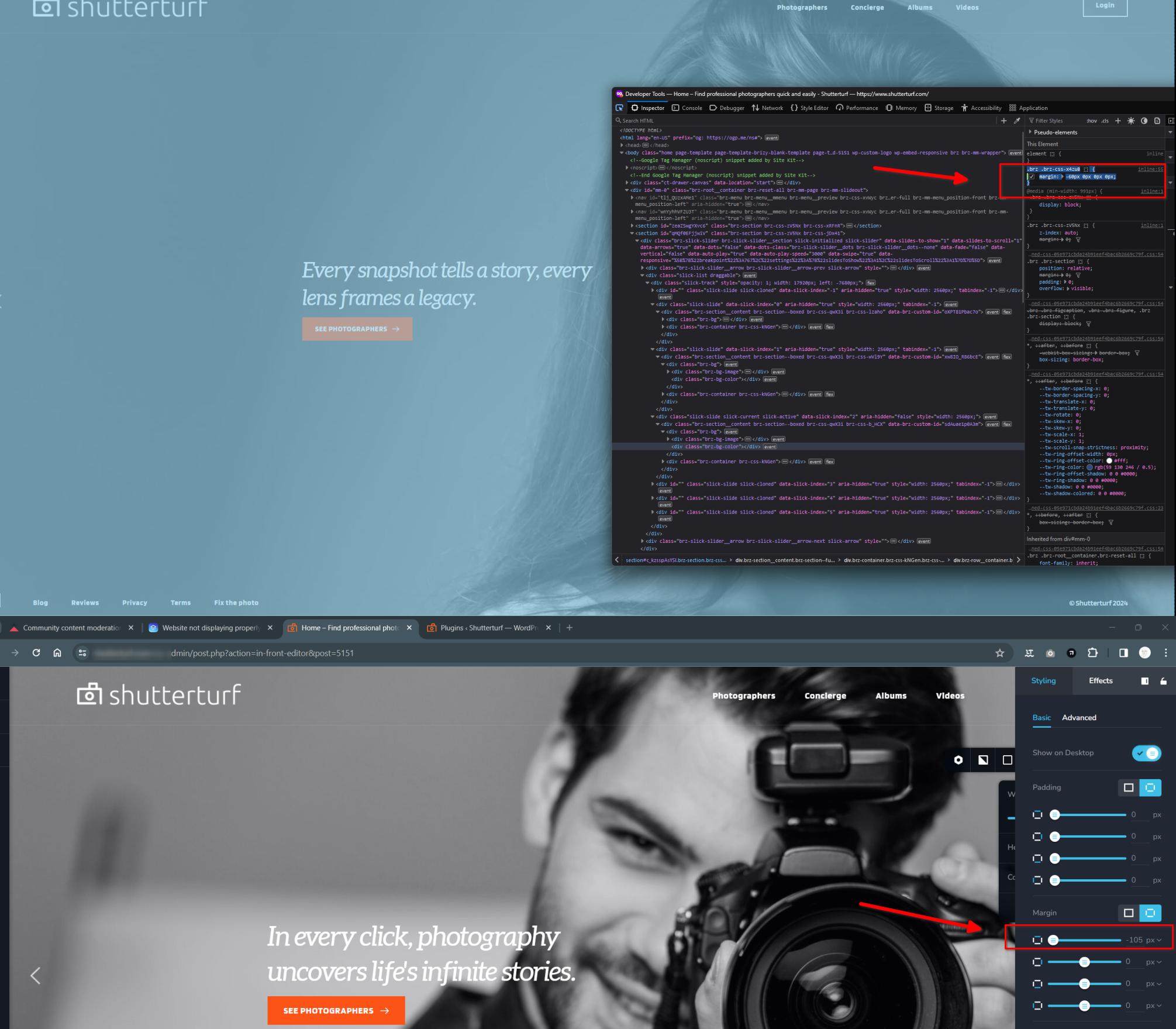
I used the Brizy wordpress plugin and used a starter site to use as the homepage. However, the footer is not coming properly. I want the background image to be full-screen. But for some reason, there is a big white line near the footer. Here is the site - https://www.shutterturf.com/
Can you please help me in fixing this. I want the background image to cover the whole screen and I don't want any white lines. How do I fix this?
Thanks,
Sandeep
-

Hi Sandeep.
Thank you for reaching out to us.
Could you please try to temporarily disable SiteGround Optimizer and see if this makes any difference?
If this didn't help, this is something we need to inspect from your WP Admin page. Please add us as an Admin user to your WordPress Dashboard and send the following details to: communitysupport@brizy.io
Community Post link: https://support.brizy.io/hc/en-us/community/posts/16687941520530
WordPress Admin URL:
Username:
Password:Please make a full backup of your site as a precaution.
Best regards,
Ariel H.0 -
Hi Sandeep,
Thank you for your cooperation.
Regarding the excess white space at the bottom of your page, I recommend tweaking the top margin. Instead of using -105, try adjusting it to -60.
About your second concern Brizy does not add the same template photos to address this issue, please try the steps suggested on this article: https://www.greengeeks.com/tutorials/how-to-prevent-multiple-image-size-copies-in-wordpress/Best regards,
Ariel H.0
Please sign in to leave a comment.
Comments
2 comments