Page load is taking too long to save and update the page.

Hello,
We are currently experiencing significant delays in saving or loading when attempting to create or update a page. This delay is impacting our workflow, preventing us from timely page creation for our clients and causing delays in meeting project timelines. Your assistance in resolving this issue promptly would be greatly appreciated.
Thank you.
-

Hi Devashish,
For a comparison, I tested opening and updating a page at my end. On a simply.com shared website, it took around 10 seconds to open the page and 3 seconds to update the page. You can see my test at https://jmp.sh/bmqITEFM
To troubleshoot the cause of significant delays in opening pages and saving your work, we will need to access to your WordPress Dashboard. Please add a new user to your WordPress Dashboard and send the following details to our email: communitysupport@brizy.io
- Community Post link: https://support.brizy.io/hc/en-us/community/posts/16489673136914
- WordPress Admin URL:
- Username
- Password
Please let us know in this forum when you send us the email.
0 -
Hi George,
We have shared the credentials through mail.
Thanks
0 -

Hi Devashish,
Thank you for your cooperation.
We've noticed that even the WP Admin interface is slow while you're on your WP Admin page. Additionally, there are some errors in your Site Health info that might be contributing to this issue.
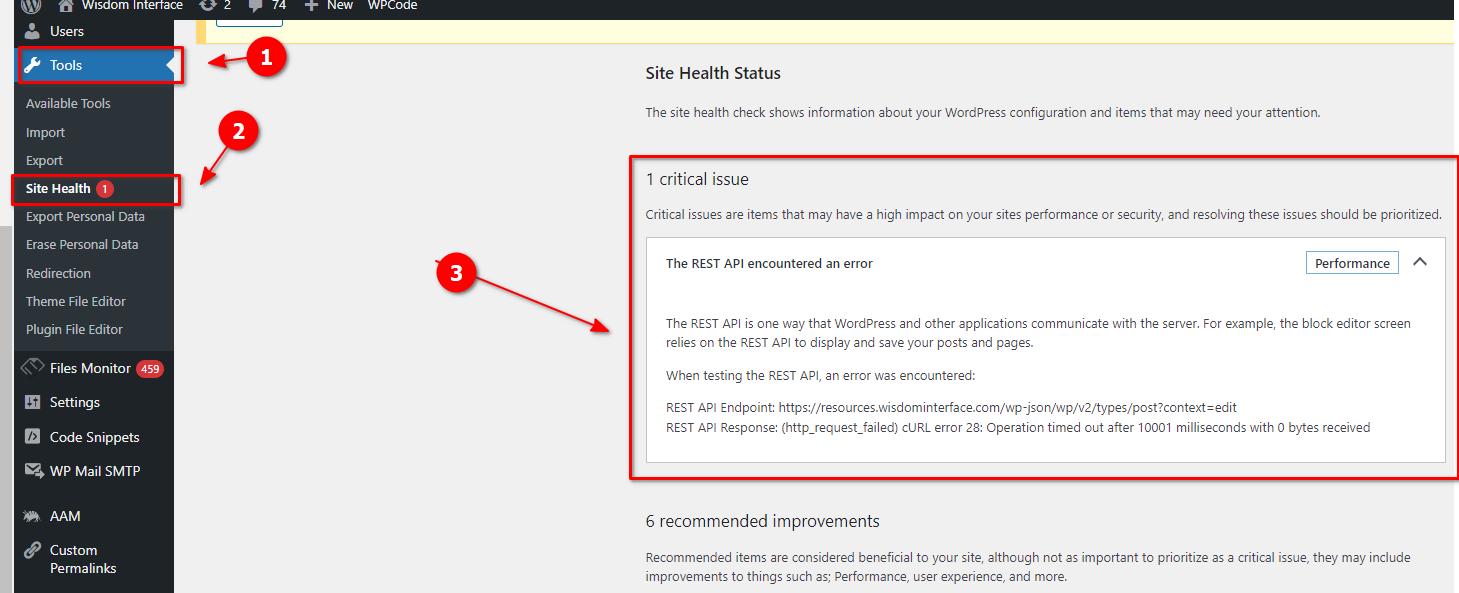
To resolve this, I recommend following the steps provided in this link: https://www.hostinger.ph/tutorials/curl-error-28
Furthermore, you can try increasing the current PHP Memory limit from 256MB to 512MB or higher for better performance.
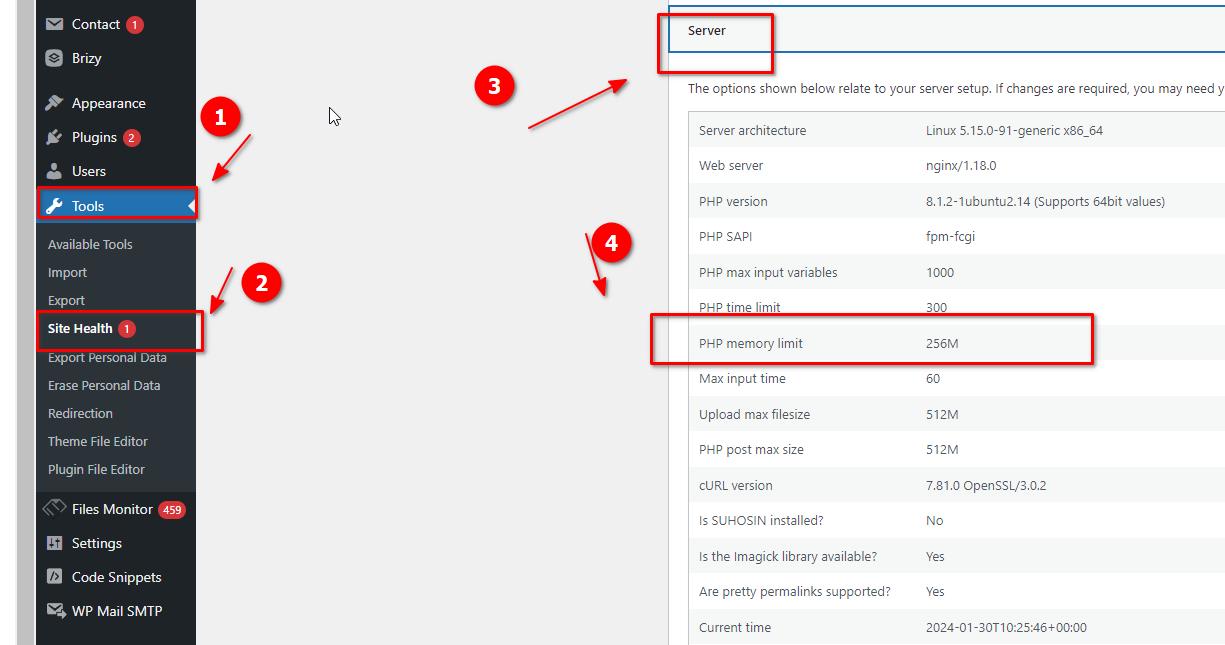
You have the option to update the memory limit on your own by following the steps outlined in the article below. Alternatively, you can also reach out to your hosting provider for assistance.
https://woo.com/document/increasing-the-wordpress-memory-limit/Give these suggestions a try and let me know how it goes.
Best regards,
Ariel H.-1 -
Thanks, Ariel for your support and suggestions.
Will update you on this.
Regards
0
Please sign in to leave a comment.
Comments
4 comments