WooCommerce category content disappears when using Brizy templates

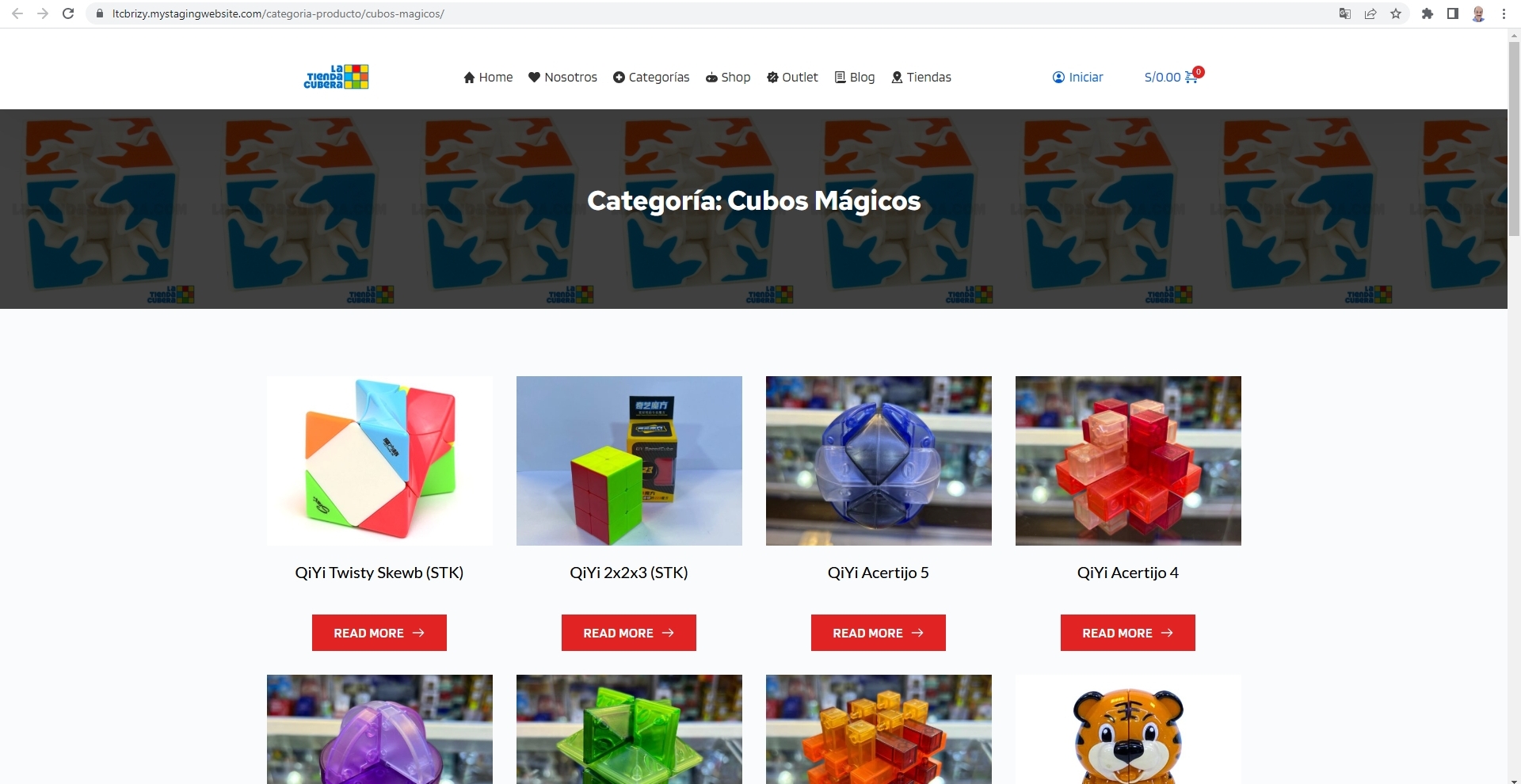
Hello good night here. I have a problem with the Product Category section on my website.
How can you see on these pages the categories appear correctly

But when using a Brizy template...(The idea is that the cover image automatically appears with a certain style already established in the Brizy Template.) the entire categories section disappears. I would like to know how to solve this problem. Thanks for your time.


-

Hi Christian,
Can you please send us the URL of the page where we can see this issue?
0 -
Hi Christian,
Looks like your category page started working well. Perhaps you could fix the issue yourself?
 0
0 -
Hello. It certainly isn't resolved because what appears are Brizy's "CATEGORIES" blocks, a block I added, trying to solve the problem. What should appear are the products corresponding to that category. The problem is that when you activate a Brizy Template , they stop appearing...
0 -
Hi Christian,
We will need access to your WordPress Dashboard to troubleshoot this issue for you. Please add me as a user to your WordPress Dashboard and send the following details to our email: communitysupport@brizy.io
- Community Post link: https://support.brizy.io/hc/en-us/community/posts/16173993191697
- WordPress Admin URL:
- Username
- Password
Please let us know here when you send us the email.
0 -
Thank you.
I just send you an email with the information you asked.
Regards.
0 -
Hi Christian,
I have added a Shop Template, Category Archive Template and a Search Template for you. Here is a video explaining how I did it. https://jmp.sh/gfgFGjtD
I guess your fourth question is about adding a WooCommerce Product Filter. We have found these two product filter plugins working fine with Brizy. Please try out these.
If you have further questions, please get back to us.
0 -

Hi!
I am trying to set up a shop with brizy. After your remmendation here i bought the Pro-Version of the HUSKY Products Filter. But but it doesn't do anything when using a brizy template with a products archive (see page "Shop"). But when i create a page and include the WooCommerce Products it works fine (see Page "WooShopPage"). Why is the filter not working with the brizy elements?0 -

Hi Martin,
Thank you for reaching out.
It appears that the latest version of the HUSKY price filter is no longer compatible with Brizy’s product archive templates. We've already escalated this issue to our senior support team.
As a temporary workaround, we recommend using the WooCommerce shortcode to display the product archive:
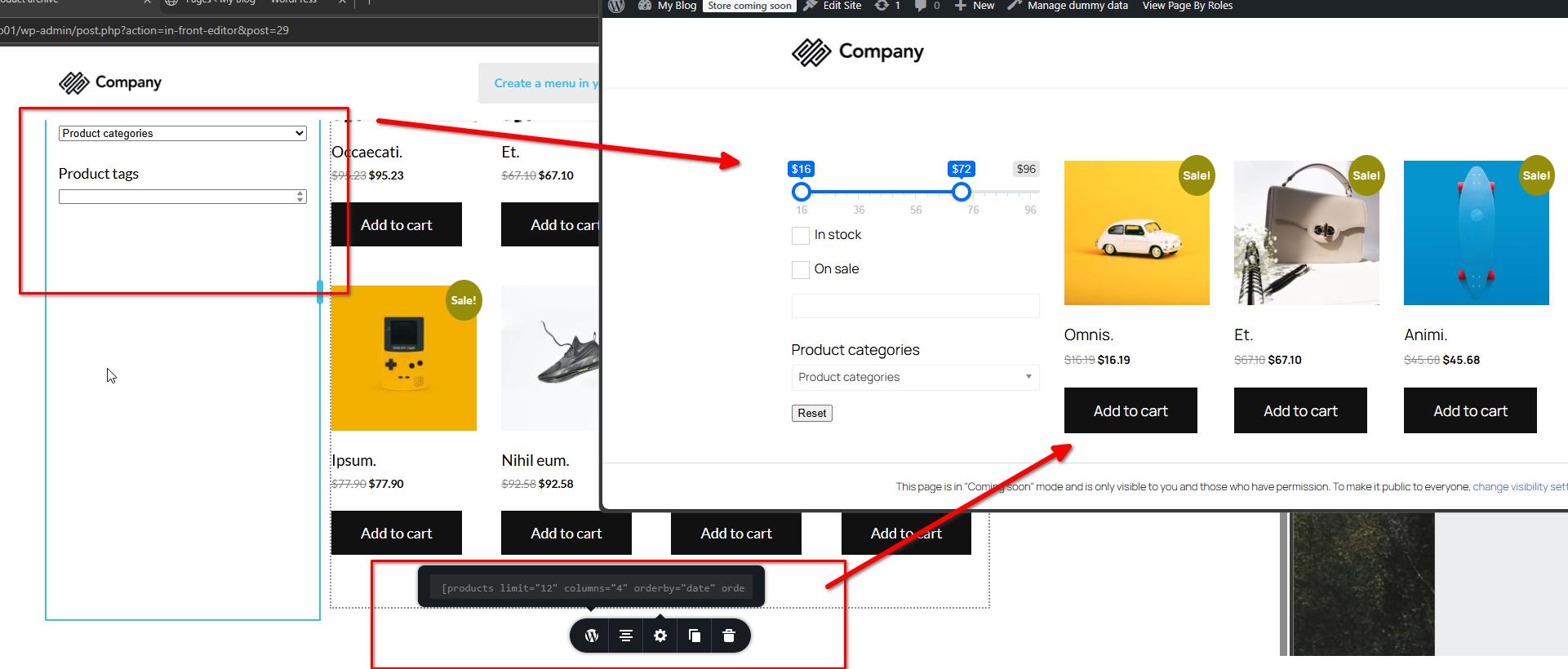
We’ll keep you updated as soon as we have more information. Sorry for the inconvenience.
Best regards,
Ariel H.0
Please sign in to leave a comment.
Comments
9 comments