can't add background image

https://genesiseqgroup.com/life-coaching/ on this page i cannot add a banner picture, I go in and click to select an image, it I see a little spinning wheel in the black window and then nothing, there is not picture. not sure why.
-

Hi Tatsiana,
Most recent Brizy versions have an incompatibility with Jetpack Image optimizations. If you have enabled any of the following options, please disable it to upload images using Brizy.
- In your WordPress Dashboard under Jetpack - Dashboard scroll down to the heading "Performance and Growth" and disable the option 'Image Accelerator' https://jmp.sh/SU32wfE9
- Under Jetpack - Settings, under the Performance tab, disable the option 'Speed up image load times' https://jmp.sh/neap53iR
- If you have installed Jetpack Boost, under Jetpack - Boost disable the option 'Image CDN' https://jmp.sh/FUSoE1ZP
0 -

Hi I have the same problem but I'm using the litespeed plugin … could it be a similar issue?
 0
0 -
Hi Simon,
We would like to take a look at your WordPress Dashboard to troubleshoot this issue for you. Please add me as a user to your WordPress Dashboard and send the following details to our email: communitysupport@brizy.io
- Community Post link: https://support.brizy.io/hc/en-us/community/posts/15974021515409
- WordPress Admin URL:
- Username
- Password
Please let us know here when you send us the email.
0 -
Hi Simon,
I have looked at your WordPress Dashboard. I could not reproduce the background image issue you have mentioned. However I have discovered another error you did not report. Please watch this screen recording https://jmp.sh/UxBUEtaY
Can you please check with your hosting company why the webserver forbids the /wp-admin/admin-ajax.php file?
0 -
I still cannot - I’ll set up a new page and see if I can there
0 -
Hi,
So I had a look at this over the weekend.
I’ve bumped up the memory available and I can now save pages (Brizy seems to require a lot).
… and I duplicated the home page. Step by step.
I then returned to the dashboard, tweaked the SEO and went back to Brizy:
Log In ‹ Little Fire Digital — WordPress (https://little-fire.com/wp-admin/post.php?post=43749&action=edit)
little-fire.com (https://little-fire.com/wp-admin/post.php?post=43749&action=edit)
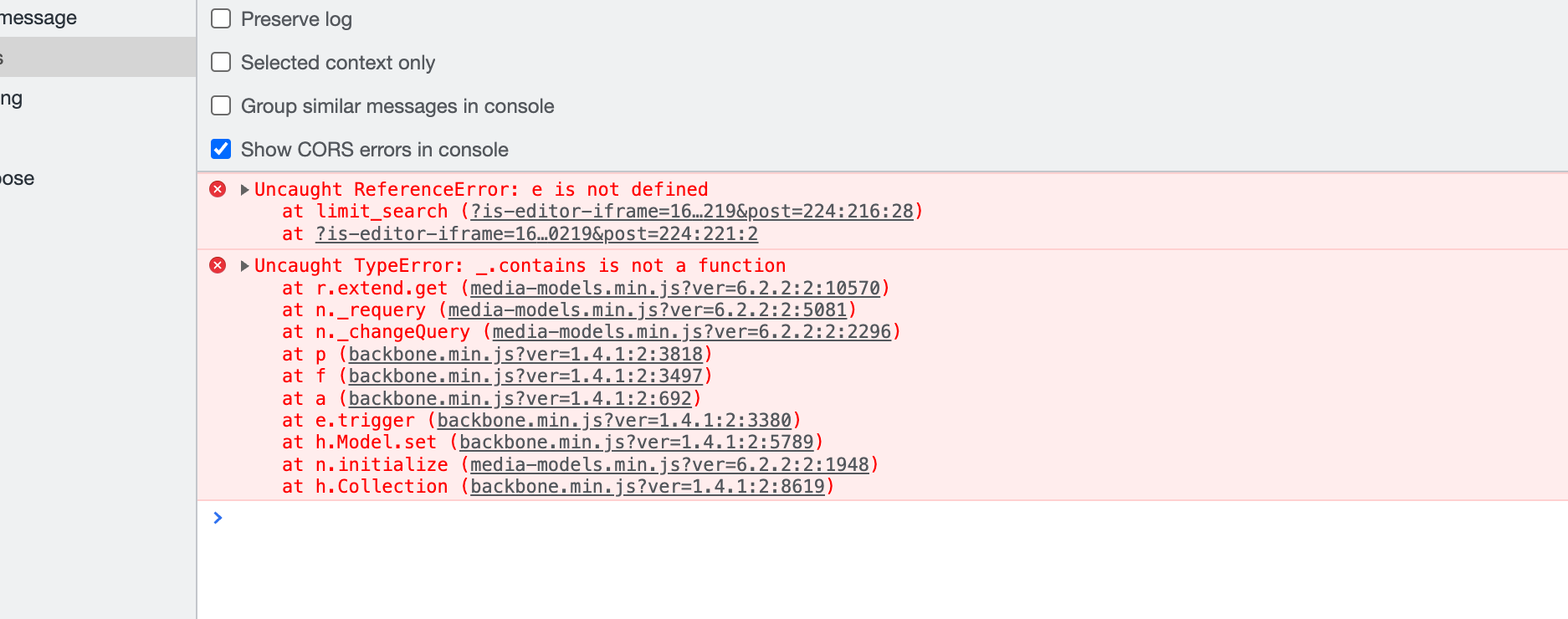
I cannot now change image backgrounds again:editor.vendor.min.js:2 Uncaught TypeError: _.contains is not a function
at r.extend.get (media-models.min.js?ver=6.2.2:2:10570)
at n._requery (media-models.min.js?ver=6.2.2:2:5081)
at n._changeQuery (media-models.min.js?ver=6.2.2:2:2296)
at p (backbone.min.js?ver=1.4.1:2:3818)
at f (backbone.min.js?ver=1.4.1:2:3497)
at a (backbone.min.js?ver=1.4.1:2:692)
at e.trigger (backbone.min.js?ver=1.4.1:2:3380)
at h.Model.set (backbone.min.js?ver=1.4.1:2:5789)
at n.initialize (media-models.min.js?ver=6.2.2:2:1948)
at h.Collection (backbone.min.js?ver=1.4.1:2:8619)0 -
This is pretty urgent …
0 -
Hi Simon,
I hope you could watch this screen recording https://jmp.sh/UxBUEtaY Can you please confirm if you could contact your hosting company and check with them why the webserver forbids the file /wp-admin/admin-ajax.php file?
0 -
I don’t know why it wasn’t authorising admin-ajax.php through I suspect it might have been down to a lack of memory on the server though there were no errors on the server logs … none of the 403s turning up in the server logs.
Log In ‹ Little Fire Digital — WordPress (https://little-fire.com/wp-admin/post.php?post=43749&action=edit)
little-fire.com (https://little-fire.com/wp-admin/post.php?post=43749&action=edit)
The above page was a new page I worked on from draft … see the attached https://vimeo.com/835430265?share=copyBefore I had saved and returned to the dashboard I could insert background images. Once I had though, I couldn’t.
As you can see I am able to post to admin-ajax.php without issue.
0 -
Hi Simon,
The specific error you have highlighted could be due to conflict with the Elfsight code you have embedded on the page. Please try removing the code and see if the error goes away.
At my end, I continue to see the admin-ajax.php error. Please see this screen recording. https://jmp.sh/ZOXocDx2
0 -
Any progress on this? There’s stuff we need to do …
0 -
It looks like that worked, thank you …
Good spot.0
Please sign in to leave a comment.
Comments
12 comments