SMTP Email To Field Error

It keeps asking me to fill out the email address.
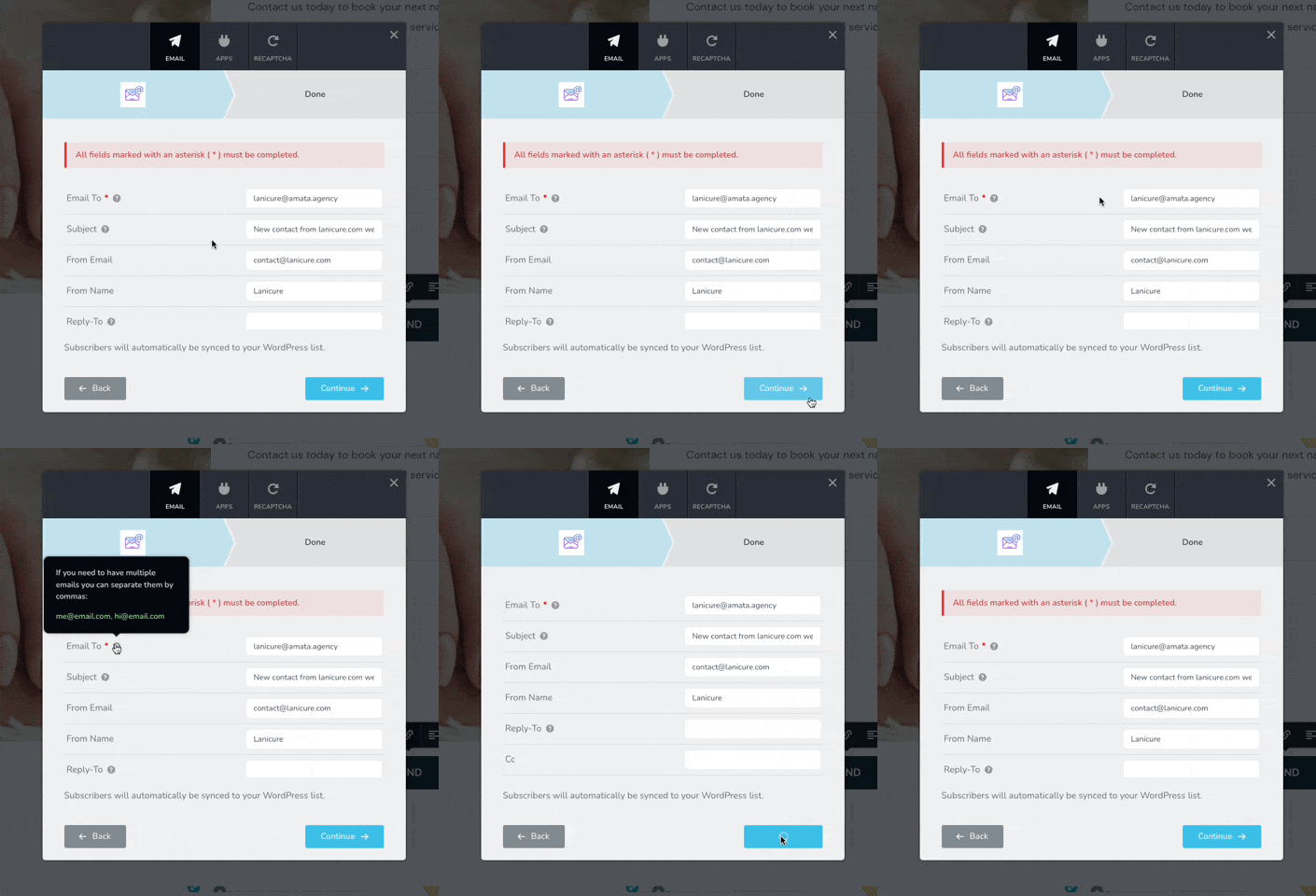
-

Hi Amata,
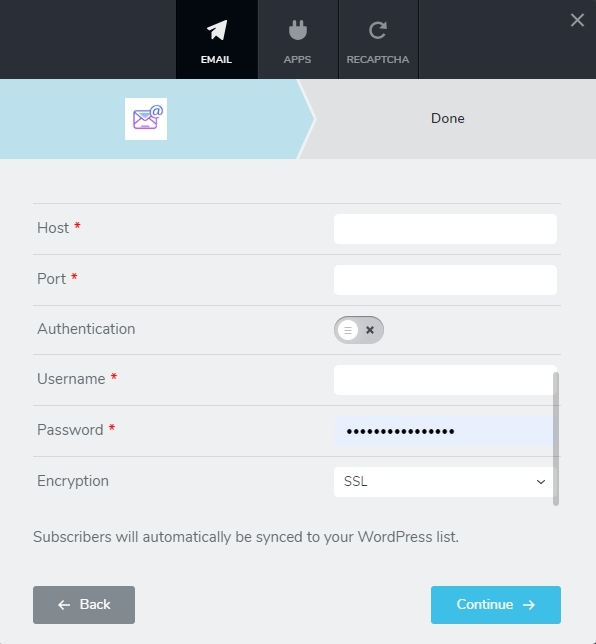
When you select the SMTP option to send out Email Notifications, the configuration screen typically allows you to scroll down to additional fields. You will find 4 additional mandatory fields as you scroll down. All the 5 mandatory fields must be filled up before continuing to configure SMTP. For more detailed explanation, you could also watch a screen recording at https://jmp.sh/wvajKTsx
- Host: The URL of the SMTP server
- Port: The Port number of your SMTP server
- Username: Your username associated with the SMTP server
- Password: Password to authenticate the above user
 0
0 -
Now receive the "Your Email Was Not Sent" message.
0 -

Hi Amata,
Thank you for keeping in touch.
This is something we need to inspect from your WP Admin page. Please add us as an Admin user to your WordPress Dashboard and send the following details to: communitysupport@brizy.io
Community Post link: https://support.brizy.io/hc/en-us/community/posts/15906856753170
WordPress Admin URL:
Username:
Password:
Also, please include the URL of your contact form:Please make a full backup of your site as a precaution.
Best regards,
Ariel H.0 -
Hi Andy,
Thank you for your cooperation.
While troubleshooting, I've set up Contact Form 7, and it seems to be functioning correctly - https://imgur.com/nBEDI46
I've experimented with various settings in Brizy Pro, even using third-party apps, but the form element remains non-functional. I have now escalated this issue to one of my colleagues in a private ticket for further investigation. Kindly keep access to this staging site open until we can find what is causing this issue. You should be hearing from them shortly.Best regards,
Ariel H.0
Please sign in to leave a comment.
Comments
4 comments