Edit-viewer page and web page aren't the same

My home page and another of my pages show different in viewer and online.
There is some unwanted spaces and color changes on the online version.
I've already disable-enable all plugins, empty cache and all.
Console error put in screenshot too
Here some screenshots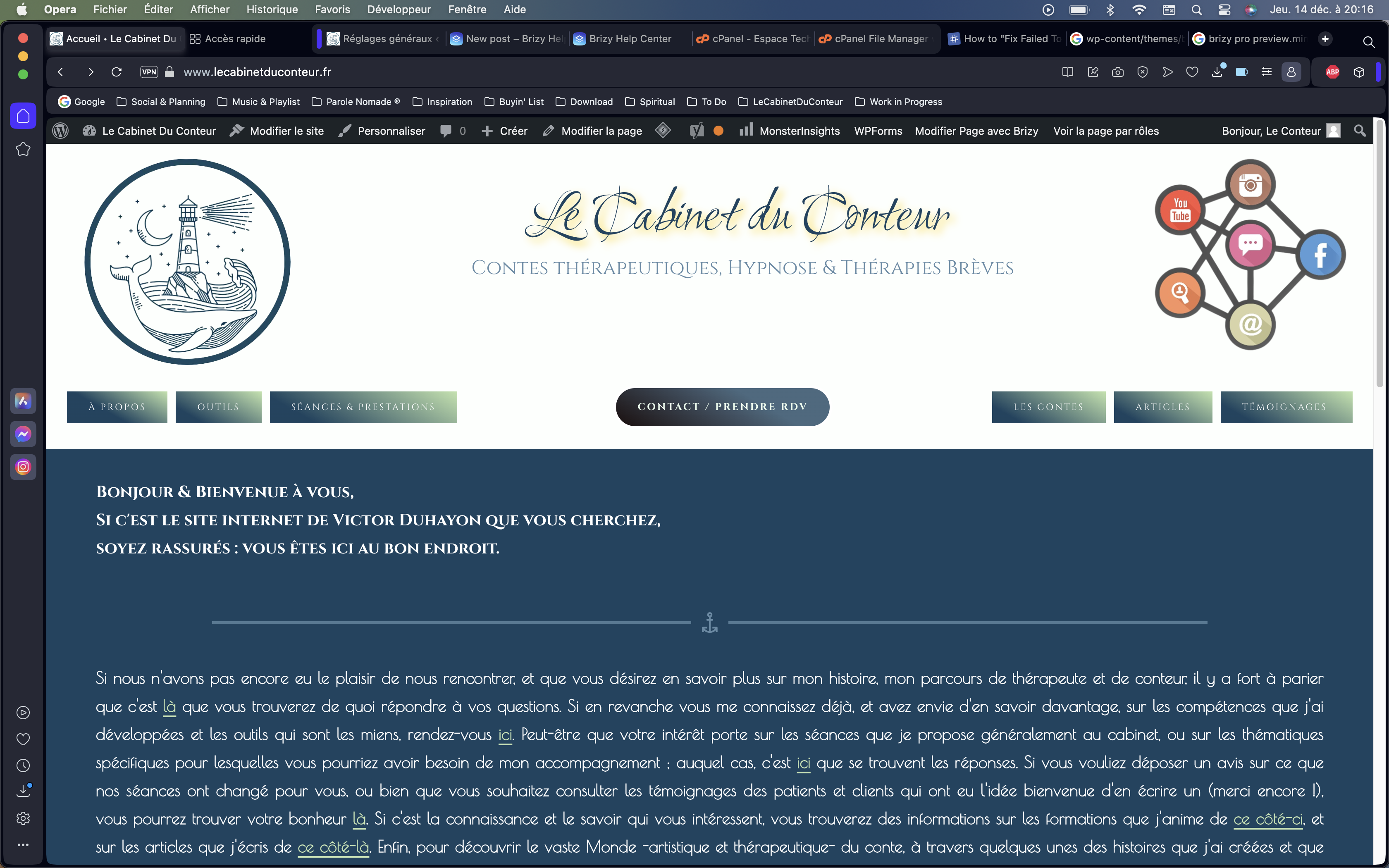
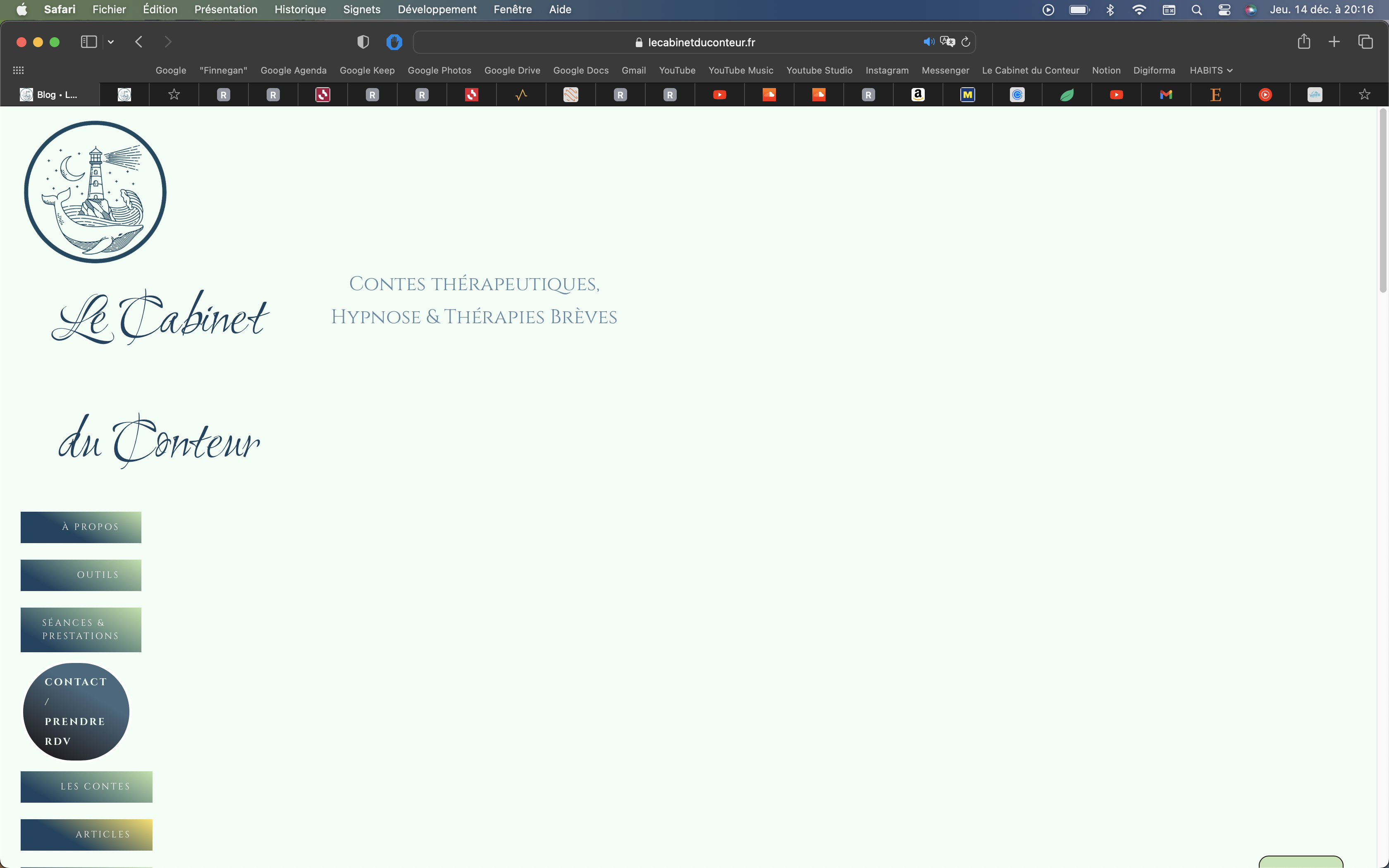
-

Hi Duhayon,
Your website frontend does not display well because a Brizy Pro CSS and JavaScript files are missing on your website. These files return a 404 error.
It is possible that the Complianz plugin has blocked the CSS and JS files. Please try deactivating the plugin and check again.
0 -
Hi George,
Thank you for answering me.
I got that things get messy at the frontend, and because of css and js files probably are blocked on the way to frontend display. I've try to deactivate Complianz and reload, deactivate then reactivate it, purging cache each time and all .. the display error persists. Any other suggestion ?
Note : all other pages are displaying perfectly well. Only "Home Page" and "Articles Page" are bugging.0 -
Hi Duhayon,
Since only the Home and Articles page have this issue, please consider recreating these two pages and check if the issue gets resolved. Please follow these steps to recreate each page
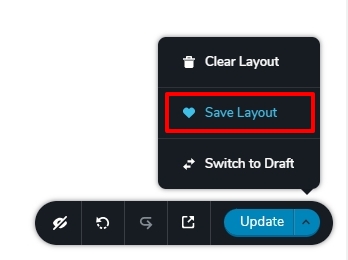
- Save the page as a layout by selecting the 'Save Layout' option available at the bottom right corner of the Brizy Editor (see the first screenshot)
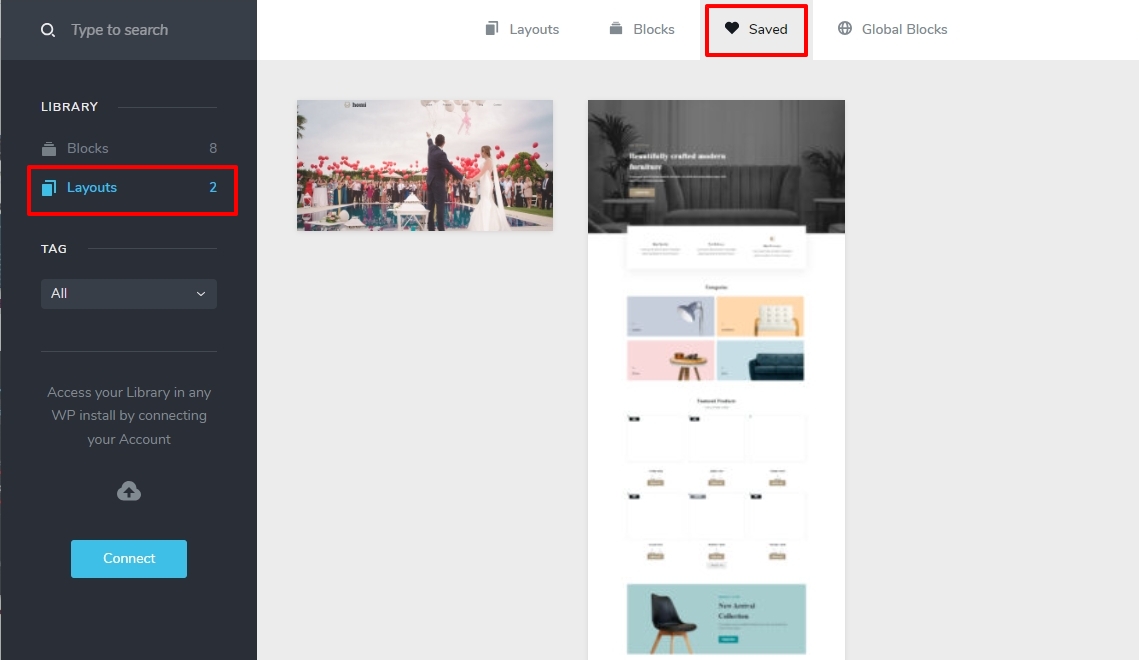
- Crate a new page and import the saved layout to the page. You can find the saved layout in the Saved Blocks and Layout library. (see the second screenshot)
- If you have global blocks, you will find duplicate blocks. Delete the duplicate blocks
- Save the page, delete the original page and rename the newly created page with the same Title and slug as the deleted page.
If this does not help, please check with you hosting company why the Brizy files are being blocked on your Home and Article pages. If they are unable to offer meaningful help, please get back to us. We will need access to your WordPress Dashboard to fix this issue for you.
 0
0 -
Hello, As you recommended, I was able to make two modifications: • recreate the home page to see if the problem persisted • call my host and check with their services if anything was blocking access to the site to brizy resources In both cases, the problem persists despite my attempts and theirs. Would it be possible for you to see for yourself whether resolving the problem is more possible? If necessary, I can provide you with access to my WordPress dashboard to do this. Thank you in advance for your time and your response, Best regards, Victor Duhayon - Le Cabinet du Conteur
0 -

Hi Duhayon,
Thank you for keeping in touch.
Please add us as an Admin user to your WordPress Dashboard and send the following details to: communitysupport@brizy.io
Community Post link: https://support.brizy.io/hc/en-us/community/posts/15773868042130
WordPress Admin URL:
Username:
Password:Please make a full backup of your site as a precaution before providing us access.
Best regards,
Ariel H.0
Please sign in to leave a comment.
Comments
5 comments