Can't save page updates

Hi,
I've migrated a site (using Duplicator plug-in) to my clients host server from my IONOS Subdomain (where it was working fine). However since moving ANY updates ANY user makes sees the 'Update' button spin indefinitely. If interrupted / refreshed the browser checks if I'm happy to leave page without saving changes. I'm running the latest WP, Brizy Plugins & Blocksy theme. Only a few additional plug-ins running (Yoast duplicate post & Wordfence)
Do I need to remove Brizy+Brizy Pro Plugins and re-install? I've tried deactivating my Pro licence in case they were doubled up (they shared the same code after migration) in case this was the issue but no change. Is the server not configured correctly?
If I inspect the spinning button I can see
[Error] Failed to load resource: the server responded with a status of 500 (Internal Server Error) (admin-ajax.php, line 0) {
"success": false,
"data": "Unable to save entity. The data version is wrong."
}"
Oddly sometimes the changes are actually saved if I force a refresh??
Many thanks, Gary
PS Server details attached if any use?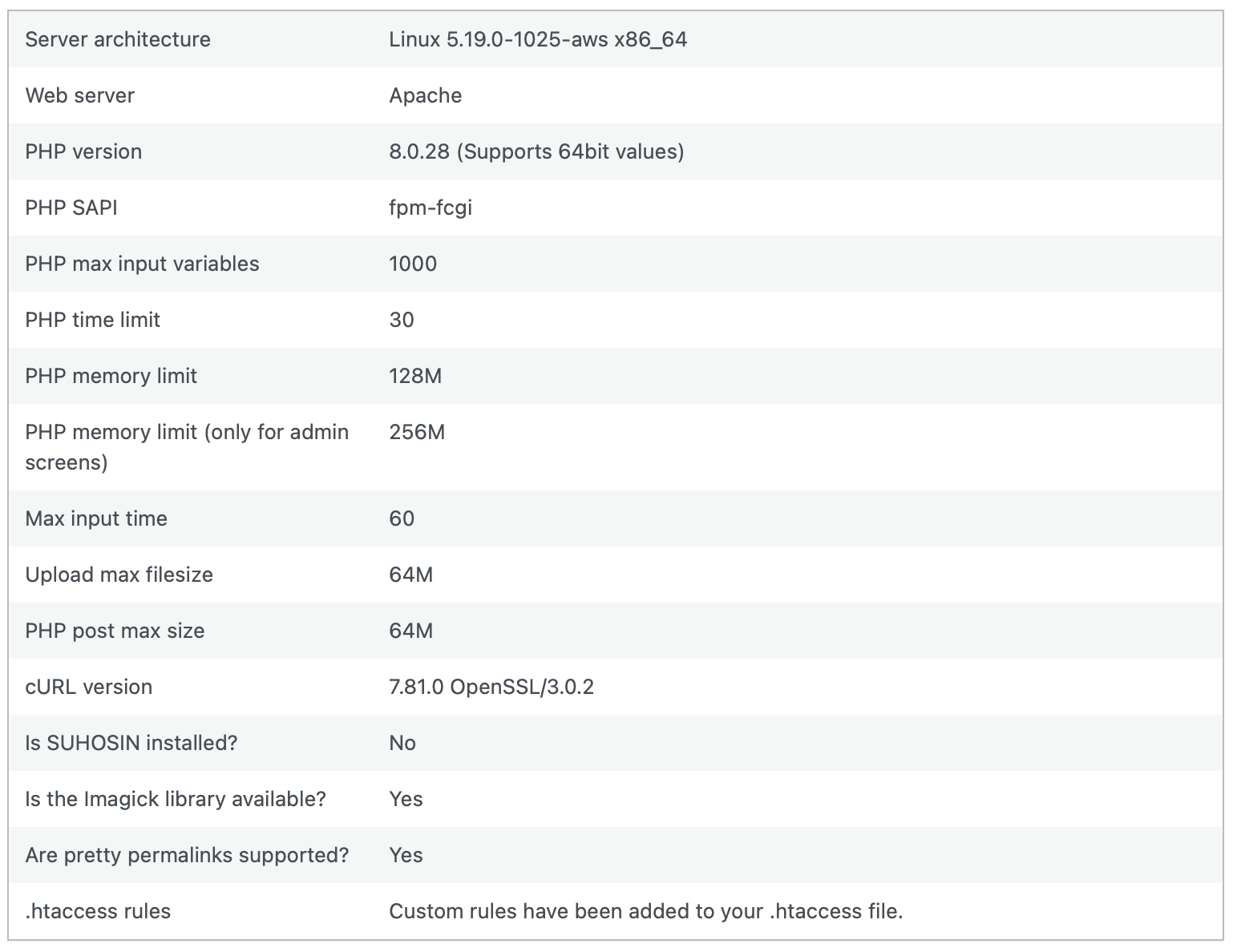
-

Hi Gary,
Thank you for contacting us.
Please try the following steps and see if this will help:
1. Deactivating one plugin at a time and checking if the problem resolves.
2. Temporarily switch to another theme and check if the issue goes away.
3. Ensure that you have the correct file permissions in the root directory of your website - https://www.wpbeginner.com/beginners-guide/how-to-fix-file-and-folder-permissions-error-in-wordpress/
4. Also, try raising the PHP memory limit to at least 256MB or higher.
https://www.wpbeginner.com/wp-tutorials/fix-wordpress-memory-exhausted-error-increase-php-memory/If all the above didn't help, please provide us temporary access to your WP Admin credentials, so we can further check the issue. Add us as a user to your WordPress Dashboard and send the following details to: communitysupport@brizy.io
Community Post link: https://support.brizy.io/hc/en-us/community/posts/15605646032785
WordPress Admin URL:
Username:
Password:Please make a full backup of your website as a precaution.
I am looking forward to your response.
Best regards,
Ariel H.0
Please sign in to leave a comment.
Comments
1 comment