Unable to save changes

Hello Brizy team!
I am contacting you because I am currently designing a website and it's been impossible to work since yesterday.
I use Blocksy and Brizy Pro. I designed a couple of pages and now I'm adding content but when I click "update" in the Brizy builder it stays on a loop and then says the page needs a refresh and I need to exist and lose everything...
I've already refreshed the cache, restarted my computer, and tried to work from an incognito window... but I can't work.
Please let me. know if there's any error with all of the recent plugin updates or if you have other suggestions.
I DO NOT have the website open on any other browser or tab, which is what the builder is suggesting when it asks for a refresh. Please and thanks, I really need to get to work ASAP.
Thanks you, Sofia
-

Hi Sofia,
Thank you for reaching out to us.
To further assist you, we'll need to inspect your WP Admin page. Could you please add us as an Admin user to your WordPress Dashboard? To do this, please send the following details to communitysupport@brizy.io:
Community Post link: https://support.brizy.io/hc/en-us/community/posts/15553862405778
WordPress Admin URL:
Username:
Password:Please make a full backup of your site as a precaution.
In the meantime, could you please try disabling all other plugins except for Brizy and Brizy Pro to see if the issue persists? If the issue does not occur with other plugins disabled, it is possible that there may be a conflict with one of the third-party plugins installed on your site. Additionally, you can try temporarily switching to another theme to determine if the issue is related to your current theme.
Best regards,
Ariel H.0 -
Hi Arslan,
Thank you for the update.
Upon checking, we noticed that the editor is throwing a 403 error.
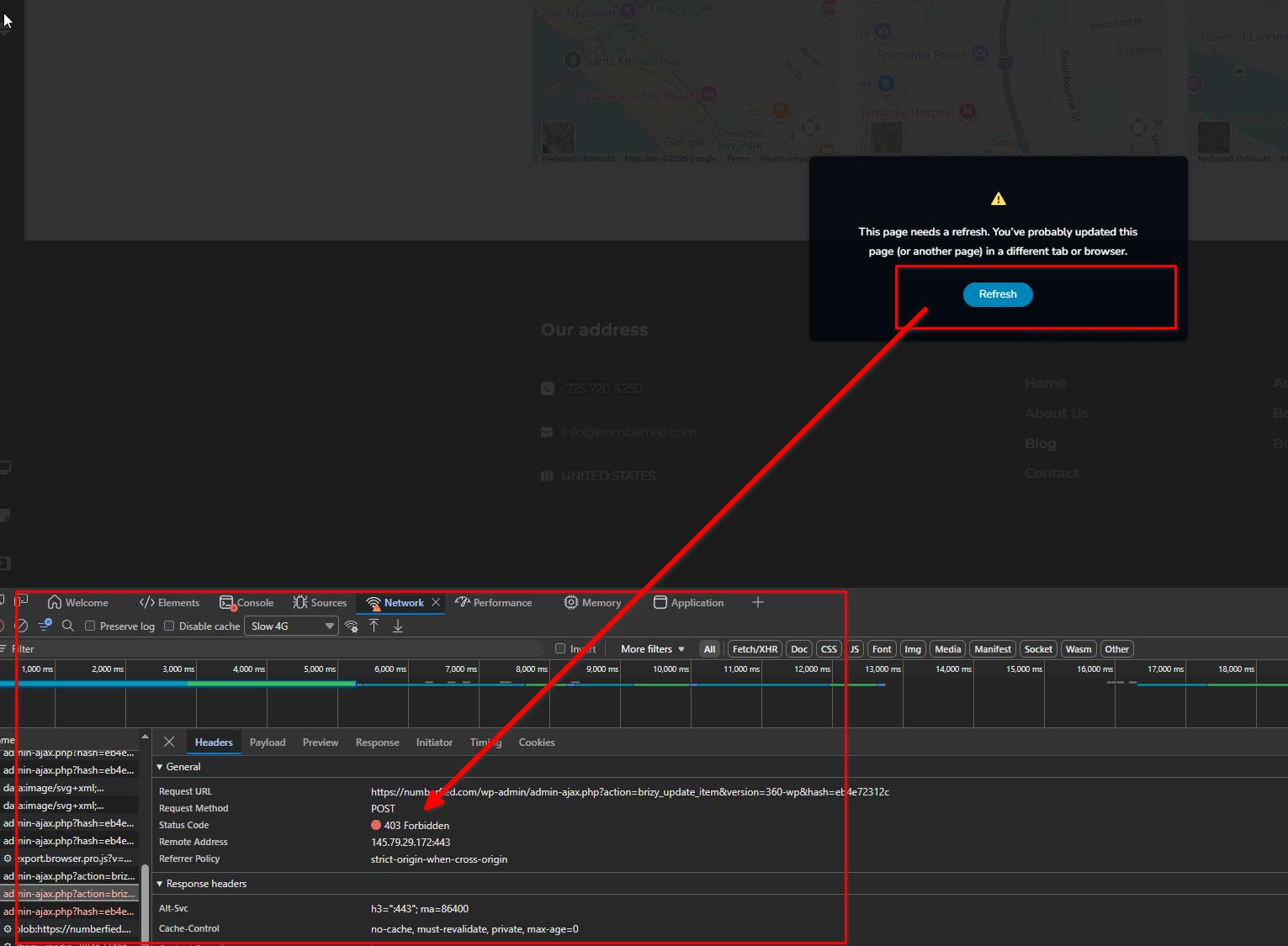
This means that the server is actively blocking or denying access to certain requests made by the Brizy. This can happen due to server security rules, firewall settings, ModSecurity restrictions, or conflicts coming from third-party plugins running across your multisite network.
Could you please confirm if you already tried disabling all third-party plugins across the WP Multisite installation and tested the editor again with only Brizy and Brizy Pro active? This will help determine whether the issue is caused by a plugin conflict within the network.
If the issue persists, we would recommend reporting the issue to your hosting provider and asking them to investigate the 403 responses being generated on the server side, as this is typically related to hosting security or server configuration restrictions.
Best regards,
Ariel H.0
Please sign in to leave a comment.
Comments
2 comments