Brizy page builder features

Hello,
I would like to ask you the following questions, I would really appreciate if you can help me fix this. Thank you in advance!
1. My dropdown menu menu on desktop looks white, however, when viewing tablet and mobile, the dropdown background color is dark; can you please, help me make it white as well?
2. In my blog post (currently in a draft mode) I have added a breadcrumb and it auto generated web page links there; however, one of the breadcrumb links to my web page is not working,howcanitbefixed?
-

Hi Eliza,
Thank you for contacting us.
Could you please provide us with the URL so we can inspect it? If you prefer to keep it private, we won't show it on this support thread.
About the breadcrumbs element, this only works in a Blog template - https://youtu.be/MsEkpb0JzPI
I am looking forward to your response.
Best regards,
Ariel H.0 -
Hello Ariel,
Thank you for you reply! Here is the URL link. Please, keep it private if possible. As for the breadcrumb, oh I see now, because I created a blog post within WP posts section. Is there any way how can I transfer/duplicate it to brizy templates? Overall, can you tell me please whether I miss anything significant in case I dont use brizy templates option or there is not much difference?
Thank you once again!
0 -
Hi Eliza,
Thank you for the update.
To change the background color of the menu in mobile view, please refer to this screencast: https://youtu.be/7E1MJuOipMA
There's not much difference whether you don't use Brizy templates option or prefer to use your current theme's features. However, you will have greater control over the layout if you use Brizy templates and use the breadcrumbs element and other blogging features. Otherwise, you may want to check the documentation of your current theme or contact their support to see if they can help you add a breadcrumb using existing theme features.
You may also use Brizy Templates, following the steps in the YouTube video I posted in my last reply.
Furthermore, you may also refer to these videos for more details - https://youtu.be/cWJEetL4f-s
I hope this helps.
Best regards,
Ariel H.0 -
Hello Ariel,
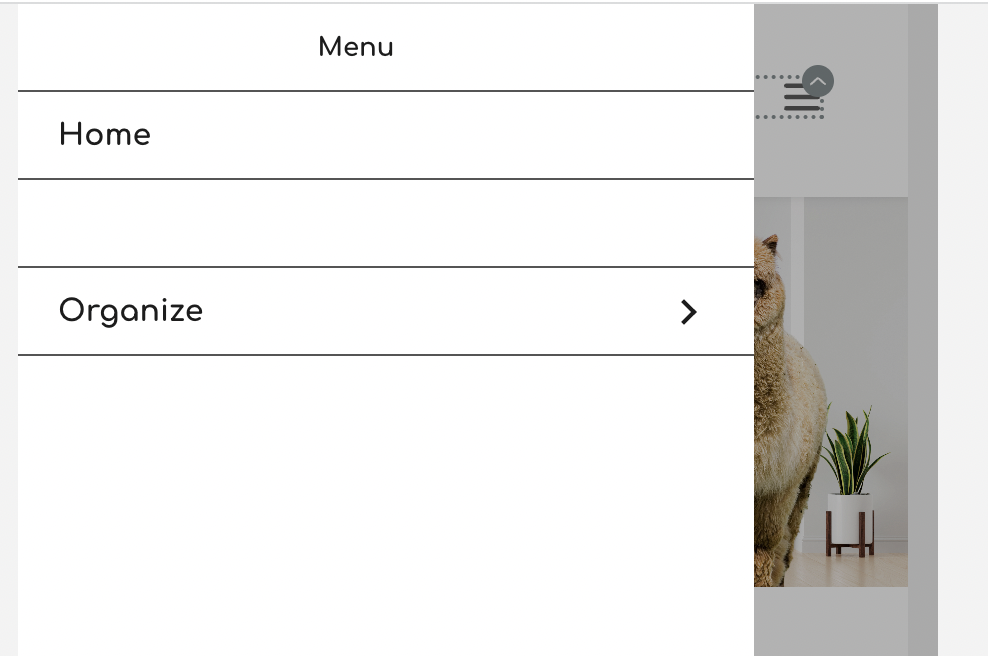
Thanks for your reply! When I change the BG color to white and text to a dark color, one of the menu items is not showing e.g. in this example menu item "about us" in not visible although i set dark color for all the text; do you know how this can be fixed? this issue arises on both mobile and tablet
 0
0 -

Hi Eliza,
The reason why one of your menu items is hidden is because the active menu color is set to white. Please watch this video for the procedure to set an active menu color other than white. https://jmp.sh/6wlJTFxM
0 -
Hello,
Thank you for your reply! Unfortunately, I still cant resolve my issue, here is an example with my home page both desktop and tablet and here is the web link.
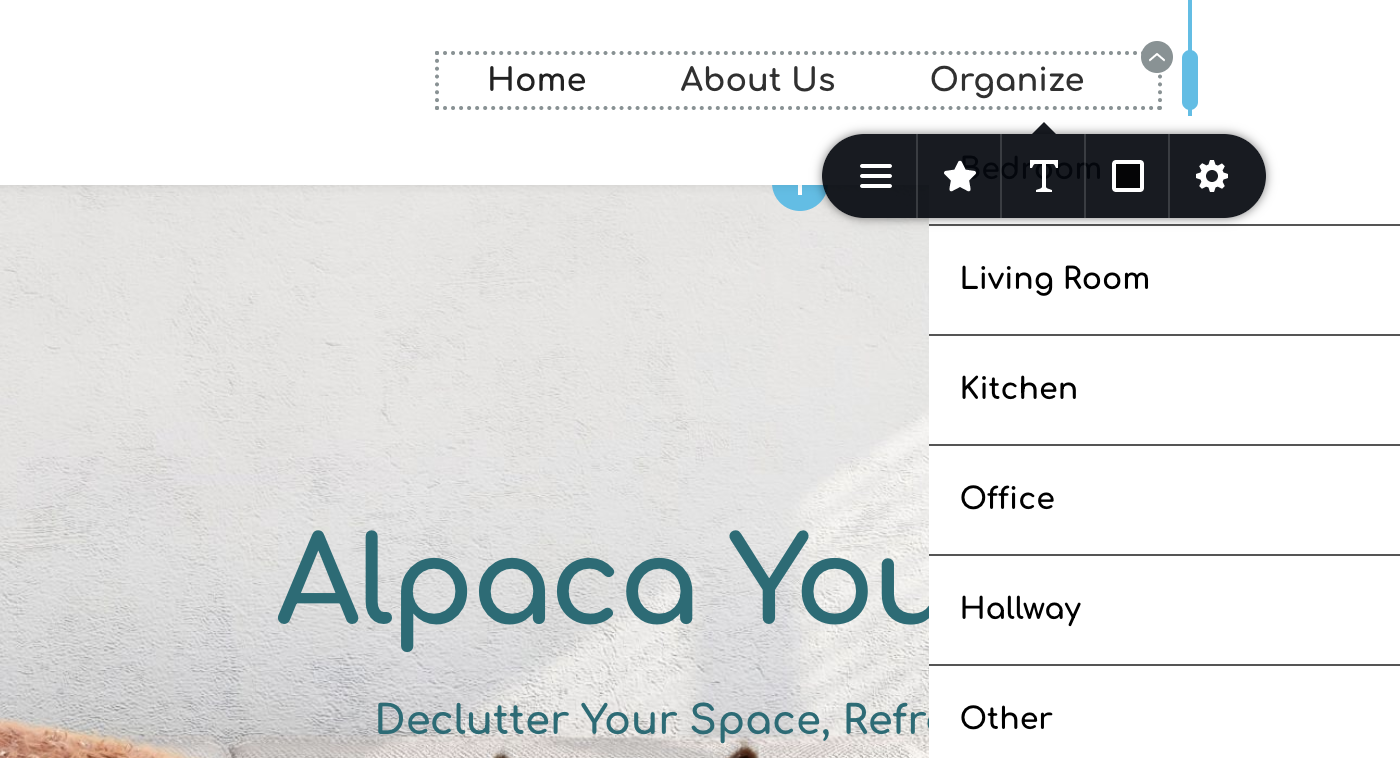
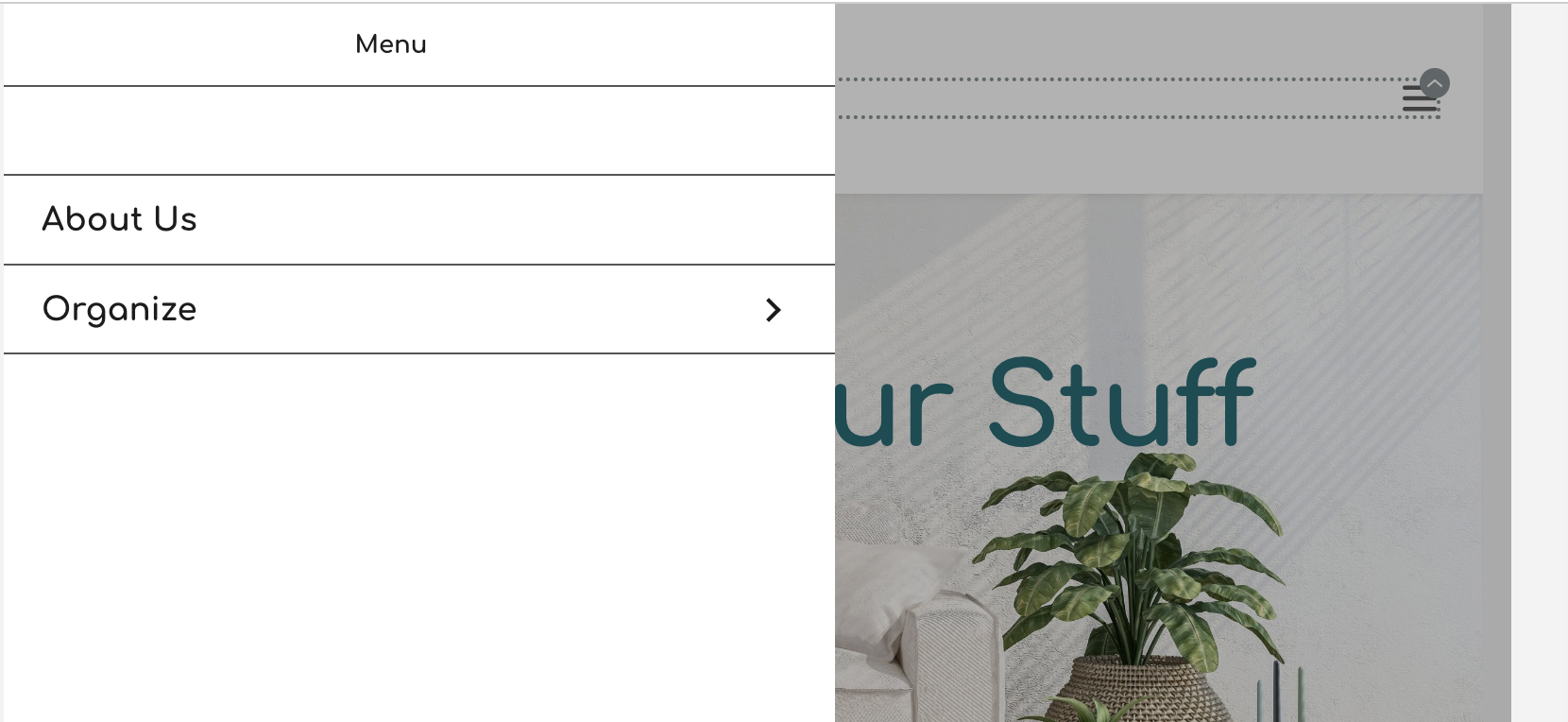
Once i view homepage in a desktop, all seems good and once i switch to tablet or mobile, then the home menu items looks white and thus not visible. However, When I hover on the "home" to check the color, it shows dark color, not white; Do you know how this can still be fixed? Thank you in advance!
 0
0 -
Hi Eliza,
If you need help in fixing this issue, please give us access to your WordPress Dashboard. We will do this for you. Please add me as a user to your WordPress Dashboard and send the following details to our email: communitysupport@brizy.io
- Community Post link: https://support.brizy.io/hc/en-us/community/posts/15302036899345
- WordPress Admin URL:
- Username
- Password
Please let us know here when you send us the email.
0 -
Hello George,
I've just sent an email with all the required details. Please, let me know once it's done, thank you very much!
0 -
Hi Eliza,
I have set the colors for your mobile and tablet menus. Please check. Here is how I did it. https://jmp.sh/xzFmfzFa
0 -
Hello George,
Thank you very much for your help! Have you seen my message related to a breadcrumb within an email I sent? i use brizy template and im not sure why my breadcrumb is not working properly...
0 -
Hi Eliza,
I looked at one of your blog posts. The breadcrumb element was missing. I added it and it seems working fine. Please have a look at https://jmp.sh/2bR6Tvus
If this is not what you meant, please give me instructions of how to reproduce the issue you are facing.
0 -
Hi George,
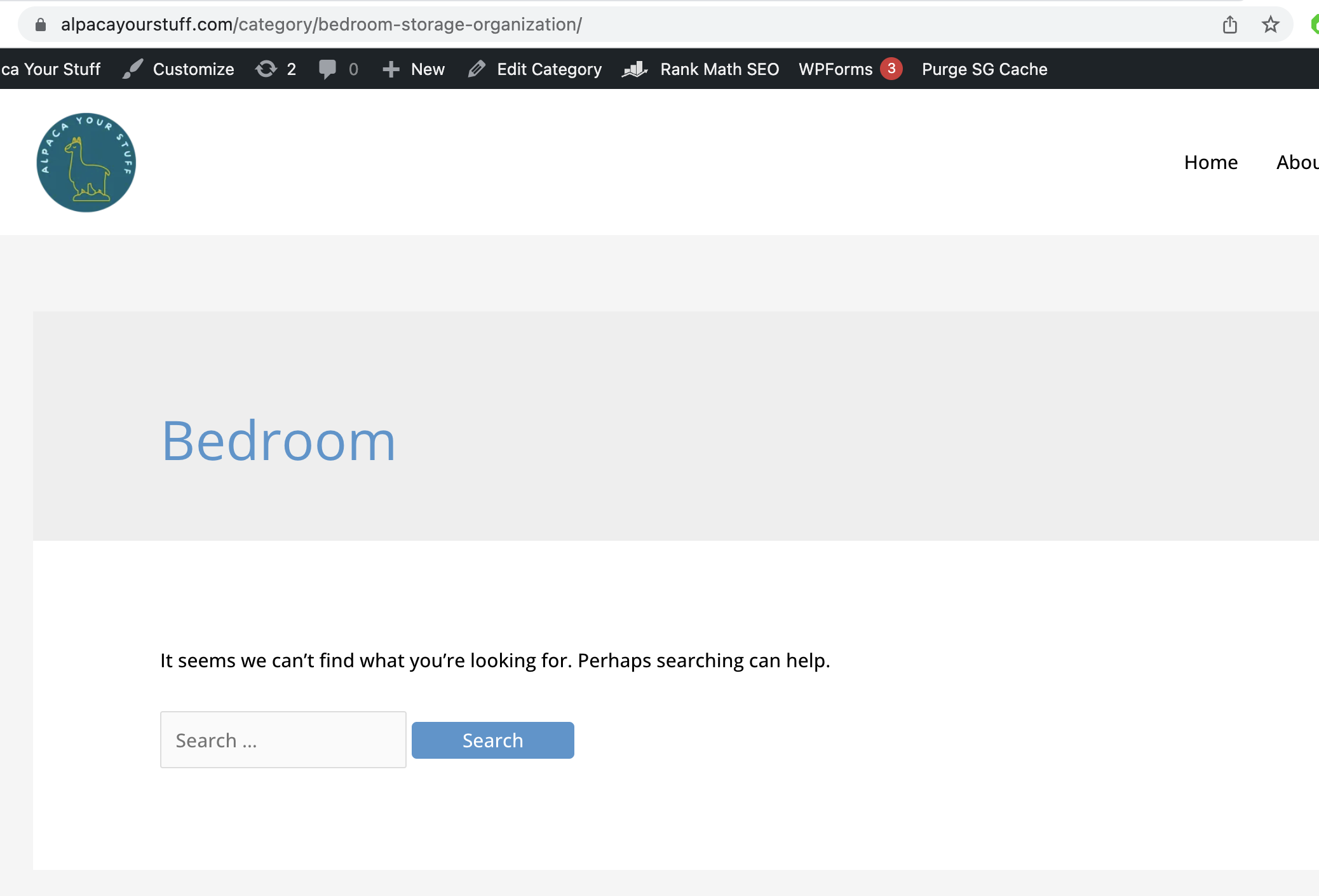
I think you're looking at the wrong post. i meant the one which is "maximizing bedroom.." Basically I have already a breadcrumb there but once i preview it and click on 'bedroom' breadcrumb, it shows me invalid page. If you have a look at my link on top, you will see that my link has a 'category' word which should not be there, it's wrong. Thats why my breadcrumb is not working i think but i dont know how to fix it... Please, let me know if you dont understand what I mean. My bedroompagelinkshouldbehttps://alpacayourstuff.com/bedroom-storage-organization/,not https://alpacayourstuff.com/category/bedroom-storage-organization/
 0
0 -
Hi Eliza,
The breadcrumb on the blog post Maximizing Bedroom Wall Storage: 9 Clever Wall Storage Hacks looks right to me. Home > Bedroom > Maximizing Bedroom Wall Storage: 9 Clever Wall Storage Hacks
The 'Bedroom' in this breadcrumb refers to the Bedroom category and it hyperlinks to the Bedroom Category Archive page. Bedroom category archive page is expected to list all blog posts within the Bedroom category.
The slug for the Bedroom category archive page was incorrectly entered as bedroom-storage-organization. I have corrected it to bedroom. Now the URL for your category archive page is https://alpacayourstuff.com/category/bedroom/
If you develop a Brizy Category Archive Template, your category archive page will display all blog posts within the selected category. Please follow the tutorial Creating Dynamic Templates | Brizy WordPress 101 | Lesson 19 for the procedure. If you have further questions, please let us know.
0
Please sign in to leave a comment.
Comments
13 comments