Lost Update Button


Where has the update button gone?
-

Hi Alexander,
A few users have faced this issue. We are yet to get to the root cause behind this behavior. If you give us access to your WordPress Dashboard, we would like to troubleshoot this in your project. Please add a new user to your WordPress Dashboard and send the following details to our email: communitysupport@brizy.io
- Community Post link: https://support.brizy.io/hc/en-us/community/posts/15053572422418
- WordPress Admin URL:
- Username
- Password
Please let us know here when you send us the email.
0 -
now working again you have to log out and log back in again.
0 -

I am having the same problems as mentioned by:
Kristin Spencer in “Brizy Editor Broken” and by both
MJJ KAT in “Update button missing in builder” and this post by
Alexander Lawford in “Lost Update Button.”
First sign of trouble occurred Nov 8 when I did updates related to WP 6.4.0 rollout.
Followed my normal update sequence I: 1) Updated WP 6.4.0 (Everything still worked), Then 2) Brizy 2.4.31 and Brizy Pro 2.4.28 updates, then 3) all non Brizy plugins. I do progressive backups between groups of updates so I can better protect the site.
It was at this point the error was found, Brizy had no update button on existing page edits and would not show saved blocks or festures to insert.
I used my backups to restore to before WP 6.4.0 and to test when problem occurs.
WP 6.4.0 did not cause problem. All other plugin updates did not cause problem. Problem always occurs when Brizy 2.4.31 and Brizy Pro 2.4.28 updates were completed. Could not correct problem so I had to leave Brizy updates out of maintenance cycle.
Waited until after WP 6.4.1 was released and tried again to update Brizy but encountered the same issues so reverted to backup taken before Brizy update.
Tried the login/log out method described by Alexander but without success.
Now it is Nov 15th and I had a number of other plugins to update. I was able to successfully update all except Brizy 2.4.31 and Brizy Pro 2.4.28. Retried Brizy update with same loss of editing issue. Had to restore site to before Brizy update to regain Brizy editor features.
Current site is in production and cannot risk downtime until 11/20. I will send access info to communitysupport@brizy.io at that time for your team to look at unless Brizy fix is published in the interim.
0 -

Hi Chris,
Thank you for reaching out to us.
Would you be able to create a staging version of your website?
Meanwhile, have you tried opening your pages in Incognito mode or another browser?
I am looking forward to your response.
Best regards,
Ariel H.0 -
Hi Chris,
Thank you for your cooperation.
I attempted to log into your site, but it seems our login was blocked.
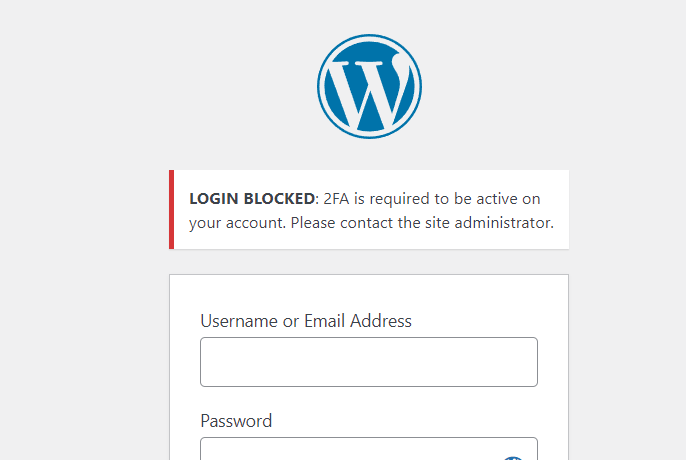
You mentioned the update button works in incognito mode. Could you try clearing local storage to see if that resolves the issue?
https://support.conquer.io/hc/en-us/articles/5821475923988-How-to-clear-local-storage-in-Chrome
Please try this and let me know how it goes.Best regards,
Ariel H.0 -
Sorry on the 2FA, I thought I had switched that off.
However, I tried the clearing of local storage on Chrome and it appeared to solve the issues.
The only thing I do not understand is that this issue was present on multiple browsers. Now all browsers seem to be behaving even though the storage was cleared only on Chrome. That fix is not intuitive.
Having said that, I am very happy the issue has gone away. Thank you.
So for the moment, there seems to be no need for Brizy to need the temp login.
0
Please sign in to leave a comment.
Comments
6 comments