Something went wrong - error

Please can you help me ASAP. I am running latest versions of Brizy and today was unable to edit my wordpress website, getting this error:
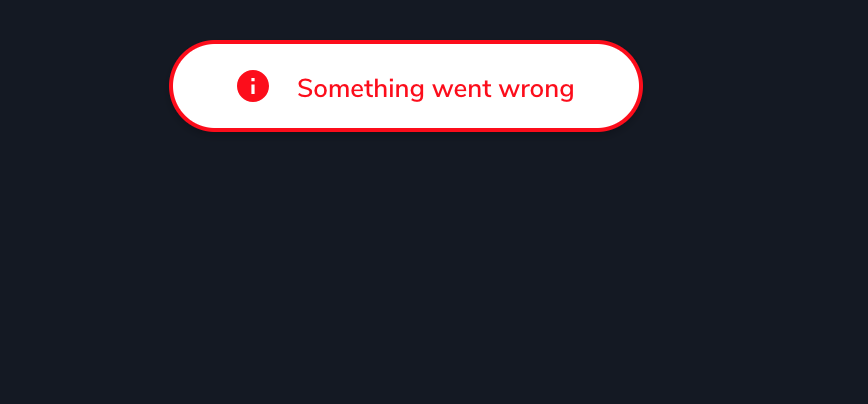
Unable to change very important information on my website and have already wasted almost two hours trying to fix it. Thank you.
-

Hi Ben,
Thank you for reaching out to us.
Please try the following steps and see if this will help:
1. Deactivating one plugin at a time and checking if the problem resolves.
2. Temporarily switch to another theme and check if the issue goes away.
3. Also, try raising the PHP memory limit to at least 256MB or higher.
https://www.wpbeginner.com/wp-tutorials/fix-wordpress-memory-exhausted-error-increase-php-memory/If all the above didn't help, please provide us temporary access to your WP Admin credentials, so we can further check the issue. Add us as a user to your WordPress Dashboard and send the following details to: communitysupport@brizy.io
Community Post link: https://support.brizy.io/hc/en-us/community/posts/14520527633810
WordPress Admin URL:
Username:
Password:Please make a full backup of your website as a precaution.
I am looking forward to your response.
Best regards,
Ariel H.0 -
Hi Ariel,
1. I have deactivated each plugin and problem wasn’t resolved.2. I switched to another theme and problem wasn’t resolved.3. I have tried to do this but having difficultyHad no problem with memory before this and haven’t changed any settings.Problem existed this morning BEFORE I updated to latest Brizy versions.AFTER updating to latest Brizy versions THEN I started getting the ’Something went wrong’ error message.I don’t think it is a memory issue. Something to do with the new version of Brizy, it seems.Over three hours now of trying to fix this.Any more assistance will be appreciated.Thanks.Ben0 -
Hi Ben,
Today, I've received several sets of credentials. However, it's not clear which one pertains to your website. To ensure a quick and accurate identification of your site when sending your WP credentials to our community support email (communitysupport@brizy.io,) please follow this format:
Community Post link: https://support.brizy.io/hc/en-us/community/posts/14520527633810
WordPress Admin URL:
Username:
Password:Best regards,
Ariel H.0 -
Have now emailed NEW USER access so you can hopefully resolve the issue.
Thanks.
0 -
Hi Ben,
I appreciate your cooperation.
Upon checking, the issue only occurs when multiple pages are being edited.
This is demonstrated on this screencast: https://youtu.be/xvVOwdJS3_IThese errors are often a result of problems on the server side, such as server overload, misconfigurations, or insufficient resources. It's a good idea to check with your hosting provider or server administrator to investigate and resolve the issue.
Meanwhile, I recommend editing your pages one at a time and closing all other pages.
If you have any further questions, please let us know.
Best regards,
Ariel H.0 -
Hi Ariel,
1. I have deactivated each plugin and problem wasn’t resolved.
2. I switched to another theme and problem wasn’t resolved.
3. I have tried to do this but having difficultyHad no problem with memory before this and haven’t changed any settings.
Problem existed this morning BEFORE I updated to latest Brizy versions.
AFTER updating to latest Brizy versions THEN I started getting the ’Something went wrong’ error message.
I don’t think it is a memory issue. Something to do with the new version of Brizy, it seems.
Over three hours now of trying to fix this.
Any more assistance will be appreciated.
0 -
Thanks very much.
That video is very helpful.
I appreciate your help.
Will do as you suggest.
Ben Grant Mitchell
0
Please sign in to leave a comment.
Comments
7 comments