Mobile Menu Broke due to Brizy Pro update

Good day!
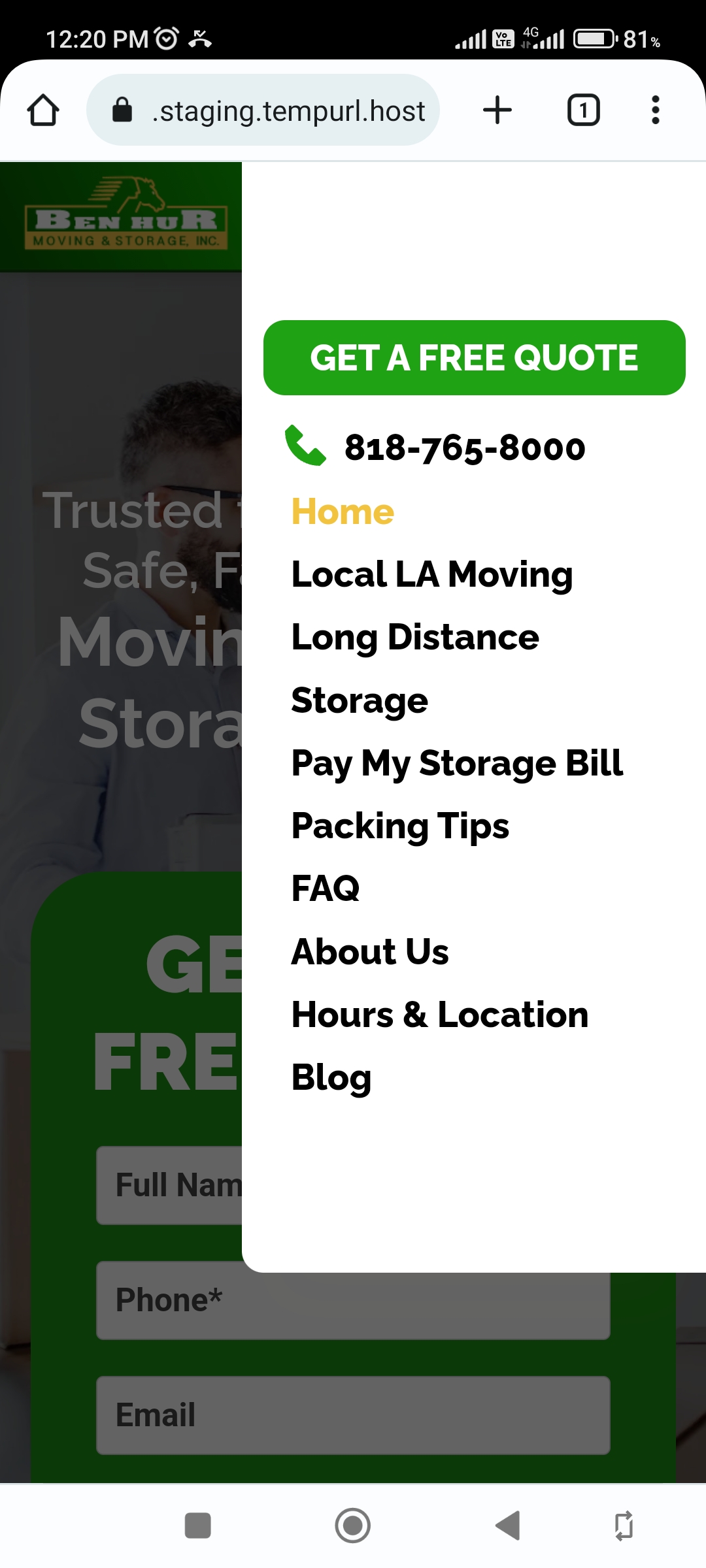
We are currently experiencing a major layout shift on the mobile navigation due to the Brizy Pro update. The latest changelog for the plugin includes some of the menu navigation. So we have to stay on the previous version for now. Maybe you can consider this for a fix on your next updates.
Website: https://benhurla.com/
PS. You will not see the broken layout shift since we fixed it.
Pls. see the screenshot. Thank you so much!

-

Hi Steven,
The most recent Brizy versions have incompatibility issue with the 'Minify Javascript Files' function of Caching plugins. In your WordPress Dashboard under Settings - WP Rocket - File Optimization, if you disable the "Minify JavaScript Files" option, you could probably fix the layout issue.
Would it be possible for you to create a staging site for our developers to test this issue with WP Rocket?
0 -
Sure thing:
Here are the credentials for you:
User:
PW:
Website Link:
Thanks!0 -
Hi Steven,
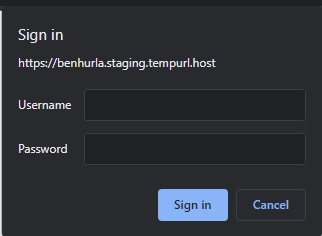
Thank you for creating the staging site. Do you also have the frontend access credentials for your staging?
 0
0 -
Hello KC,
We actually don't log in that way, since it's confusing. We directly proceed to the dashboard.
Please login with this link:
https://steven78926:reselect.unlikable.waviness@benhurla.staging.tempurl.host/
Let us know if it doesn't work. Thanks!0 -
Hi,
Thanks Steven. I could access the website frontend with the link you have provided.
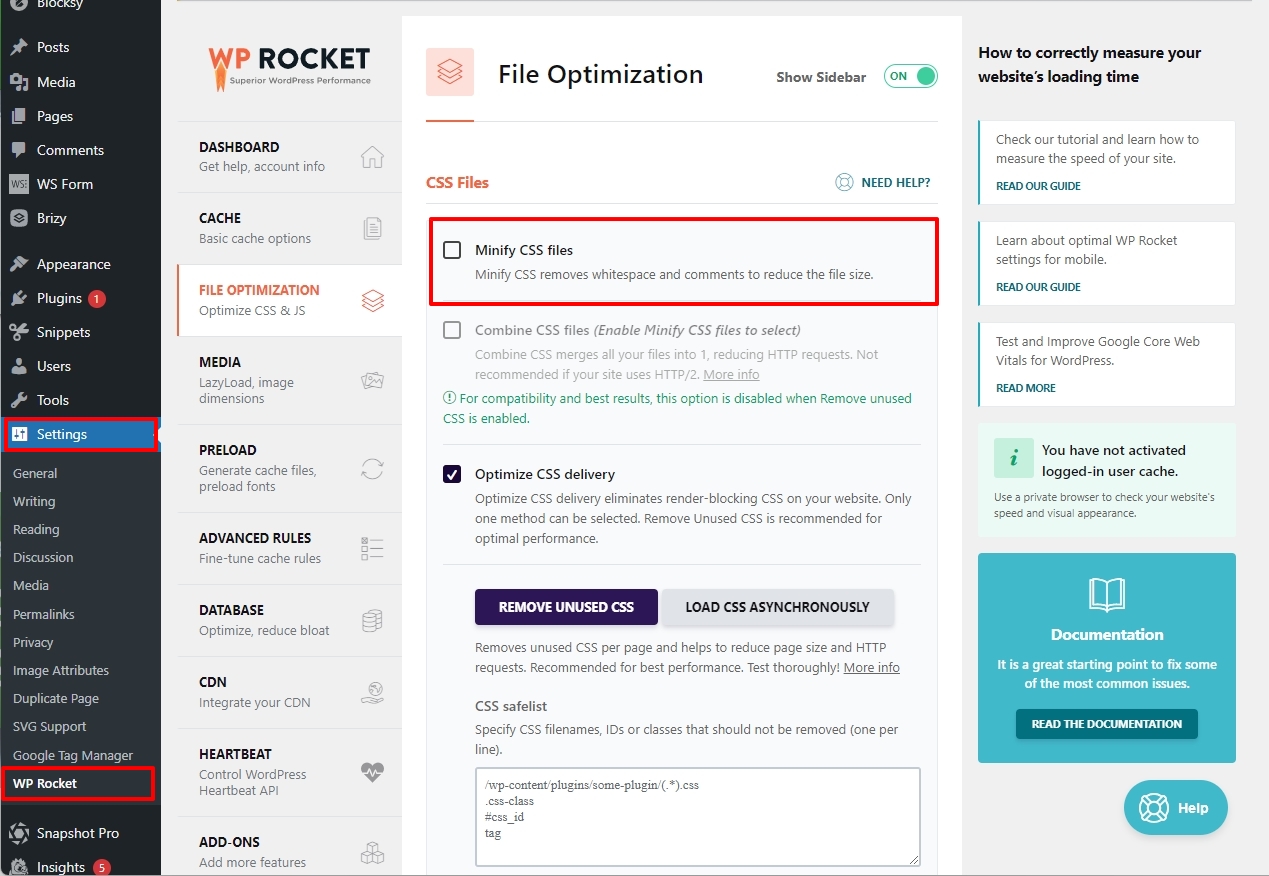
Looks like the "Minify CSS files" option under Settings - WP Rocket - File Optimization causes a conflict between Brizy and WP Rocket. In your staging site, I have disabled this option and the mobile menu started working again.
Please retain our access to your staging for some more time. Our developers may need this access to work on a fix for this issue.
 0
0 -
Hi Steven,
Our developers are looking into this issue on your staging site. We are unable to reproduce the issue on your staging now and hence impossible to develop a fix for this issue.
We have noticed that on your live site https://benhurla.com/ the issue has returned. Can you please create a user for us in your live site so that our developers can investigate the cause and work towards a fix? Please send these details to our email:communitysupport@brizy.io
- Community Forum link: https://support.brizy.io/hc/en-us/community/posts/14468867393809
- WordPress Admin URL:
- Username
- Password
0 -
Hello KC,
Thanks for checking! We'll be sending an email in a while.
0 -
Hello KC,
Since we have to fix the issue as soon as possible, we deleted the staging site to restore a back-up. We'll update you once we have created another staging site for your developers. Thank you somuch!
0 -
Hi Steven,
Thanks. Our developers need this to work on a fix. Looking forward to your update.
0 -
Hello KC,
Sorry for the delay,
- Community Forum link: https://support.brizy.io/hc/en-us/community/posts/14468867393809
- WordPress Admin URL: ...
- Username: ....
- Password: ....
Thanks!
0 -
Hi Steven,
Our developers have looked into this issue. They did not find any compatibility issue between Brizy and WP Rocket. The issue seems to be with the width settings for the mobile. You had set it to 20% of the screen width. If you set it to 50% or more, the issue can be resolved. Please have a look at this screen recording https://jumpshare.com/v/HaOmKXi6PsPMxl5ItYuA
0 -
Hello KC,
Thank you all for looking into that!
Have a nice day!0
Please sign in to leave a comment.
Comments
12 comments