Keeping an image/logo static

Hello, forgive me if I'm using the wrong terminology. I was wondering if anyone here knows how to keep an image static like remain in a fixed sizing and proportion?
I edited and placed my company's logo on the navigation bar using a 27" screen it looks perfect, but when I view it on a 13" screen, the company logo got scaled down and if I edit it on a 13", it will look humongous on a 27".
I managed to circumvent it by editing the margin and it looks great on both 27" and 13" but while doing so, a certain area of the logo is unclickable (the logo is linked to the homepage), which I'm okay with it, but it would be nice if I can make the whole logo clickable.
Please advise if there is an alternative solution. I'm editing and using Brizy on Wordpress.
Thanks!
-

Hi Eric,
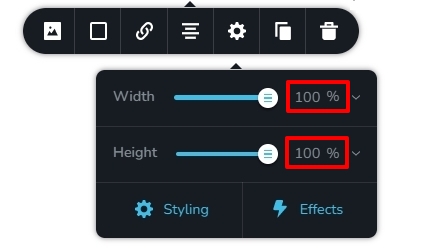
For the logo image, if you have set width and height using px values, please set it using % values and see if the issue gets resolved.
 0
0 -
Hi George,
Thank you for the prompt reply! Will give it a try sometime this week as I don't have access to 27" screen to cross reference with.
Will update this thread once I manage to mess with it.
Thanks so much!
0 -
Hi George,
I've tried the method you provided me with above, I'm guessing that to set both width and height at 100% value is for the image. However, the logo appears far too large to be on the navigation bar. Hence I've reduced it to 35% in width and 100% in height and it looks great on a 27".
But when it's viewed on a 13" the logo is scaled automatically and it appears to be very small.
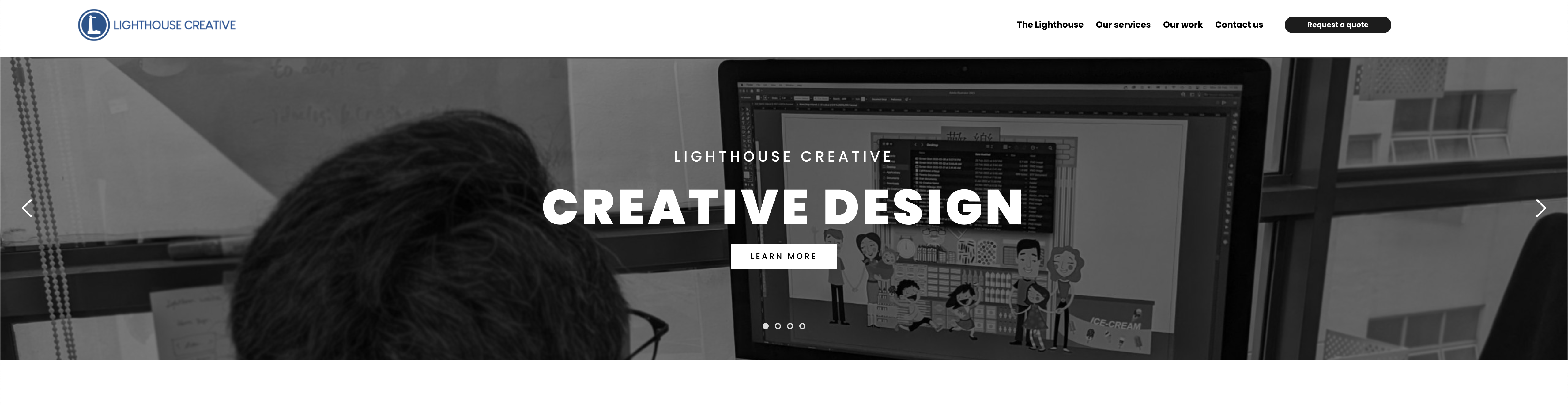 ^ This is the view from a 27" (with image size at 35% (W), 100% (H), all margins at default)
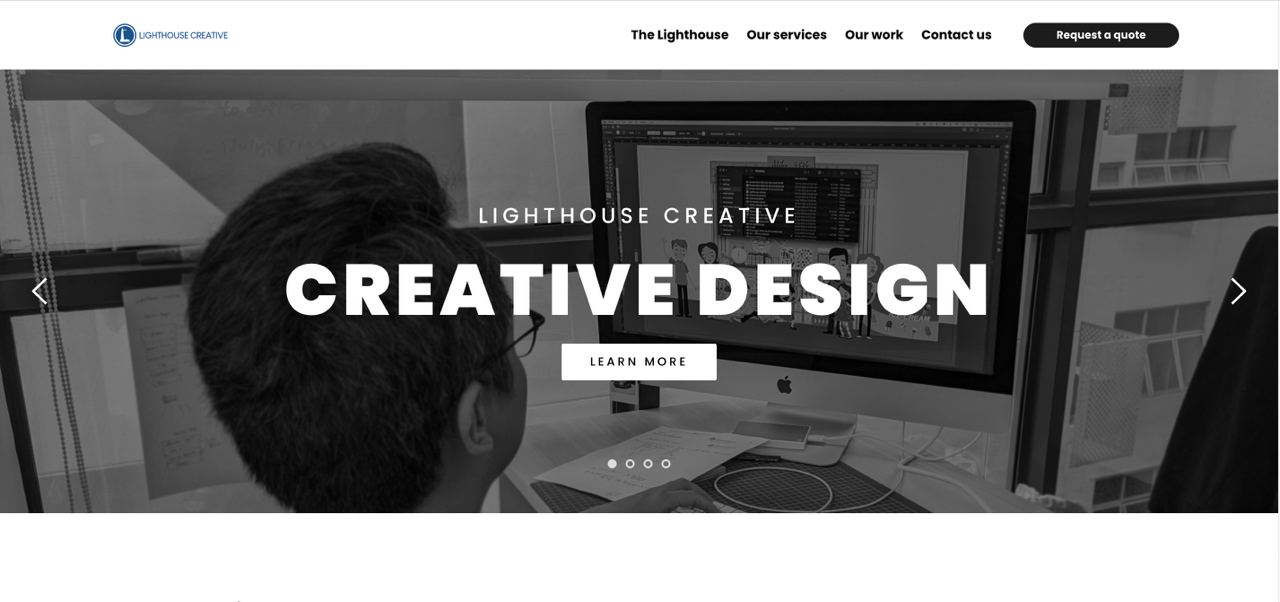 ^ This is the view from a 13" (with image size at 35% (W), 100% (H), all margins at default)
I've reverted back to playing with margin at the expense of certain parts of the logo becoming unclickable.
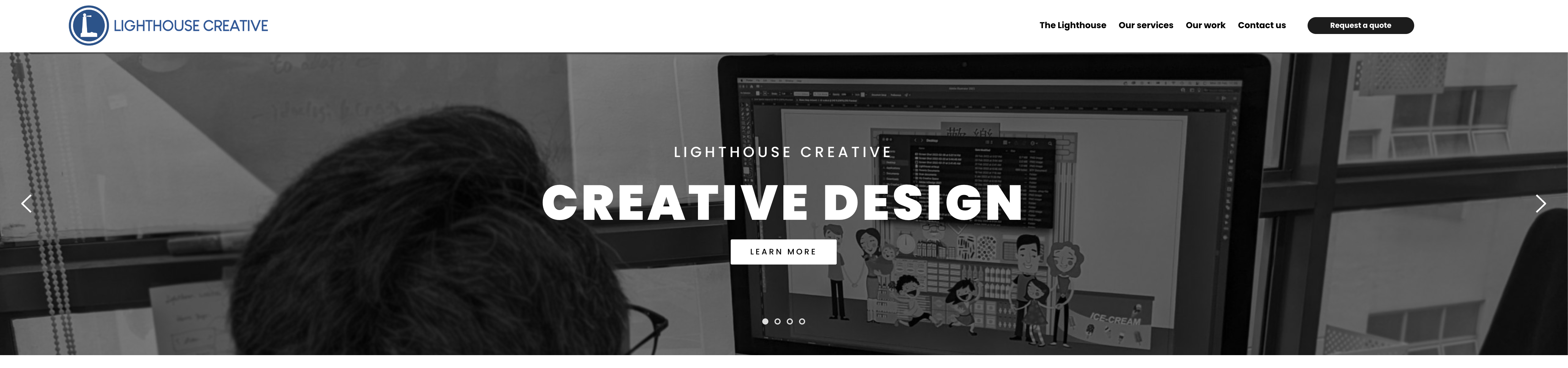 ^ This is the view from a 27" (with right margin at -25px)
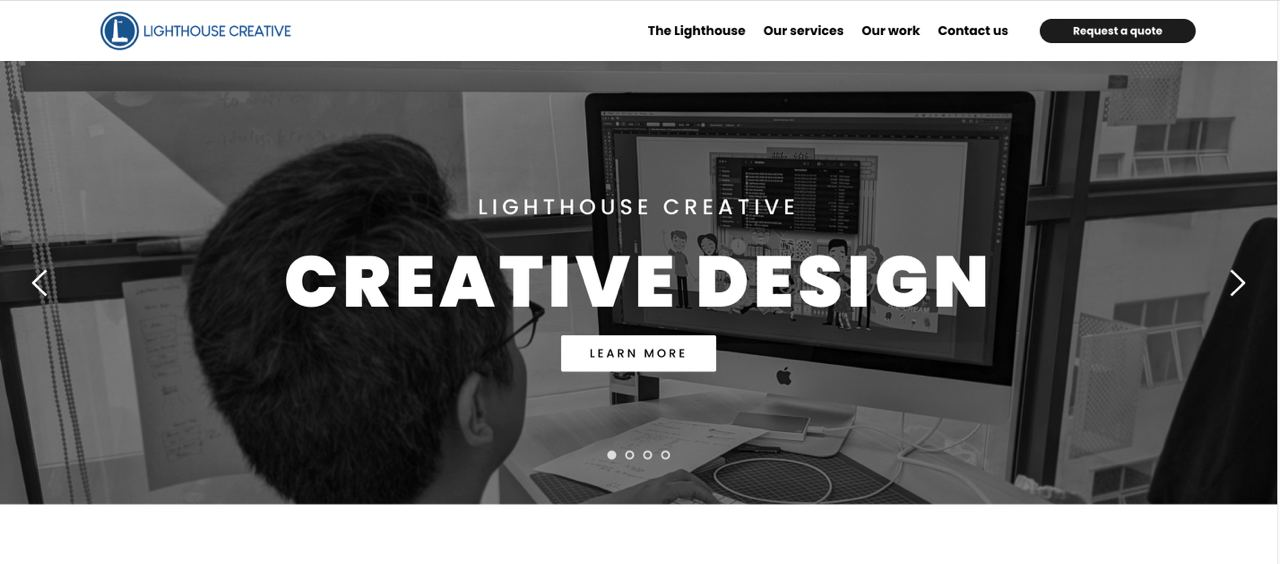 ^ This is the view from a 13" (with right margin at -25px)
Please advise if there is any alternate solution to this.
Thank you so much!
0 -
Hi Eric,
Please try viewing this page on different size screens. https://brizytest.online/carousel On both large and small display screens, this page should look similar.
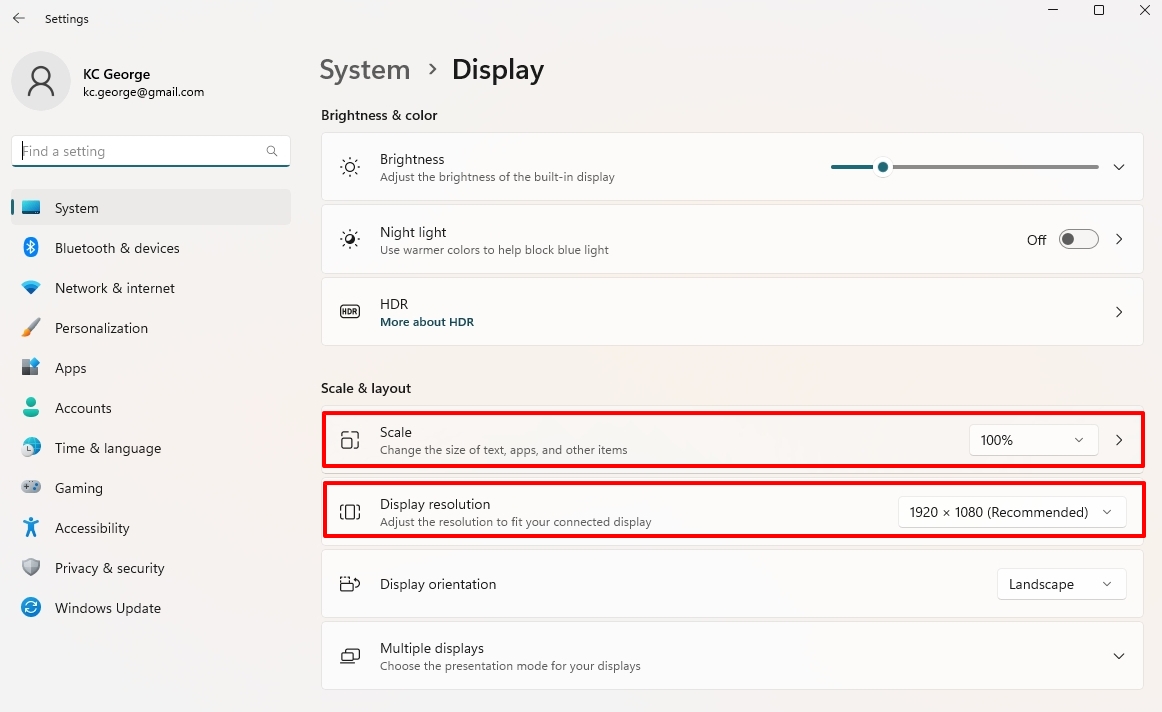
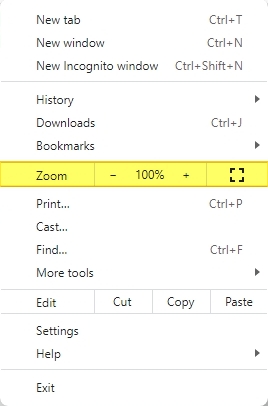
However, any website may appear differently on various devices if you are viewing it on screens with different resolutions. All webpages will appear differently if the scale/ zoom value of the display or the browser is set to a number other than 100% also. If the resolution and the scale/zoom value are uniform across multiple display screens, the webpage should look similar on all devices.
 0
0 -
Hi George,
Sorry for the late response, I've been experimenting with different resolutions as per your previous reply, which garner the same result (browser display at 100%).
I'm okay to live with using margin at the moment as it doesn't scale the logo down or up so much when viewed on different displays/resolutions. The only downside is that the right side of the logo is unclickable while the left is clickable 😅
0 -
Hi Eric,
I would like to check the issue you have mentioned about the logo being unclickable on the right side. Do you have this page available on a URL or is it not yet published?
0 -
Hi George,
I have the page published. My URL is www.lghce.com
 This is what I've done to my logo by increasing the margin out of the bounding box (forgive me if I'm using the terminology all wrong)
Thanks!
0 -
Hi Eric,
I have attempted to recreate your header design at my end. Please have a look at https://brizytest.online/lighthouse
I have placed the logo within the column borders (without adding negative margins). If this design looks similar on different size screens, may be you can follow a design similar to this on your website.

 0
0 -
Hello George,
Thank you so much for the recreation! Will give it a try and will keep you posted!
Again, thank you so much for taking your time out in looking into this issue!
0 -
Hello George,
Here's the update! I rebuild my header navigation bar, and the problem still persists. However, once I change the setting for the block width from Full to Boxed. It works perfectly for both 13" and 27"!
Hence I was wondering, the recreated header design that you've done up, is the width based on Full or Boxed?
Thanks so much!
0 -

Hi Eric,
Thank you for the update.
I assume that my colleague KC George used boxed. You can use the full-width version if it suits your needs.
However, if you prefer boxed, you can instead raise the z-index value of the image, so it won't be cropped even when you resize the page.
Ensure that you select the image as shown in this screenshot and set the z-index to 100 - https://prnt.sc/UZ1OrRERXAv9Please try this and let me know if it works for you.
Best regards,
Ariel H.0 -
Hello Ariel,
Thank you for your reply. I was on full-width all these while, hence I encounter the issue. But once I changed to width to boxed, everything is fine.
I'm wondering if there's a solution for full-width?
Thanks!
0 -
Hi Eric,
Thank you for the update.
I need to look into your site and check how you created your header so we can figure out a solution.
Please provide us temporary access to your WP Admin credentials, so we can further check the issue. Add us as a user to your WordPress Dashboard and send the following details to: communitysupport@brizy.ioCommunity Post link: https://support.brizy.io/hc/en-us/community/posts/14435198788881
WordPress Admin URL:
Username:
Password:Please make a full backup of your website as a precaution.
I am looking forward to your response.
Best regards,
Ariel H.0 -
Hi Eric,
Thank you for your cooperation and I apologize for the inconvenience, but I'm afraid I don't have a direct solution to address this issue. The height of the header in the Brizy builder is set to a percentage value, which causes the image size to depend on the header's size. Regrettably, there is no built-in functionality within Brizy to override this behavior.
This may require custom CSS/JS to achieve this; however, this is already beyond the scope of our support.
Please stick with boxed style instead of a full-width layout. This could potentially provide more control over the header's dimensions and achieve the desired image size.
Best regards,
Ariel H.0 -
Hello Ariel,
Thank you so much for the detailed explanation provided. I'm fine with using boxed style, but it would be nice to see Brizy addressing this issue in the coming future updates.
Once again, thank you both for the kind assistance rendered.
Regards,
Eric0
Please sign in to leave a comment.
Comments
15 comments