Contact form - display

Hello, I have one more issue with the fields in the form.
In the Czech version, the Apartment selection field appears well; see the first picture.
Unfortunately, when it is in the English version, it doesn't appear fully; see the second picture.
This is the website: https://hotelalster.cz/en/rezervace/
Can you please help me?
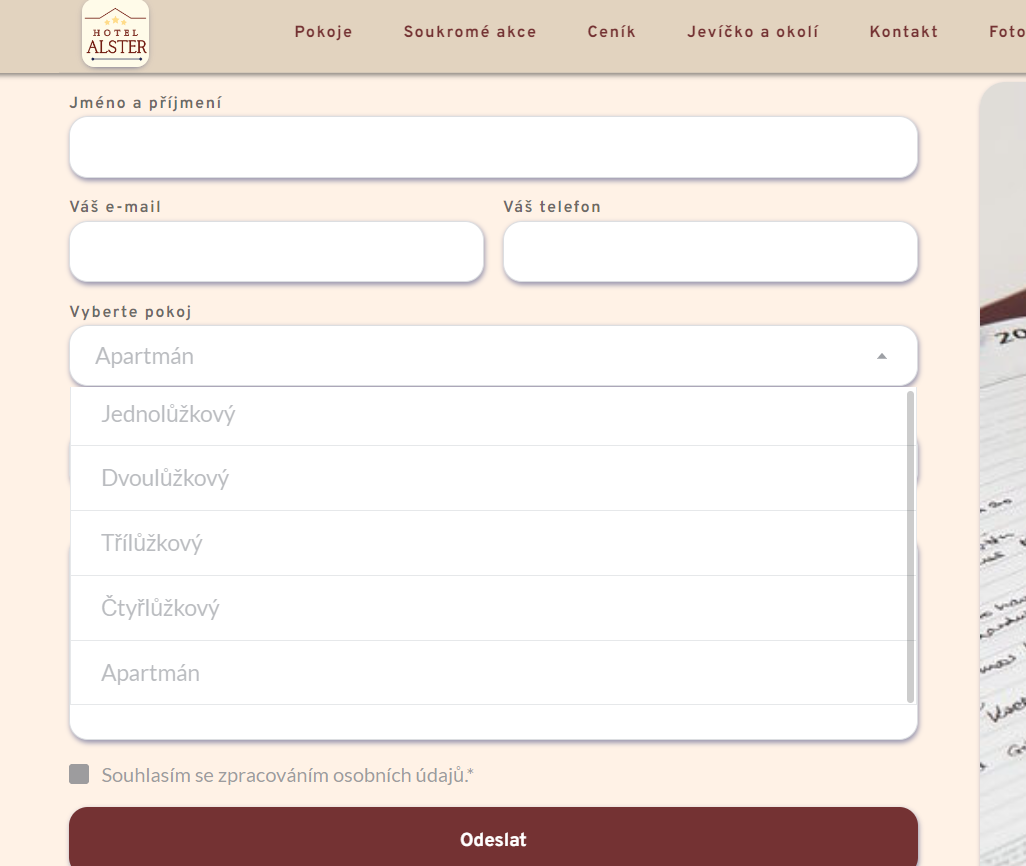
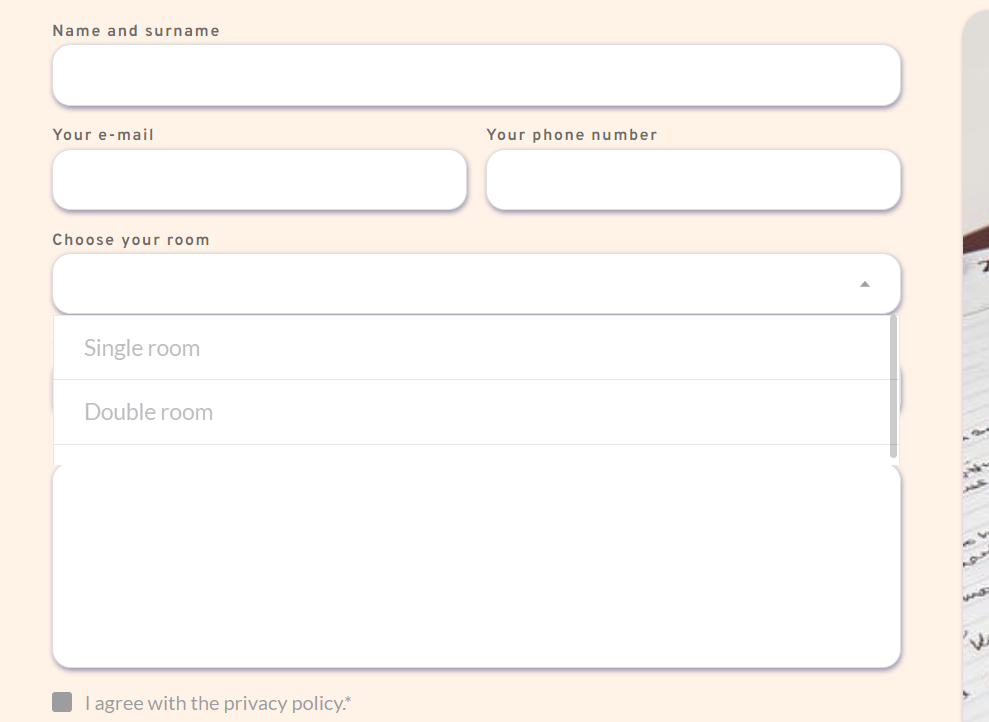
-

Hi Pavel,
Thank you for reaching out to us.
This is something we would like to investigate from your dashboard. Could you please provide us with the WordPress credentials, so we can look into this issue further?
Please add us as a user to your WordPress Dashboard and send the following details to: communitysupport@brizy.io
Community Post link: https://support.brizy.io/hc/en-us/community/posts/14033696751890
WordPress Admin URL:
Username
PasswordPlease make a full backup of your website as a precaution.
Best regards,
Ariel H.0 -
Thank you for your fast response. I value it.
I have sent you an email with the login details.
Kind Regards,
Pavel
0 -
Hi Pavel,
Thank you for your cooperation.
It seems that there is a glitch occurring during the translation process when using the Select field in the form element. To work around this issue, I recommend temporarily changing the Select field to the Checkbox field. This should help resolve the problem.
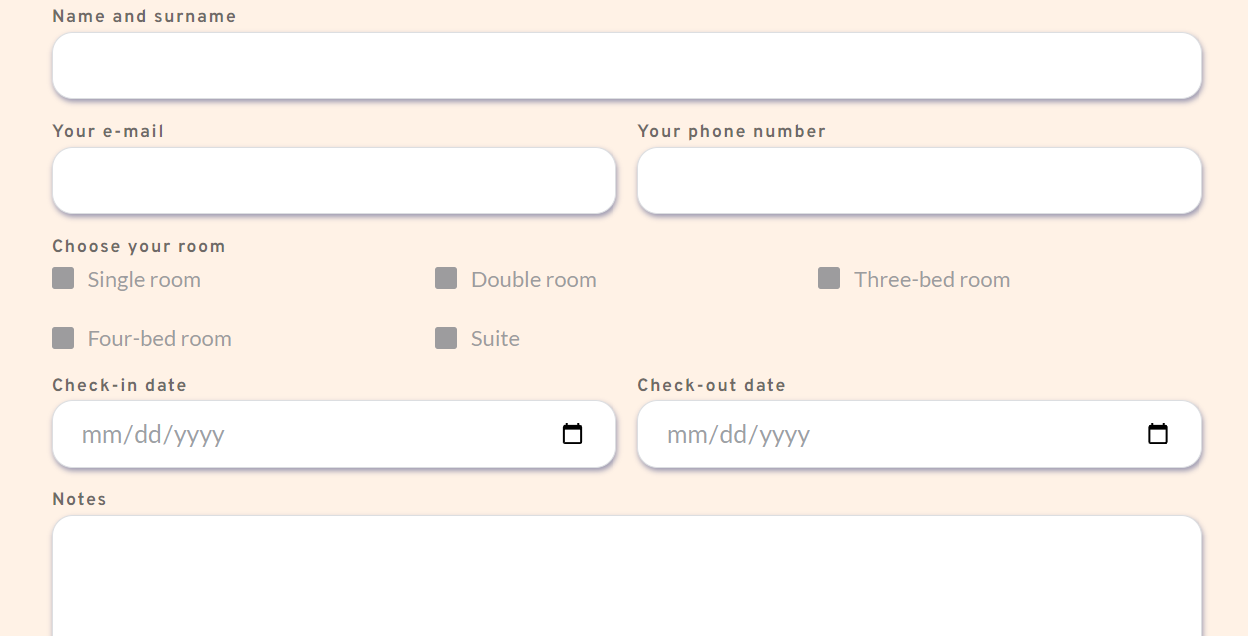
I have already reported this issue to our senior support team for further investigation.
Best regards,
Ariel H.0 -
Thank you. I believe that this solution will satisfy my client.
Will you update me on when the glitch will be fixed in case the client wants the original design?
Kind Regards,
Pavel
0 -
Hi Pavel,
It appears that the credentials you provided no longer work. Would you be able to create a staging version of your website where the issue could be replicated, so we can further investigate the issue? If this is possible, please also send us the credentials.
Best regards,
Ariel H.0 -
Hi Ariel,
I have sent you and email.
In terms of the staging version, is it enough to duplicate that particular page and work on the duplicate?
0 -
Hi Pavel,
Please also update the login URL, the previous link also no longer works.
Kind regards,
Ariel H.0 -
Hi, I am sorry. I didn't copy the slash at the end of the address.
httpsxxxxxI have created a duplicate of that page called "DUPLICATE - rezervace"
I hope the log in will work this time.
Thank you.
0
Please sign in to leave a comment.
Comments
8 comments