Can't activate PRO license of Brizy > License tab is missing

Hi I don't see the License tab under Brizy > Settings.
I have installed Brizy + Brizy Pro , but it is not showing.
Can you help us activate the license tab so we can start using Brizy Pro?
-
I have followed the instructions, but since the website had used Brizy Pro in the past already I expect a bug. The URL is eventophetwater.devjuulr.com , please assist.
0 -

Hi Tom,
Can you please let us know the Brizy and Brizy Pro version numbers? Please also let us know the WordPress theme you are using.
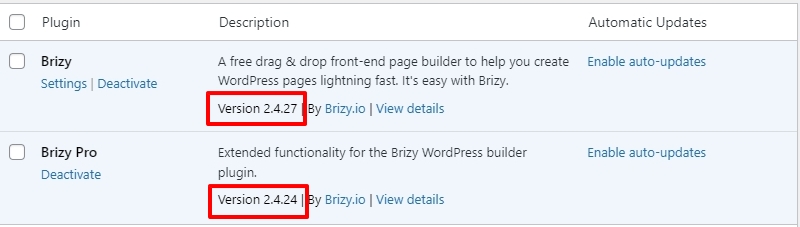 0
0 -
Astra Pro theme,
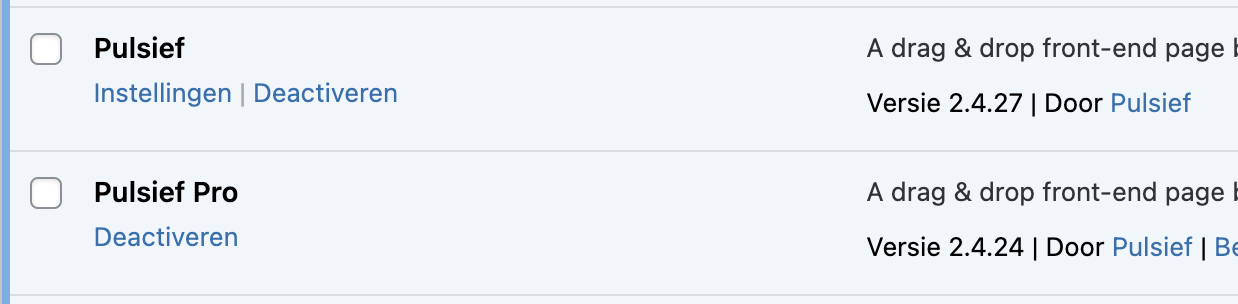 0
0 -
I can share an admin level login if you make this support thread private?
0 -
I have disabled the theme to test, didn't fix this issue
0 -

Hi Tom,
Please try to reset white label, and see if it will show the option - https://prnt.sc/vOClvV-RMLSL
After this, go back to Settings and enter your license.
You can enable white label back after you have updated your license key.
https://support.brizy.io/hc/en-us/articles/360040492831-How-to-activate-the-white-labelPlease try this and let me know if this helps.
Best regards,
Ariel H.0 -
Hi Ariel,
This page does not exist, also when I disable Brizy Pro..
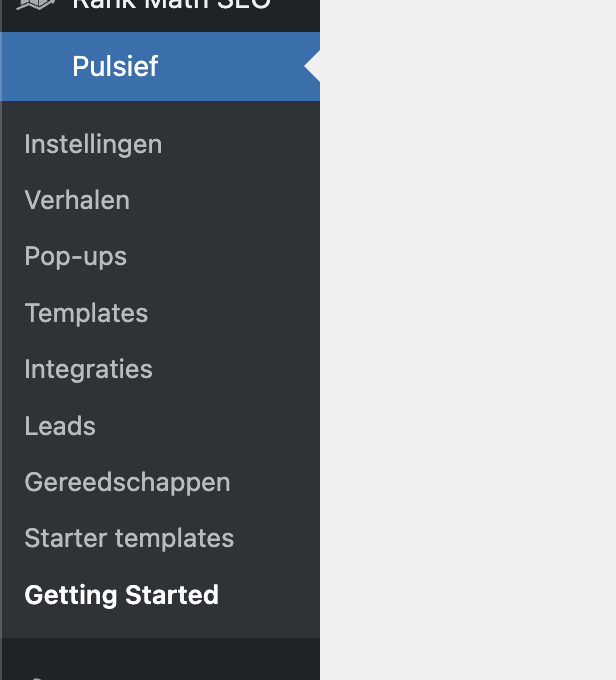 0
0 -
Hi Tom,
This is something we would like to investigate from your dashboard. Please provide us with the WordPress credentials, so we can inspect your site.
Please add us as a user to your WordPress Dashboard and send the following details to: communitysupport@brizy.io
Community Post link: https://support.brizy.io/hc/en-us/community/posts/13995731027858
WordPress Admin URL:
Username
PasswordPlease make a full backup of your website as a precaution.
Best regards,
Ariel H.0 -
Okay Ariel, thank you I have done this. Looking forward to your response.
0 -
Also, feel free to remove any type of whitelabel settings, we are no longer supported by Pulsief so it can be restored to the original Brizy settings on that end. Thanks
0 -
Hi Tom,
Thank you for the update.
We have disabled white-label, and you should now have access to the license tab, this is demonstrated on this screencast - https://youtu.be/L9fQKdI6BHo
I assume that the current license belongs to Pulsief, and it has already expired. If this is the case, you can simply click on the deactivate button in Brizy → Settings → License and then enter your new license.
If you have any further questions, please let us know.
Kind regards,
Ariel H.0 -
Hi Ariel,
Thanks for making the change!
We sadly had to revert a backup due to corrupt images from a whitelabel setting edit.
Could you redo this license step and make sure the images in the Brizy builder remain visible?
Thanks in advance
0 -
Hi Tom,
Thank you for the update.
I apologize, but it seems that the previous login details are no longer valid.
Regarding the issue of missing images that you mentioned, it is likely caused by caching. To resolve this problem, you will need to clear or purge the caching plugins on your website. This should help to address the issue and ensure that the images are displayed properly.
Alternatively, if you prefer not to reset the white-label settings and want to make the license tab visible. You can do so by checking the “Show license tab” in the white-label options. To access the white-label options, please refer to this link:
https://support.brizy.io/hc/en-us/articles/360040492831-How-to-activate-the-white-labelI have also created a screencast demonstrating the steps, which you can watch at the following link: https://youtu.be/2KQ3fABehIc
Please try this and let me know how it goes.
Best regards,
Ariel H.0
Please sign in to leave a comment.
Comments
13 comments