Tool bar Positionning

Hi, just sharing a quick sharing of the Brizy toolbar on text.
As you can see, I cannot edit the 1st ligne of the text.
In this case, I have enough space below to go down and flip the positionning, but sometime, I have to make room to edit the footer.
Any suggestions ?
Thanx in advance
Gérald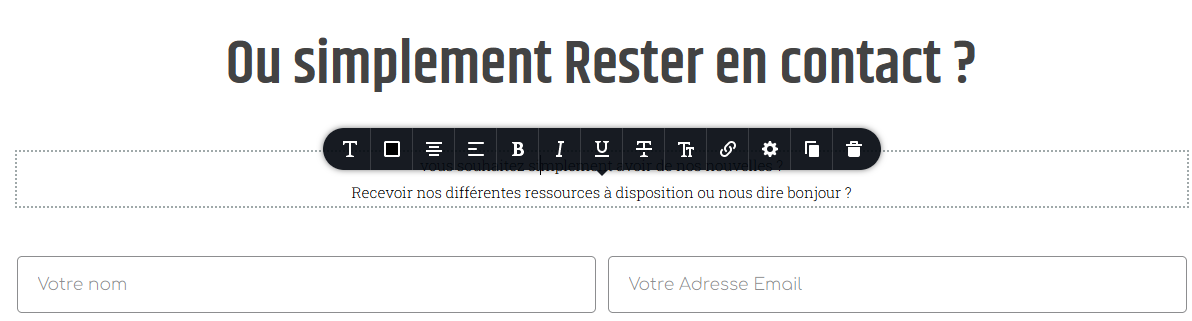
-

Hi Gérald,
Thank you for reaching out to us.
Could you please try resizing the browser window, maximize it and restore down, and see if the toolbar will reposition itself?
Best regards,
Ariel H.0 -
Hi,
I did what ask...
Still cover the part I try to edit.
Very : " *ù!:&'('àç_-_èç(-...."
(Dark mode screen shoot)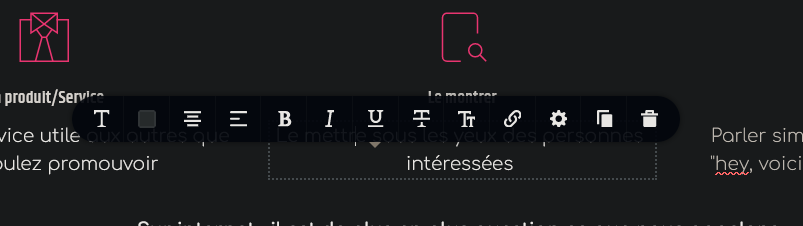
I used Brizy since... forever with firefox

Any suggestions ?
Thanx in advance
Gerald0 -

Hi Gerald,
Please watch this video. https://jmp.sh/DNavYhzG Can you please help me understand your question better? What are the steps to reproduce the issue you are facing?
0 -
Hi,
Ok, I'll go with screen captureThis one is the toolbar on an H5 font
The line is almost unreadable.
and this one is "above title" typos
And to be clear enough, this one is a "subtitle" text... alone (one ligne)As you can see, We can't read the text.
Did I make mylsef clear enough ? ;-)
Let me know,
Thanx
Gerald
0 -
Hi Gerald,
Looks you had attached few screenshots to your email. We could not see your screenshots because our help desk system does not accept email attachments. Can you please visit https://support.brizy.io/hc/en-us/community/posts/13987526940177 and attach the screenshots to the forum?
 0
0 -
Hi,
Ok, I'll go with screen captureThis one is the toolbar on an H5 font
The line is almost unreadable.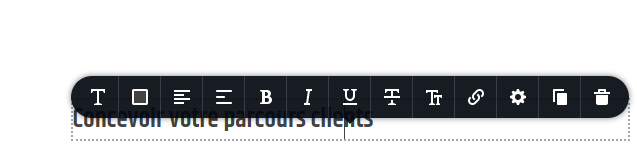
and this one is "above title" typos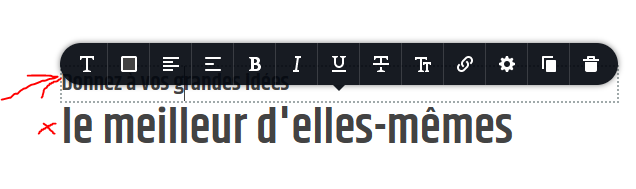
And to be clear enough, this one is a "subtitle" text... alone (one ligne)
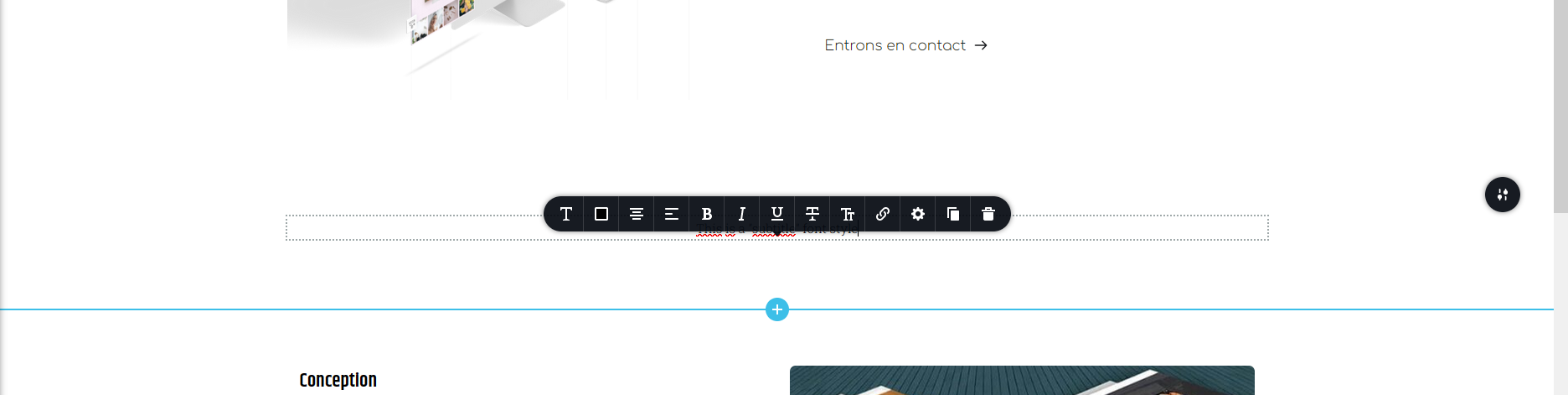
As you can see, We can't read the text.
Did I make myl case study clear enough ?
Let me know,
Thanx in advance
Gerald
0 -
Hi Gerald,
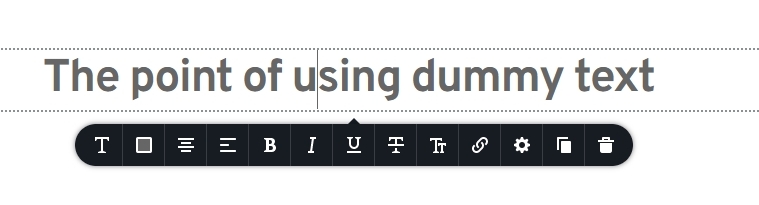
The toolbar normally appears above or below the text you are editing like in the screenshots attached below. What you are experiencing looks different from Brizy's normal behavior.
We will need access to your project to help you fix this issue. Please add me as a user to your WordPress Dashboard and send the following details to our email: communitysupport@brizy.io
- Community Post link: https://support.brizy.io/hc/en-us/community/posts/13987526940177/
- WordPress Admin URL:
- Username
- Password
Please let us know here when you send us the email.
 0
0 -
Mail send with subject : Answer to posts/13987526940177/
Cheers,
Gerald0 -
Hi Gerald,
I signed into your WordPress Dashboard. However, I could not reproduce the issue you are facing. Please watch this screen recording. https://jmp.sh/egMQrLl7 What steps should I follow to see the problem you are seeing?
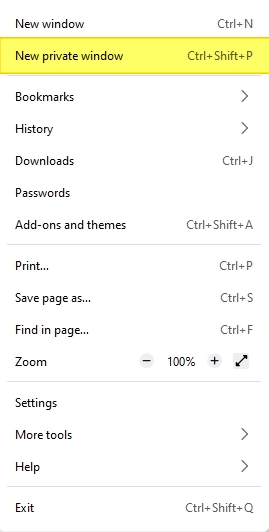
Please try accessing your WordPress Dashboard from a private (incognito) window of your browser. Please also try an alternate browser and see if that makes a difference.
 0
0
Please sign in to leave a comment.
Comments
9 comments