Images displayed in editor but not once we publish the page

Hi,
We were creating pages and images visible on editor were not showing once published. when we tried to look at the source code the image was replaced by 1x1 png image.
Just so you know:
The images were loaded into media library and then used in the page.
Format of the image .png as used for the earlier images.
Also in the editor the image was showing only when we selected the original size of the image ,for the custom it will not reflect the image nor in editor nor when published.
For your reference i am sharing a link of the page
Test Page Brizzy – Wisdom Interface
Please help us to know where is the problem in the page.
Please note : The issue was with the page created above, rest of the pages are working fine.
Thanks in advance
-

Hi Devashish,
Thank you for reaching out to us.
This is something we would like to investigate from your dashboard. Could you please provide us with the WordPress credentials, so we can look into this issue further?
Please add us as a user to your WordPress Dashboard and send the following details to: communitysupport@brizy.io
Community Post link: https://support.brizy.io/hc/en-us/community/posts/13970207307153
WordPress Admin URL:
Username
PasswordPlease make a full backup of your website as a precaution.
Meanwhile, this could be due to an incompatibility between Brizy, a plugin/theme or an embed code you are using on your website.
You can identify the conflicting software by:
1. Deactivating one plugin at a time and checking if the problem resolves
2. Temporarily switching to another theme and check if the issue goes away.
3. If, by any chance, you used embedded code on this page, please try to temporarily remove it and see if this makes any difference.In addition, please ensure that you are already using the most recent versions of Brizy and Brizy Pro.
(Brizy Version 2.4.17 and Brizy Pro Version 2.4.16)Please try this and let me know how it goes.
Best regards,
Ariel H.0 -
Thanks for the response.
May be there was some issue with the page , once we created a new template things were working fine. Sorry its not in our company norms to share the credentials.
Just a little concern here, whom should we approach during emergency if something goes wrong with the pages. It will be great if we have a dedicated 24x7 customer service who can fix our problems which are urgent and important for our clients.
Warm regards
0 -
Hi Devashish,
Thank you for the update.
I'm glad that you managed to resolve the issue on your own.
Please send us an email directly at support@brizy.io, with the word "URGENT" in the subject line. This will help us identify and prioritize your request and ensure that we respond to it as soon as possible.
Best regards,
Ariel H.0 -
Hi Ariel,
We are facing the same issue on our other websites , this i guess is happening after we updated to new version of Brizy 2.4.17 and Brizy Pro to 2.4.16. If we try to add feature image from the elements it will not work but we we use an old page and try to replace the image it works fine.
Please advise
0 -
Hi Devashish,
Thank you for the update.
For us to better assist you with troubleshooting, we kindly request that you create a staging version of your website. This allows us to thoroughly investigate any issues without compromising the privacy of your main website.
Please remove any sensitive data from the staging version of your website and send us the credentials to communitysupport@brizy.io.I am looking forward to your response.
Best regards,
Ariel H.0 -
Hi Ariel,
Shared the details on Communitysupport@brizy.io.
Please take this on priority as we are facing same issue on our other domains
Thanks
0 -

Hi Devashish,
Can you please let us know the steps we must follow to see the issue you are facing with images? Please also specify the page/post name where you are facing the issue
0 -
Hi George,
Once we create a new page / post and try to insert an image , the image somehow is not visible.It gets replaced by 1x1px.png
Attached herewith is the video clip for your reference https://jmp.sh/BVA6pwlo
Regards
0 -
Hi Devashish,
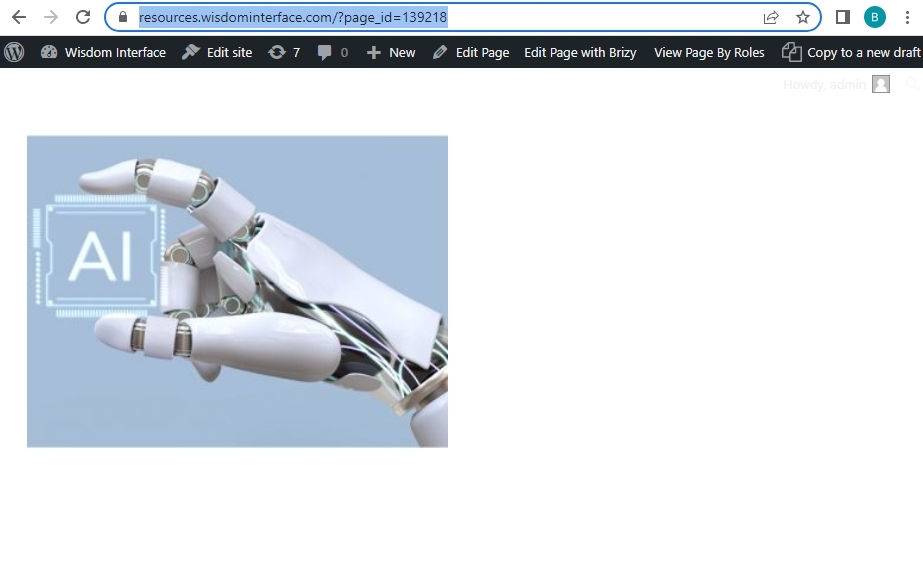
I have repeated the same steps you have shown in the video. I am unable to replicate the issue. Please have a look at page https://resources.wisdominterface.com/?page_id=139218 when signed in to your WordPress Dashboard
The image appears visible in the frontend. Am I missing something?
 0
0 -
Thanks seems to be working fine. Will get back to you if problem reappears.
0
Please sign in to leave a comment.
Comments
10 comments