SOME images and icons not showing in editor but appear on site

Hi, I'm having something weird happen with my Brizy Wordpress site.
I can confirm it is the latest version of both plugins.
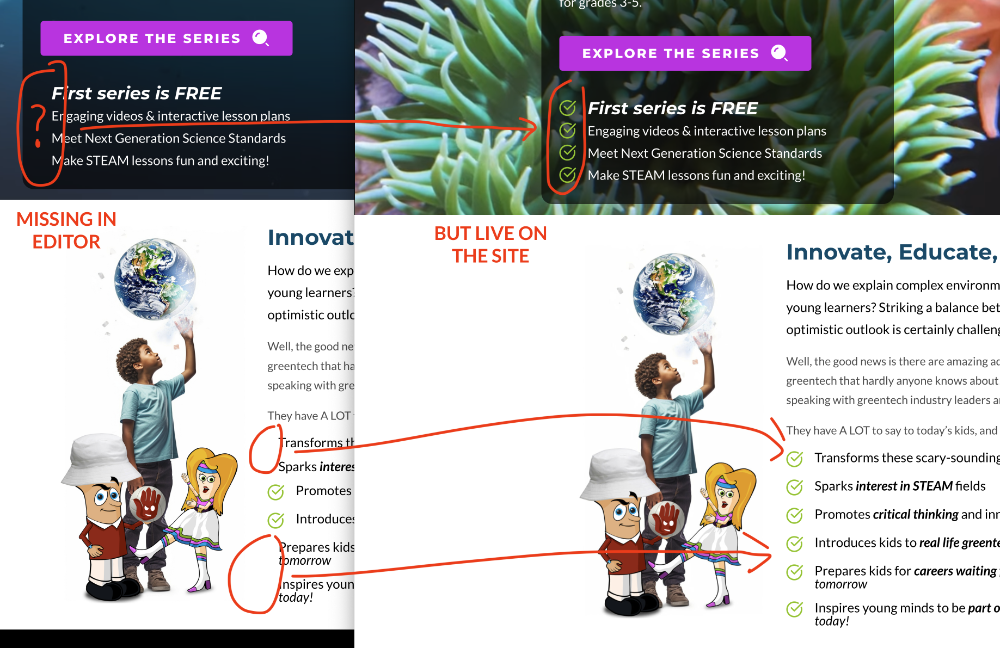
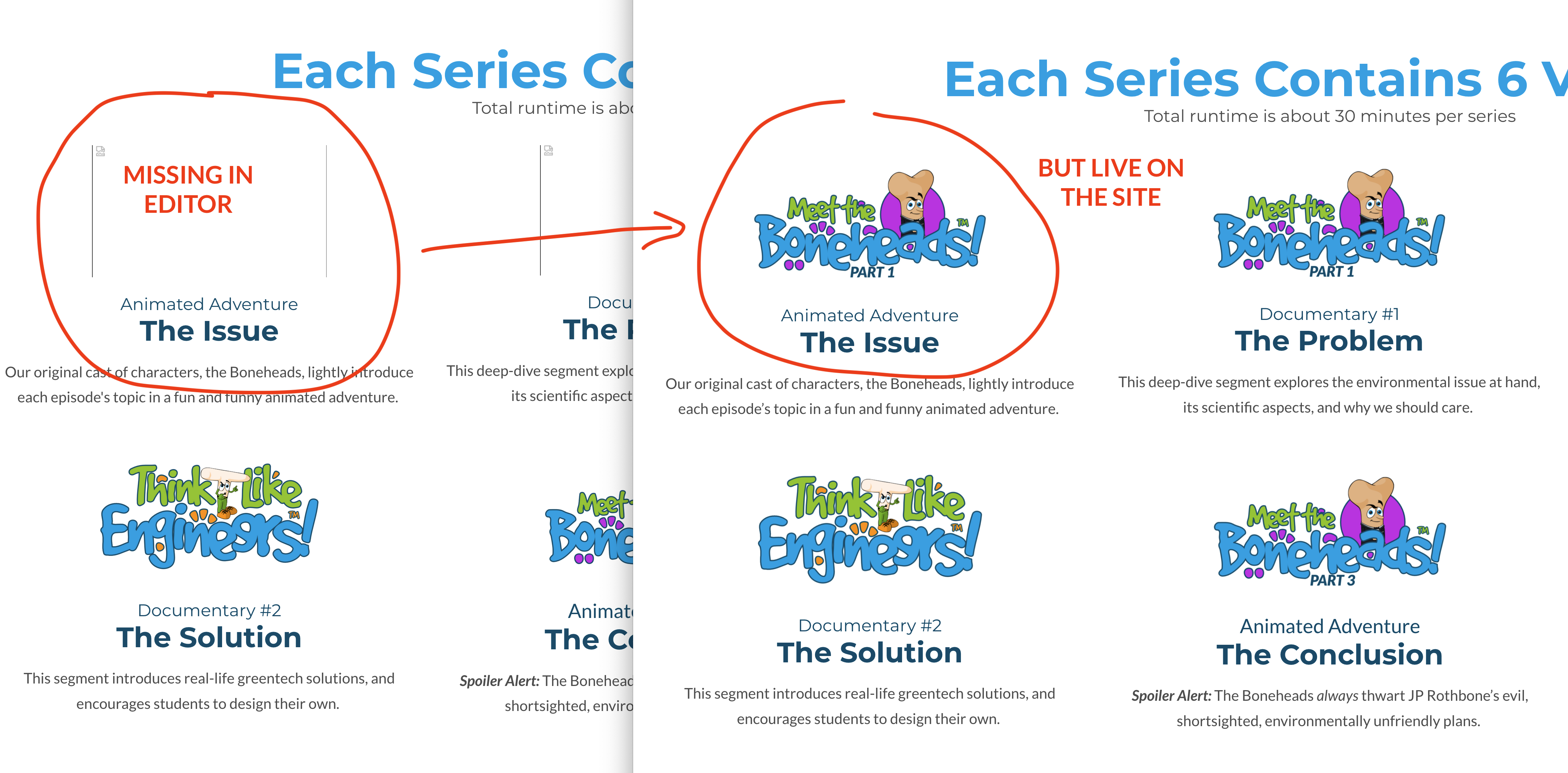
When I revisit the editor on just about any page, there are usually items missing. This is affecting both icons and images, randomly.
Icons are simply not there. They are uneditable, and not showing up in the editor at all. I can't remove them or change them.
Images are showing the placeholder. They're still editable, but even if I swap out the image, they remain unviewable in the editor.
Both images and icons appear just fine on the live web page.
It's happening throughout the website, and started a couple days ago.
I've tried deleting affected sections and rebuilding them from scratch, only to have the exact same thing happen again.
It's usually the same images and icons, but occasionally, more are added, never to be seen again.
Can someone please tell me what I can do about this? It's getting very difficult to edit the pages.
The attached images show the Brizy editor on the left side, and the live web page on the right.
Thanks.
-

Hi Bobby,
Since you are facing this issue in the Brizy Editor, we will need access to your WordPress Dashboard to help you with it. Please add a new user to your WordPress Dashboard and send the following details to our email: communitysupport@brizy.io
- Community Post link: https://support.brizy.io/hc/en-us/community/posts/13754618111250
- WordPress Admin URL:
- Username
- Password
Please let us know here when you send us the email.
0 -
Great, thanks. I have sent the email with the account info. I appreciate the help!
0 -
Hi, thank you, I set up an admin account for you.
0 -
Hi Bobby,
I just worked on your WordPress Dashboard now. I am able to see all your icons in the Brizy Editor. Two images were not visible in the editor. I set the image size to 'Original' and set it back to 'Custom' and the images started showing in the editor again. Please have a look at this screen recording. https://jmp.sh/8LoFkPuO
Please try signing into your WordPress Dashboard from a private (incognito) window of your browser and check if you see all the icons.
0
Please sign in to leave a comment.
Comments
4 comments