Unable to save page

URGENT!
Every time I click on the "Save Draft" button, I get this error:
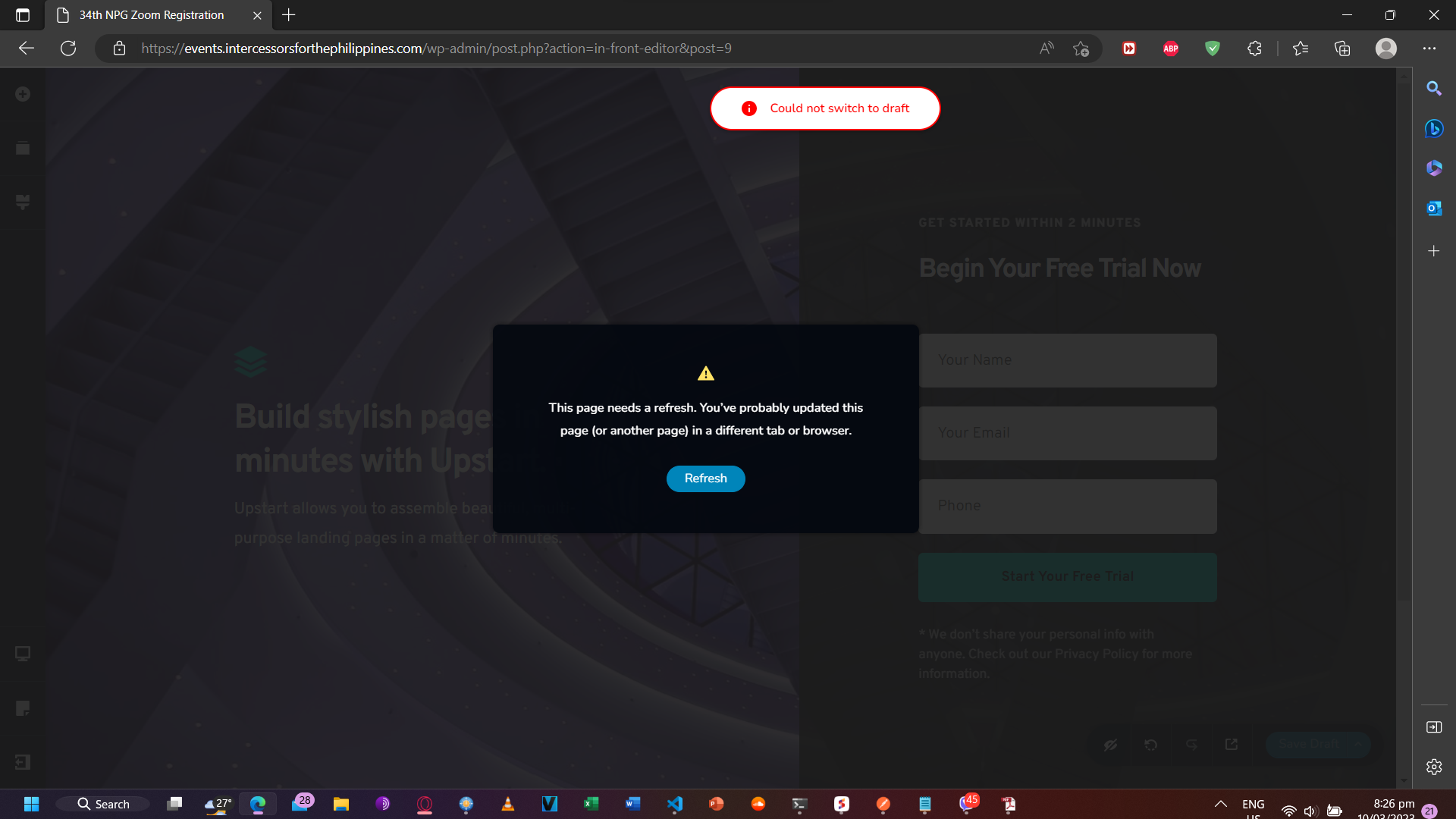
I have logged out of the browser use for web development, have cleared the browser cache, and used another browser to try and edit the page. Same result. This never happened before (Brizy Pro 2.4.14) and only started when I upgraded to 2.4.15. Upgrading to 2.4.16 doesn't help either, and I can't downgrade to 2.4.14.
And this had to happen when I needed to submit the finished page in about 12 hours!
-

Hi Thor,
Please let us know if you were able to rollback to the previous versions based on our reply to you here https://support.brizy.io/hc/en-us/community/posts/13629572691857
Once you complete your project, we will take a closer look at your project to troubleshoot the issue for you
0 -
Hi Kc,
Thanks. I'm currently rolling back. Will provide feedback once rollback is complete.
0 -
Hi Kc,
I've successfully rolled back. The good news, the "Could not switch to draft" error is gone. However, the other error remains. Since the rollback, I've been doing some testing, and I noticed that if the blocks I use are from the Free category, I am able to save draft versions of the page. If I use one of the paid blocks though, I get the "page needs to refresh" error.
Does this mean it's related to a license issue? I've already tried deactivating the license and reactivating it from the WP site, but the error persists.
0 -
Hi Thor,
The page needs a refresh error normally indicates that either a server side software, a WordPress plugin or an embed code interferes with the Brizy editor. To identify the interfering software, please try these
- Sign in to your server admin software (like cPanel) and check if any Firewall, Malware Protection, DDOS or other security systems are enabled on your hosting account. Disable these systems one by one and check if that makes a difference.
- If you have installed a security, firewall, plugin in your WordPress Dashboard, please deactivate these plugins one by one and check if the problem persists
- If you have added any external code using the Brizy Embed element, remove the code and check if the problem persists.
0
Please sign in to leave a comment.
Comments
4 comments