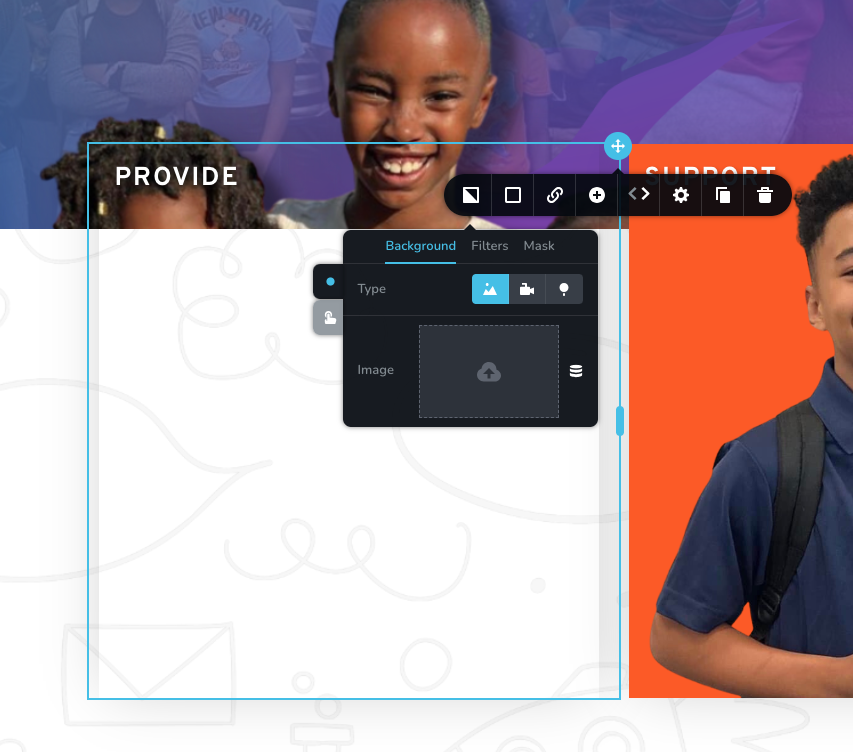
Not able to load photo in image selector

Hello I'm having trouble changing images in the Brizy editor. Please see attachment. I have disabled all plugins except Brizy and changed the theme. Still not able to change images.
-

Hi Christopher,
Recent Brizy versions have incompatibilities with Jetpack Image optimizations and GoDaddy CDN. If you have enabled any of the following options, please disable it to upload images using Brizy.
- In your WordPress Dashboard under Jetpack - Dashboard scroll down to the heading "Performance and Growth" and disable the option 'Image Accelerator' https://jmp.sh/SU32wfE9
- Under Jetpack - Settings, under the Performance tab, disable the option 'Speed up image load times' https://jmp.sh/neap53iR
- If you have installed Jetpack Boost, under Jetpack - Boost disable the option 'Image CDN' https://jmp.sh/FUSoE1ZP
- If you are hosting with GoDaddy and using their CDN, please disable the CDN option from your GoDaddy account. You can follow instructions in this article. Enable or disable my CDN
If none of the above helps, please get back to us with your website URL. We will take a look.
0 -
Hello KC,
All steps were attempted still having trouble.
Just strange how it just stopped working.
0 -
If you need a login to the wordpress dashboard i can create you access. Thanks
0 -

Hi Christopher,
Thank you for the update.
We'd like to look into the issue from your dashboard. Kindly grant us temporary access to your WordPress admin by adding us as a user. Please send the necessary login details to communitysupport@brizy.io.
Here are the details we need:
Community Post link: https://support.brizy.io/hc/en-us/community/posts/12700814010130
WordPress Admin URL:
Username:
Password:As a precaution, please make a full backup of your website.
Best regards,
Ariel H.0 -
Thank you! Email sent.
0 -
Hi Christopher,
Thank you for your cooperation.
Upon checking, we have identified the root cause of the issue, which points to the CDN, as shown in the attached screenshot: https://i.imgur.com/9RpOOR5.png
As a temporary solution, we advise disabling the GoDaddy CDN via your hosting panel to address this issue:
https://in.godaddy.com/help/enable-or-disable-my-cdn-40921Please try this and let me know how it goes.
Best regards,
Ariel H.0 -
Thank you so much I will do that now.
0

Please sign in to leave a comment.
Comments
7 comments