Popups still not working correctly

How much longer until we are able to save and use our saved popups again. It is a major nuisance not being able to. Thank you.
-

Hi Terry,
At my end, I am able to reuse a saved popup. Please have a look at this video https://jmp.sh/Lcriy1qq
Let us know if you are able to save popups and reuse saved popups.
0 -
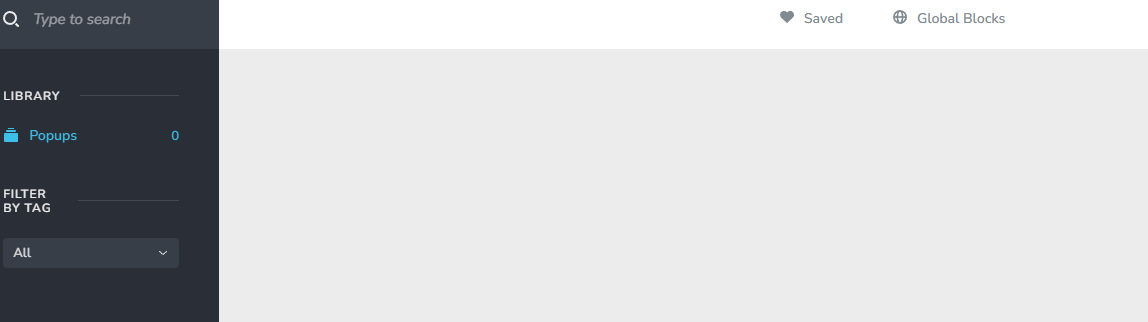
I am using Brizy Free 2.4.26 and Pro 2.4.24 and the screen showing Popups, Saved Popups and Global Popups is nothing like the one in your video. The Saved Popups menu is now on the left and top of the screen and not just along the top. See the image below. The Saved Popups worked before the last few Brizy updates.
 0
0 -
Hi Terry,
This does not appear to be a prevalent problem for all Brizy WP users. We'll need access to your WordPress Dashboard to figure out what's causing this unusual behavior.
Please add me as a user to your WordPress Dashboard and send the following details to our email: communitysupport@brizy.io
- Community Post link: https://support.brizy.io/hc/en-us/community/posts/12505882827538
- WordPress Admin URL:
- Username
- Password
Please let us know here when you send us the email.
0 -
Thank you for the reply. Now knowing it is a local problem I investigated further and discovered the Bunny.net CDN plugin was the problem, so I have removed it and switched to a different method.
0 -
Hi Terry,
Thanks for the update.
One of the options within the Bunny Optimizer may have caused a conflict with Brizy. https://jmp.sh/1v65NgNr By disabling the conflicting option, you could possibly continue to use Bunny CDN.
0
Please sign in to leave a comment.
Comments
5 comments