Issues with plugin Update and Images not showing up

Hi!
Several images from my site are not showing up -- the site was completely functional a few days ago
- My brizy pro and free are up to date on this site but I have rolled back all of my other sites to earlier versions. This has been going on since a few versions back. My other sites are at free version 2.4.21 and pro version 2.4.19. If I update my other sites, tons of Images disappear.
I tried uploading new images to replace the ones that are not loading and still the same issue
This is something I need to solve ASAP
Here is a site that I have updated the plugins to: https://osburnservices.com/generator-education-blog/
All of my sites are having issues, I have rolled back the rest to earlier versions
let me know if I can share my credentials with you so you can help sort this out.
Thanks
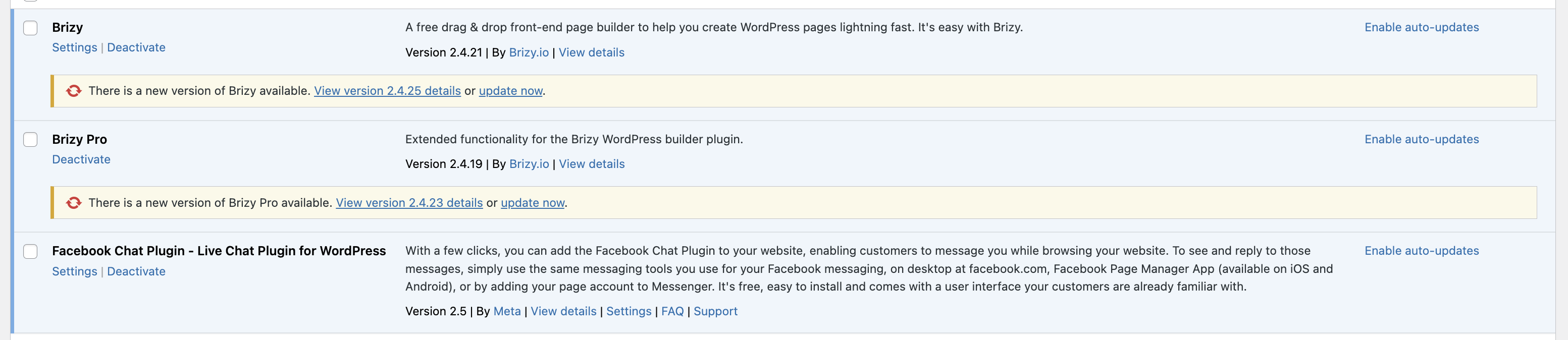
-

Hi Cari,
Thank you for reaching out to us.
We have identified that your website is hosted by GoDaddy. To resolve the issue you are facing, we recommend disabling the GoDaddy CDN. You can follow the instructions provided in this support thread:
https://support.brizy.io/hc/en-us/community/posts/15898511442705If you have other websites hosted with different providers and encounter a similar issue, it may be due to the presence of JetPack. The latest versions of Brizy have compatibility issues with JetPack's "Image Accelerator" option. To address this, please navigate to your WordPress Dashboard, go to Jetpack > Dashboard, and under the "Performance and Growth" section, disable the "Image Accelerator" option. You can refer to this screenshot for guidance: https://jmp.sh/4qOCj36n
If the above solutions do not resolve the problem, we would be happy to assist you further. To troubleshoot the issue, we kindly request access to your WordPress Dashboard. Please add me as a user and send the following details to our email at communitysupport@brizy.io:
- Community Post link: https://support.brizy.io/hc/en-us/community/posts/12370728038162
- WordPress Admin URL:
- Username:
- Password:
Once you have sent the email, please notify us here.
Best regards,
Ariel H.
0
Please sign in to leave a comment.
Comments
1 comment