Redirects not working on Agency Plan

our setup:
/contact.aspx /
/contact /
first one the one that ends wit .aspx doesn't work, 2nd one (without file extension) works fine
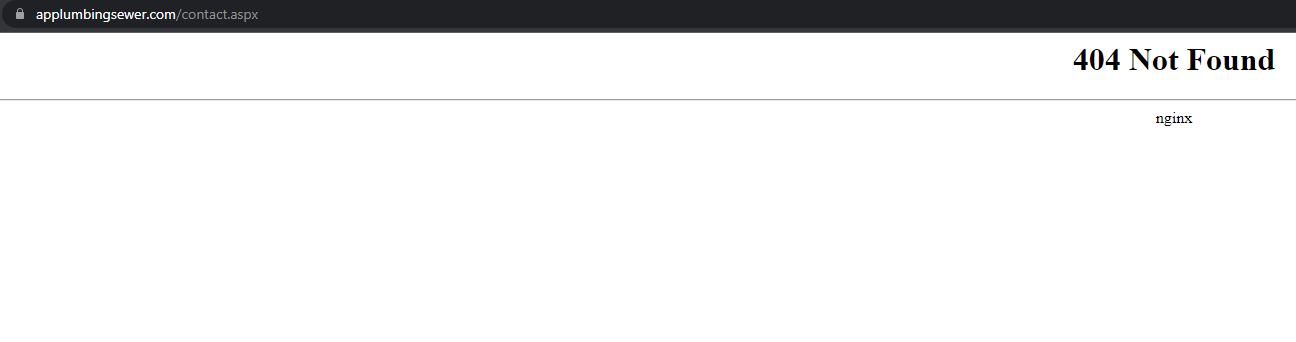
-

Hello,
Thank you for contacting us.
You don't have this extension contact.aspx in your website, you need to add the correct one :
https://www.applumbingsewer.com/#contact-us or you need to add this contact.aspx instead of /contant/
Also, please see this article about how to add redirects in Brizy Cloud: https://support.brizy.io/hc/en-us/articles/360041684532-Redirects
Best regards, Nelea.
0 -
"You don't have this extension contact.aspx in your website" - of course i don't , i'm trying to redirect from old url .aspx to root of the website. Gave you 2 examples:
/contact / <---working one in this example old url was /contact and redirects to root of website as it should
2nd example:
/contact.aspx / <---NOT WORKING old url was /contact.aspx and shoul redirect to root too as first working example but it does NOT
even if you change it to
/contact.aspx /#contact-us
it still does not work
0 -

Hi Tomasz,
You are right; Brizy Cloud returns a 404 Not found when visiting the URL /contact.aspx and the the redirect does not work. I will report this and will work on fixing this issue.
0
Please sign in to leave a comment.
Comments
3 comments