Templates are not displaying blog elements

Hello,
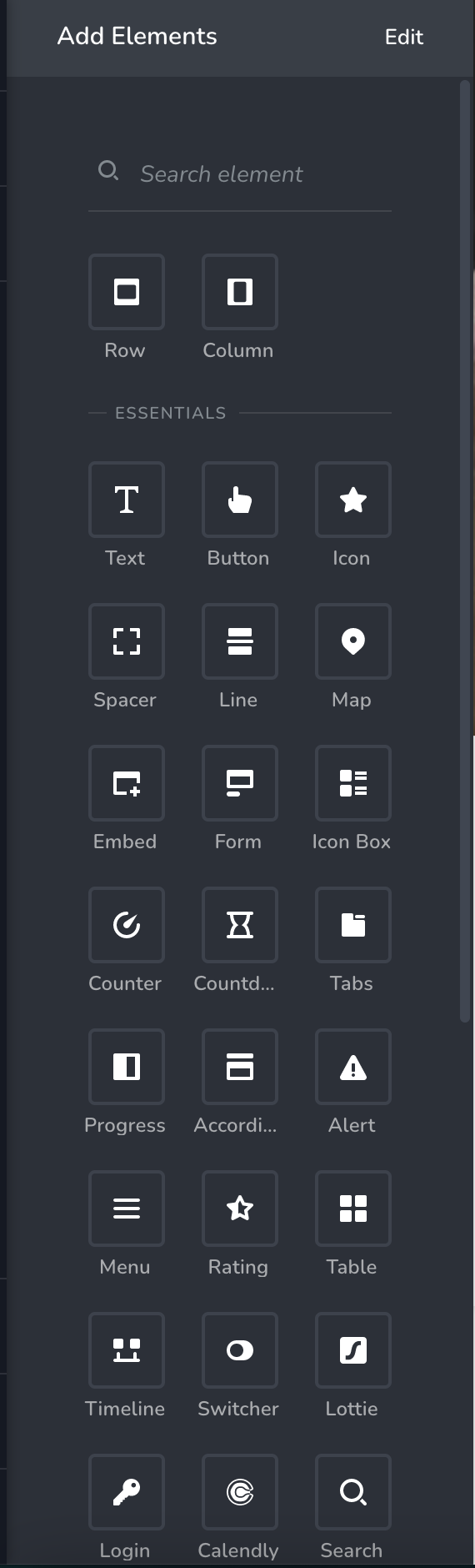
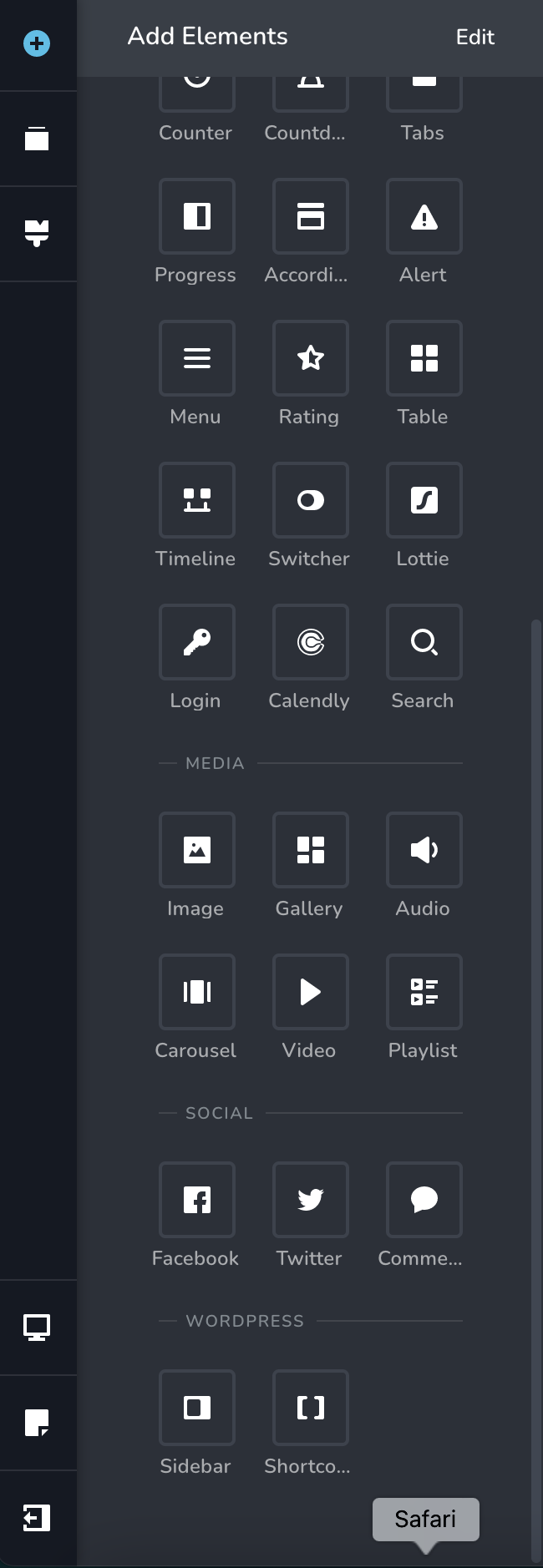
I'm trying to create a blog article template, but for some reason, the blog elements are not being displayed in the toolbar. Will you please assist? Thanks!
-

Hello,
For the blog posts to get listed in your Blog page, you need to create a Brizy Blog Template with this Display Condition.
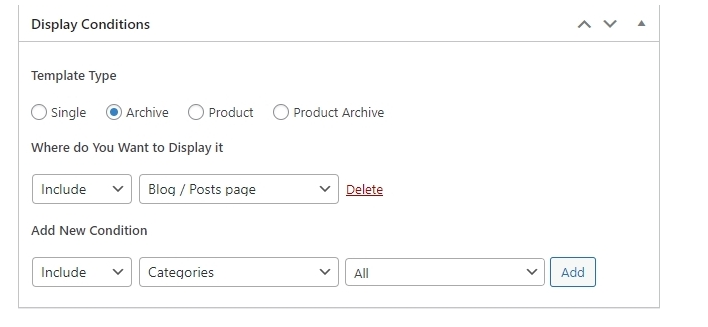
Once you add a Brizy Template with this Display Condition, click "Edit with Brizy" to start designing your Blog page. Please drag and drop the Archive element to create the listing of your blog posts. The process is similar to what is outlined in this video https://youtu.be/lkiSk6IE7tA
Best regards,
Nelea.
0 -
Hi Nelea,
The archive element (or any blog elements) isn't popping up in my elements toolbox.
Pia Grace Torres
Marketing & Design
www.capedcreative.com0 -

Hi Pia,
One possible reason why you do not see the blogging elements is due to an incompatible theme. Please change your theme to Twenty Twenty One or one of these and see if that makes a difference. https://www.brizy.io/theme-partners
After changing your theme when adding a Brizy blogging template if you still do not see the blogging elements, I would like to take a look at your project to troubleshoot this issue for you. Please add me as a user to your WordPress Dashboard if you need assistance with this. My email: kc.george@brizy.io. As shown in this screenshot: https://jmp.sh/sOSGGR3, please turn on the option "Send the new user an email about their account"
Please let me know here when you send me an invitation.
0 -
Hello,
The theme I'm using is Twenty Twenty One. I have just sent you the invitation.
Thank You,
Pia Grace Torres
Marketing & Design
www.capedcreative.com0 -
Hi Pia,
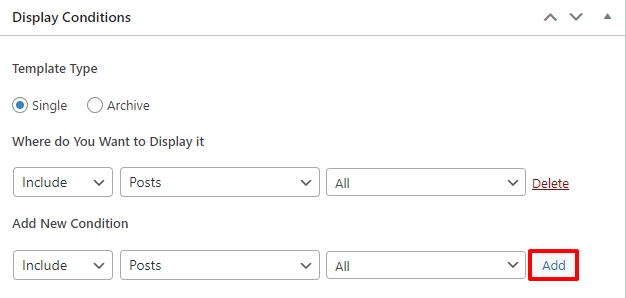
In your Blogpost template, you had not added any Display Condition. You needed to click on the Add button here to add a Display Condition.
I have added the Display Condition and now you can see the blog related elements within your Blogpost template.
 0
0 -
Hello, I am having trouble with this on another website, and I have tried both recommendations. Will you please assist?
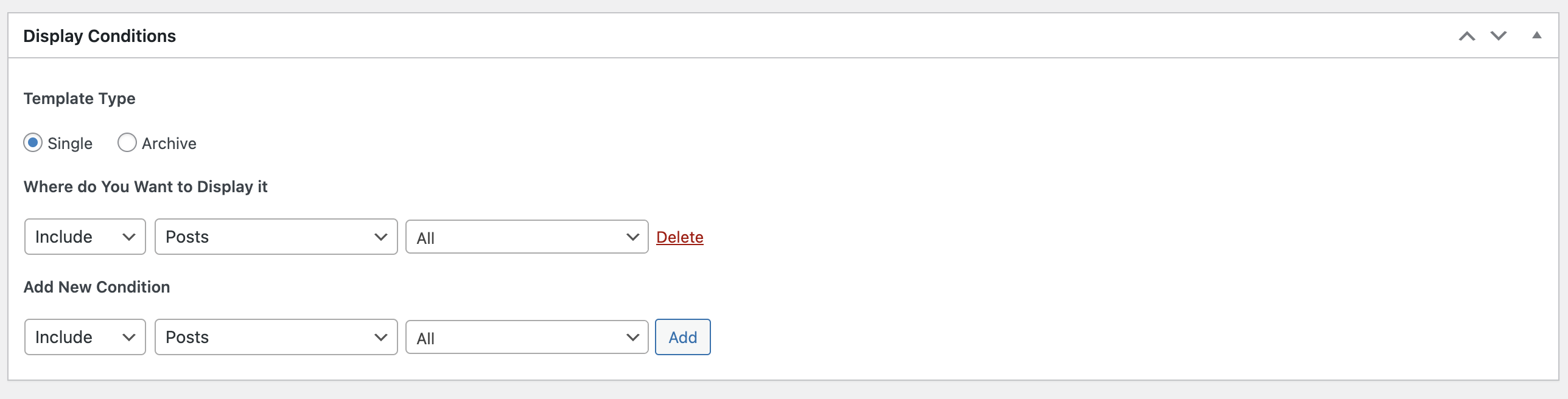
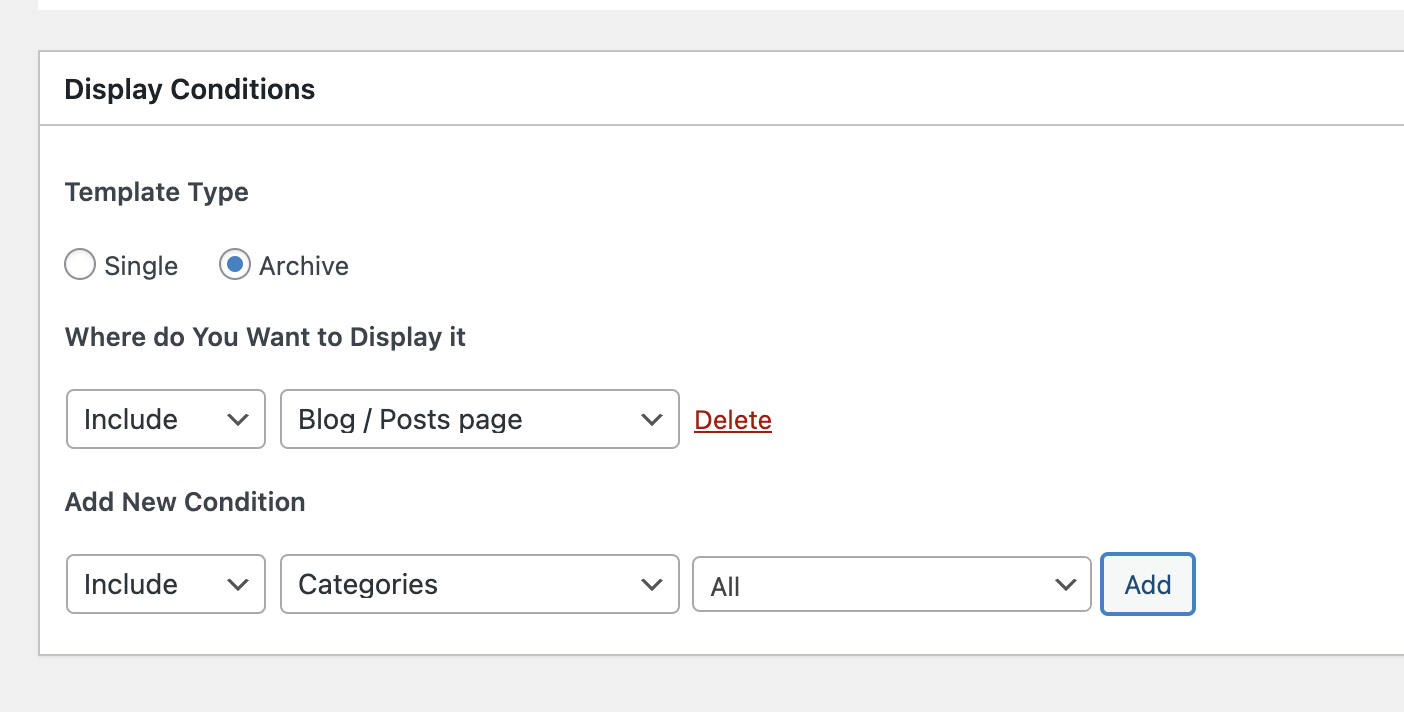 0
0 -
Hi Pia,
If you want us to have a look at your WordPress Dashboard to troubleshoot this issue for you, please add a new user to your WordPress Dashboard and send the following details to our email: communitysupport@brizy.io
- Community Post link: https://support.brizy.io/hc/en-us/community/posts/11923801075601
- WordPress Admin URL:
- Username
- Password
Please let us know here when you send us the email.
0 -
Hi!
Just sent the email. Will you please take a look for the blog post elements for a single post and also the blog page? Thank you!
0 -

Hi Pia,
Thank you for keeping in touch.
The elements you're looking for in a single post template should be accessible in the editor, as demonstrated in the screenshot below.
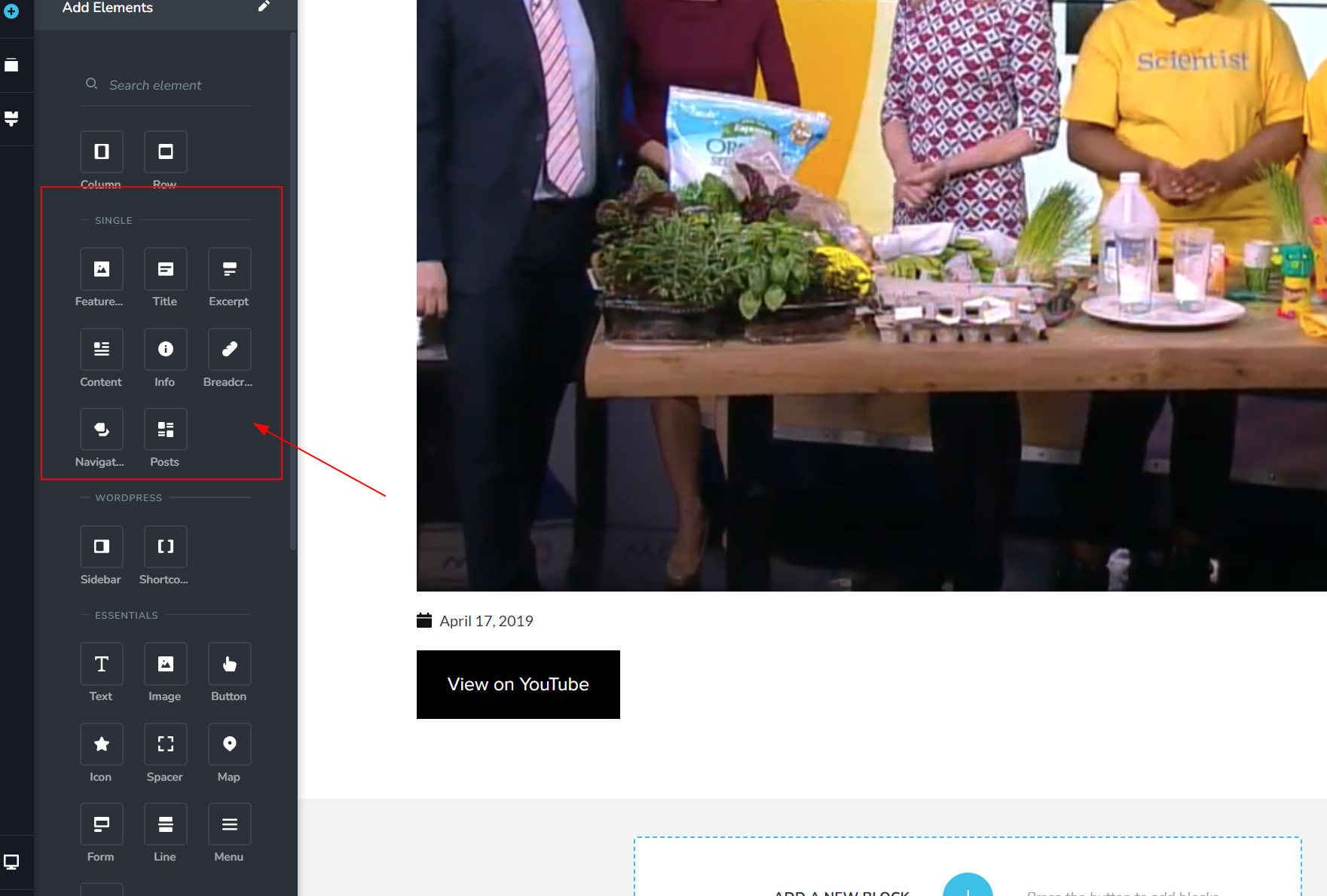
This same principle applies to the blog archive template.
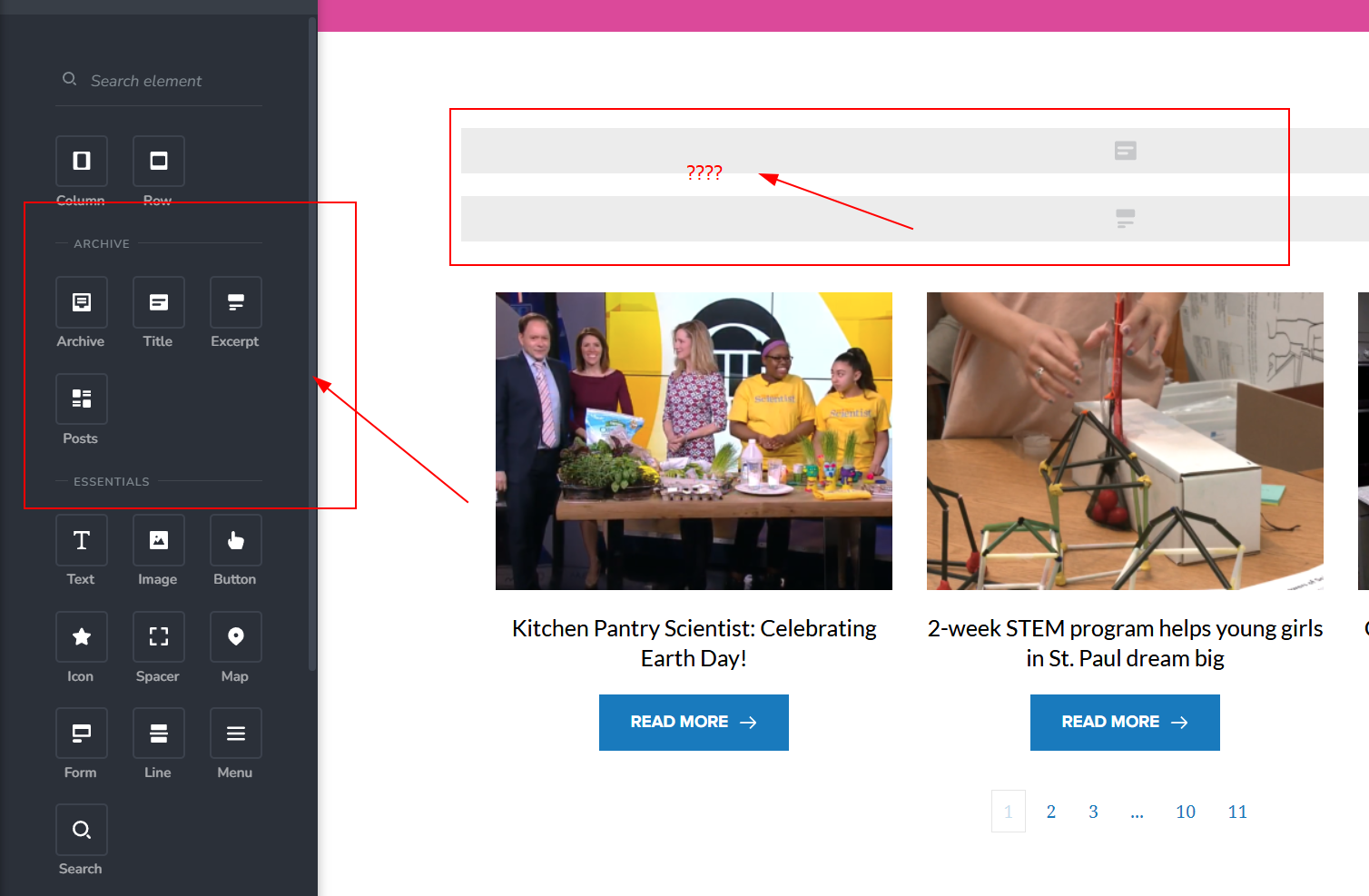
Regarding the empty elements at the top marked with question marks, I assume those are intended for your blog archive title, which currently appears to be blank. To resolve this, you should create a page called "Blog" in the "Pages" section. You don't need to add any text or content to it; simply create the page and designate it as your "Post page" under "Settings → Reading."
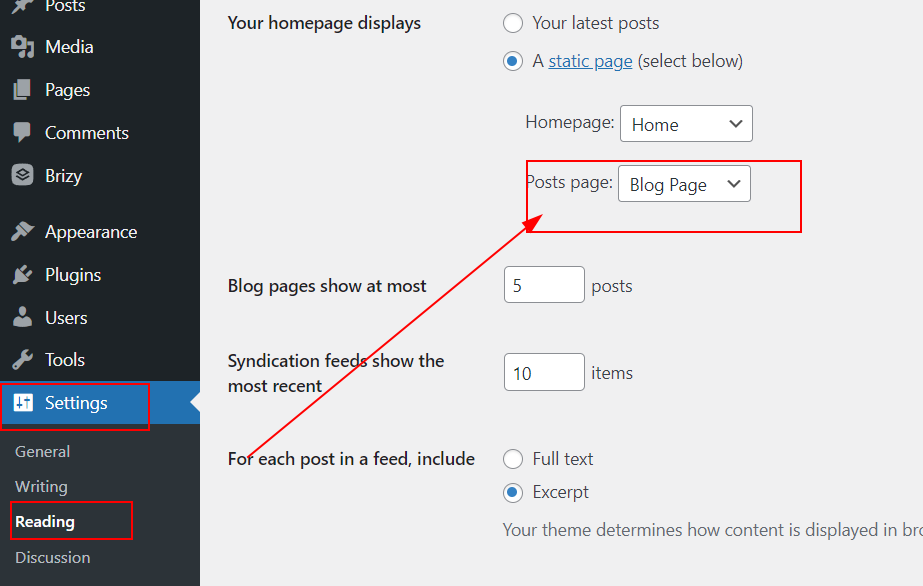
This is demonstrated on this screencast - https://youtu.be/v4bQEyVYh1M
I presume this aligns with your intended goal. Nevertheless, if this doesn't fully address your inquiries, kindly furnish us with additional details so that we can offer more comprehensive assistance.
Best regards,
Ariel H.0
Please sign in to leave a comment.
Comments
9 comments