Brizy and LifterLMS with course navigation in sidebar

Hi
I want to run courses on my website. I have installed Brizy Pro, LifterLMS, LifterLMS labs to add the sidebar navigation, and Blocksy to show widgets. The LifterLMS course navigation is in a widget.
When I publish a page in Brizy, the sidebar doesn't show up, but does show when Brizy is not the template used.
I have seen the Brizy video tutorial for integrating LifterLMS but it doesn't show how to integrate the sidebar course navigation.
LifterLMS is the recommended LMS by Brizy, I would appreciate help with this.
-

Hi Sandra,
Please follow the instructions below to make the LifterLMS course navigation available in a sidebar on a Brizy course page if it has been added to a widget.
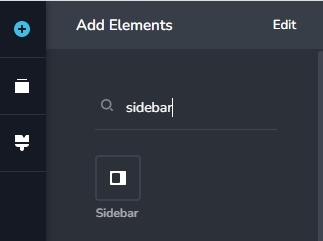
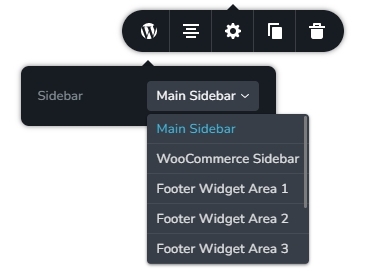
Drag and drop the column element into the course's Brizy template, then set the column widths to 70:30 or 60:40 before adding any content to the page. The column with the greater width should have the course content, while the column with the smaller width should have the Brizy sidebar element. Choose the widget with the Lifter LMS course navigation in the sidebar element.
 0
0
Please sign in to leave a comment.
Comments
1 comment