Editing the page builder

Hi there,
I am struggling to find any way to do some simple edits on the page builder. Below you can see that I have tried to make a button in a column to the right of a field with text in. But I tried originally to do this edit on an existing block design of yours, and insert another row with two columns in the same structure. I was not able to do this. So underneath a section I have added a row with two columns. But I can't seem to adust the margins or padding of the space it sits in to try to seam it all together. Under this image I will show you what I am trying to replicate.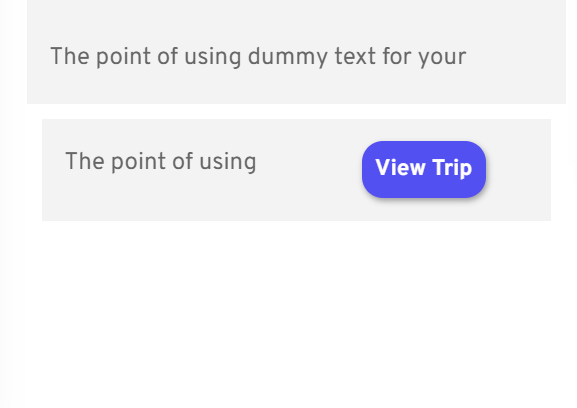
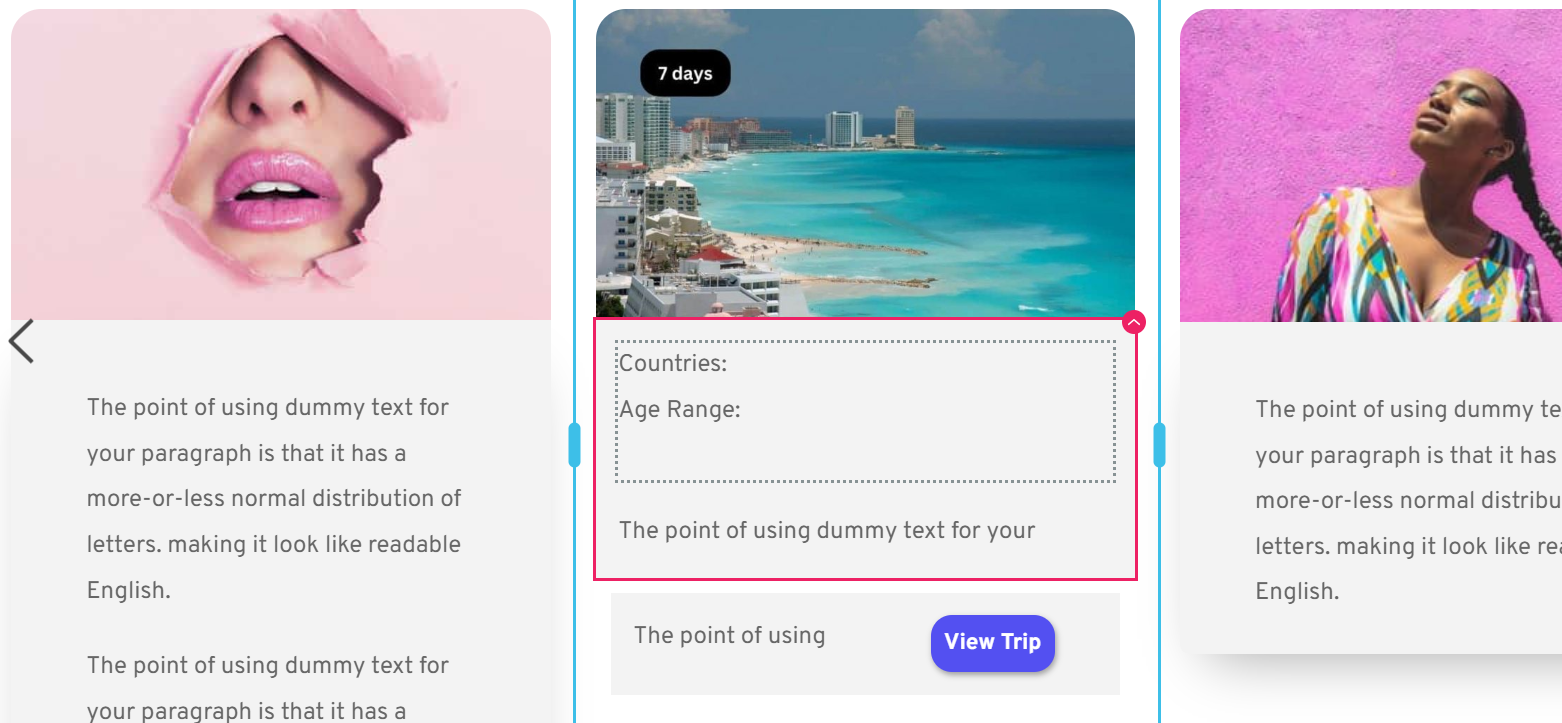
This design below is from Hubspot. I am trying to add a button to the bottom right of a row on a card, advertising a tour. It seems impossible to do on your page builder.
I would like to add a row with two columns within an existing space. But all it does is push it below an existing row. So then there is a gap between the blocks in spacing and nothing lines up.
What am I doing wrong?
-

Hello,
Thank you for contacting us.
Can you please see this video? I tried to make the block like the one you sent from Hubspot. Hope this will help.
Best regards, Nelea.
0 -
Hi Nelea,
I appreciate the reply, but it is not aesthetically like the item shared. The one shared had a card framing around it. This was the issue I am struggling with. To then wrap all that within a space I can add a card frame to and then add an offset shadow. I wasn't able to add a row to a pre-existing design block, as it kept forcing me to place the new row below. This then created a border gap, and even if border is 0, it still created a slightly visible line.
Thank you though for trying. It needs to be identical in design.0
Please sign in to leave a comment.
Comments
2 comments