Brizy bloat?

I have a simple 7 page site using a Brizy template and Brizy Pro. Over time, it has increase to 700MB size according to my backup plugin.
Why on earth would a 7 page site be 700MB? it's Brizy....
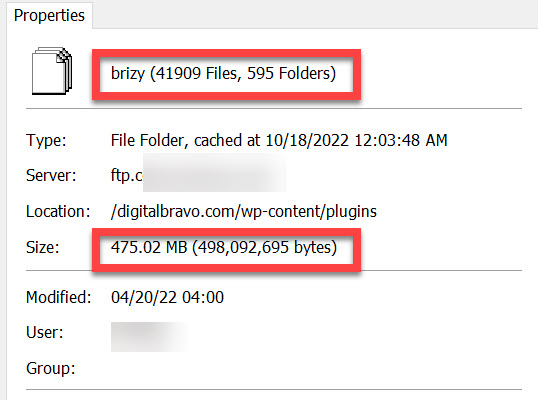
The brizy folder by itself (not even the brizy pro folder) is 475MB and over 40K files
What can do to get the swelling under control?
Thanks,
Alfred
-

Hi Alfred,
I have a test website with 13 pages. https://gdpr.kctest.online/ It is 182 MB in size overall. It does seem a little odd that a 7 page website would use 700 MB.
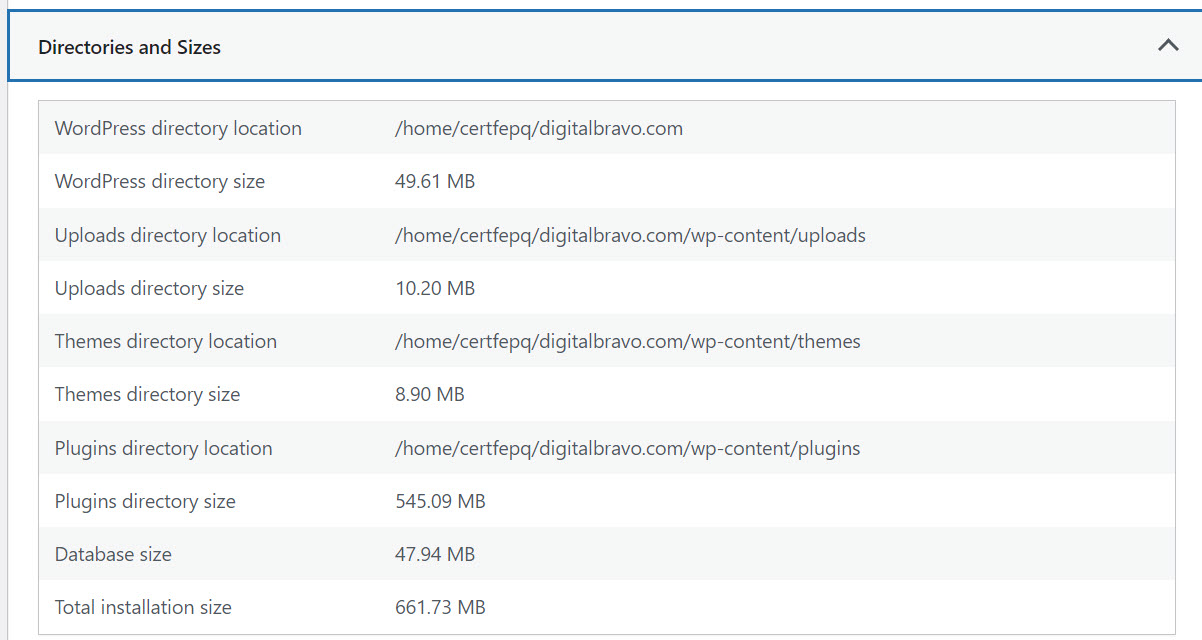
To determine why your website is bloated, some investigation is required. Please share a screenshot with us so we can get started. Please choose the "Directories and Sizes" accordion from your WordPress Dashboard's Tools - Site Health - Info tab and send us a screenshot of the information contained inside. Please look at this screenshot at this link: https://jmp.sh/RI7a8Qq
0 -
Hi George,
Thanks for you response. I did as you instructed (easier way of doing what I had already done).
it indeed shows the plugin folder as the culprit.
I had gone to my FTP program and manually did this. It is the plugin folder, specifically the "Brizy" folder that is the culprit.
What can I do next?
(Very much appreciate your help by the way...Thank you!)
 0
0 -
Hi Alfred,
On a different test page, I have 12 plugins. Look at this screenshot to see a list of my plugins. https://jmp.sh/IB2um7C The plugins directory, which includes these 12 plugins, is 101 MB in total size.
The 545 MB size of the plugins directory appears much larger than usual. Please evaluate the plugins you have installed on your website, and if there are any that aren't being used or aren't necessary, remove them to see if that helps.
0 -
George, I think my second graphic did show up.
The plugin that is the issue is BRIZY. This is the plugin with the issue.
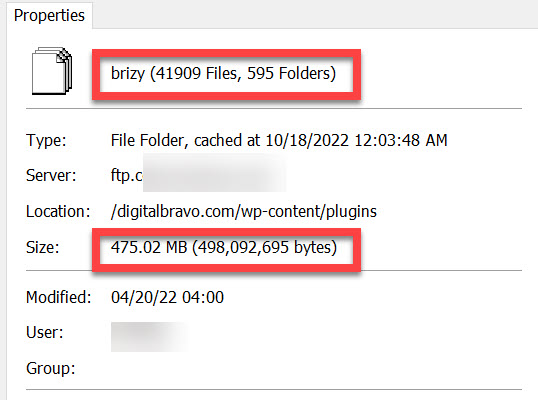
How do I troubleshoot a 475MB BRIZY folder (in the plugins folder)????????
 0
0 -
Hi Alfred,
Please follow these steps and see if it makes a difference.
- Deactivate and delete Brizy Pro
- Deactivate and delete Brizy
- Reinstall Brizy from the WordPress Plugin repository
- Download the latest version of Brizy Pro from your Brizy.io account and upload the plugin
0 -
Hmm, I was afraid that was something to try. It means taking the site down (removing Brizy breaks the site, I learned this from a bad upgrade once).
I'll have to backup the site first, and then do as you suggest so I'll have to do it overnight.
I was hoping there was some purge or cache cleanse process/script...
0 -
Hi Alfred,
Deleting and reinstalling Brizy normally does not cause any disruption to your website. Disruptions can happen if you follow an incorrect procedure.
Feel free to backup your website as a precaution.
0 -
Update: I uninstalled Brizy free and then Brizy pro and reinstalled both.
SAME huge folder size.
Discovered the issue...it was the shortpixel plugin. Removed it, and the Brizy folder went from 475MB down to 22MB.
Hope this helps someone.....
0 -
Thanks Alfred for sharing this.
0
Please sign in to leave a comment.
Comments
9 comments