Table element

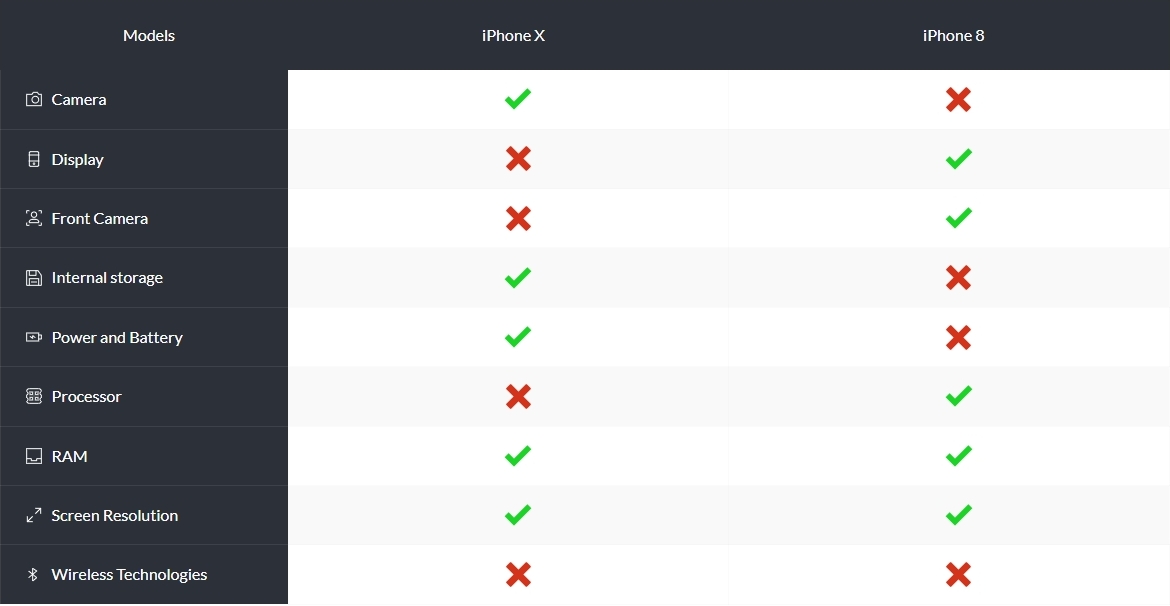
I wanted to add in the text field in a table in place or text just an icon like checkmark or cross. But this is not working, except in first row and headrow. Can be with some css, but lot of code.
Is where a solution for this, because a table with checkmarks is fine to compare two different products. Good to add Plugin like Ninja tables or WPtables could help. But this is not my plan.
Thank you for your help and have a good day.
Gottfried
-

Hi Gottfried,
Have you thought about using the 'Icon Box' element instead of the Table element? Have a look at this design on the Brizy.io homepage developed using the Icon Box elements and columns.
 0
0 -
Thank you KC George for your hint. But it is a bit more code and work to build it.
in such a case with only icons? But will try and see how it looks.

Wish you a good day.
0 -
Hi Gottfried,
Using Brizy, you can build a table similar to the one seen above. Delete the text in the table, drag the icon element into place, then choose any icon. Please view my test page at this link: https://woo.kctest.online/table
 0
0 -
Hi KC George
Will try again, yesterday did not work, Page was empty finally. But then it works, it is perfetzo.
Thank you George
0 -
Hi George
Have tested again and works fine now, as expected
Gottfried
0
Please sign in to leave a comment.
Comments
5 comments