Translated page points to the original page

Hi,
When clicking the button 'services' on the English (translated) version of the home page, the link /diensten is activated in stead of /en/diensten (the English version of the page). Same goes for 'Services' button in header menu.
Site is https://www.wan-connect.be

-
Please note that 'diensten' (original language) is translated into 'services' everywhere in the translation. So that's not the problem.
0 -

Hi Jotte,
Can you try this work around and check if it helps?
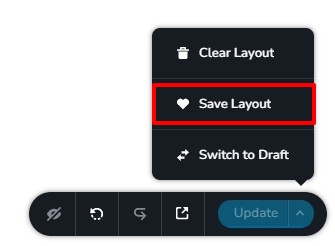
- Open the page https://www.wan-connect.be/nl/diensten in the Brizy editor and save the entire page as a layout. (see the attached image)
- Delete the above page and remove its link from the menu
- Add a new page and name it diensten and import the content from the saved layout
- Add this page to the menu
- Edit the translation strings for the page if required
 0
0 -
That did the trick. Thanks KC George.
-1 -

Actually I'm trying it now and it doesn't work! From the English page, go back to the original page.
0 -
Hi
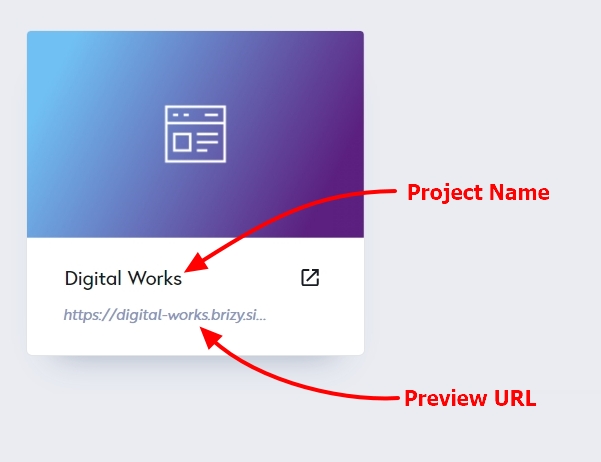
Can you please share your Project Name, Preview URL and the specific page which has this issue?
 0
0 -
BAR
barlalicata.itMain language is the italian. Try to change it in english. Than try to push on the button: "SEE OUR MENU", it redirects to the italian language.
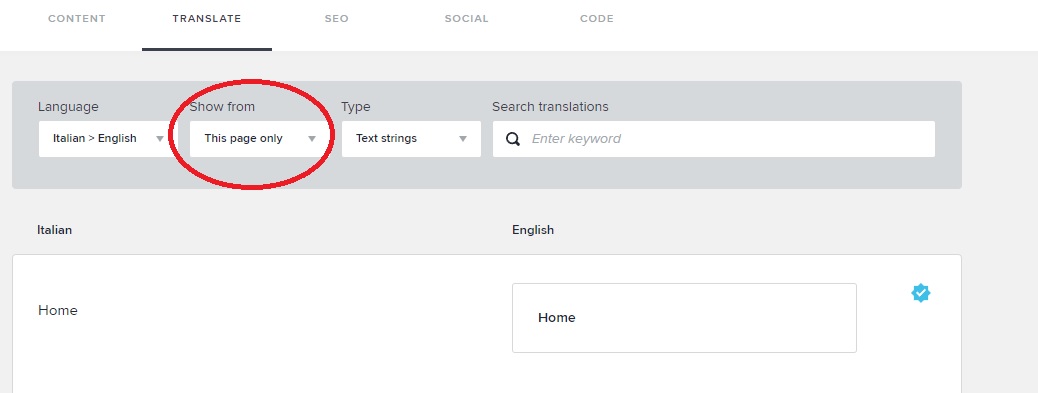
Than I have a problem on the backend (TAB TRANSLATE)... Even if I put "this page only" from the drop-down menu, I see all the words on the website, even on the other pages.
 0
0 -
Hi
This is due to a bug with Brizy Cloud translations and we are still working on fixing it. In the meanwhile let me suggest a work around this bug.
- Please duplicate the blocks with hyperlinks to the menu and enable the 'Multi Language' option under the Block settings.
- In the Duplicated block change the menu link URL from /menu to /en/menu
- Set the original block (with the hyperlink to /menu) to be displayed when selecting the Italian language. Please see this screenshot https://jmp.sh/BOwdqhid
- Set the duplicated block (with the link URL /en/menu) to be displayed when selecting English language https://jmp.sh/Gt0jeaqY
Repeat the above process for all blocks with hyperlinks to an internal page. Please watch this video for more detailed instructions. https://jmp.sh/irNKDknL
0
Please sign in to leave a comment.
Comments
7 comments