Problems with archive element and line element in brizy 2.4.10

While upgrading to brizy 2.4.10 and brizy pro 2.4.10 I encountered multiple issues on multiple websites made with Brizy. I tried disabling all other plugins and reverting a default theme, made no difference.
The problems:
-
Archive element filter function no longer filters properly. When you select a Source and then filter to Include by Category and then select only 1 particular category, it still shows all content from that Source. The filter doesn’t seem to apply.
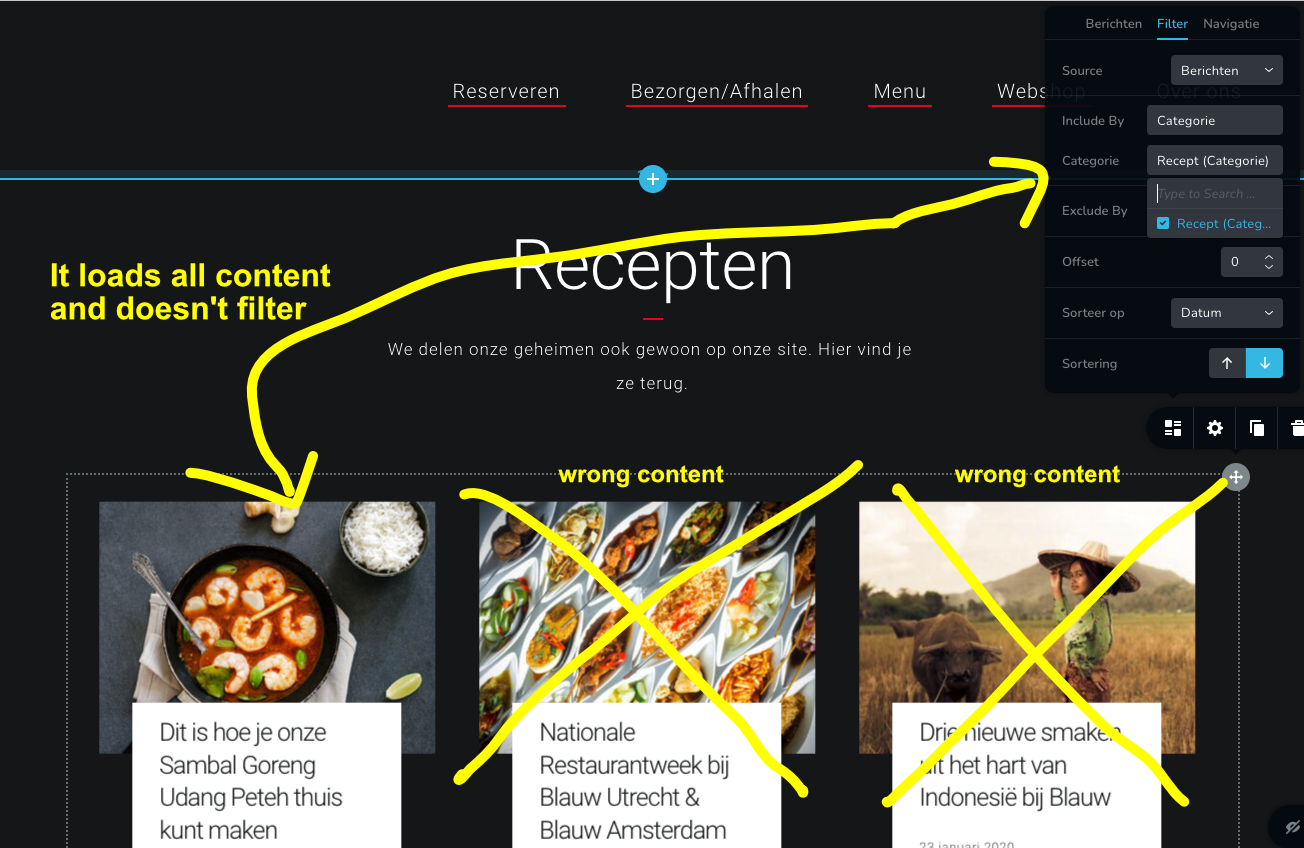
-
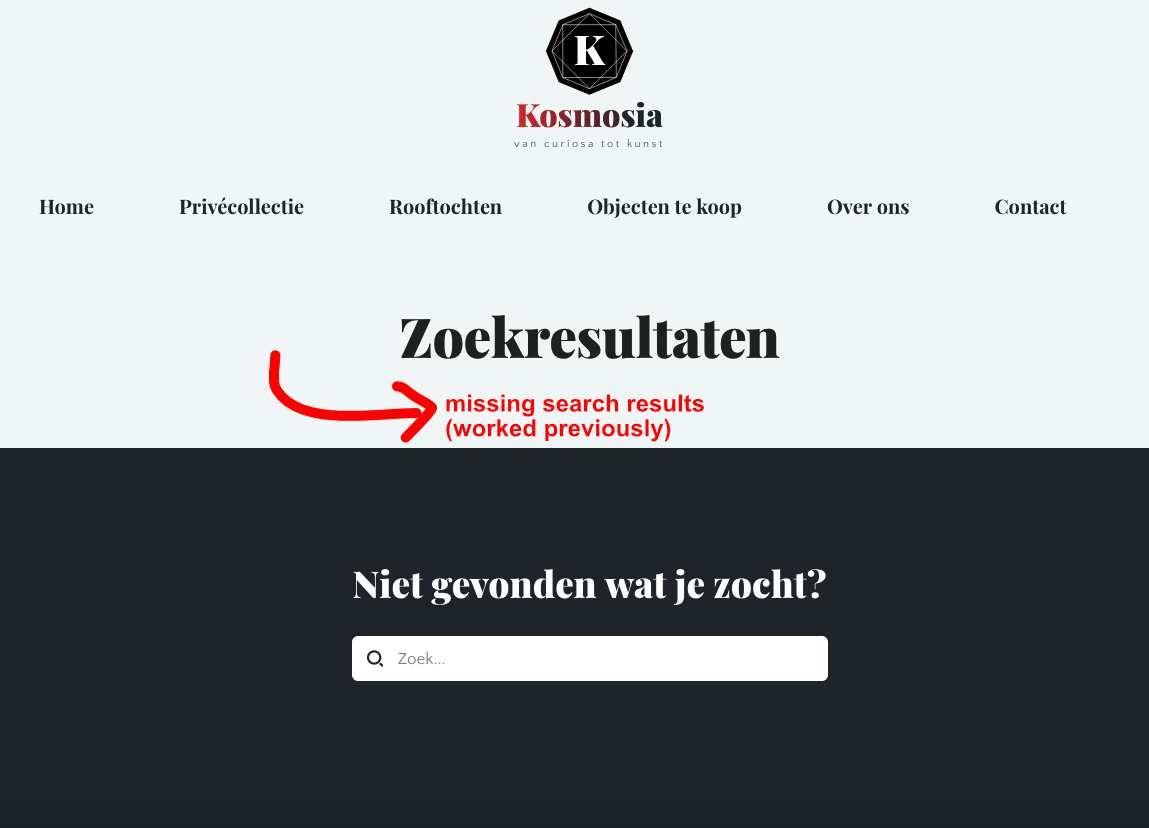
Then on another website the archive element doesn’t show anything at all when loaded into a brizy template (for example to show search results as wel as a particular category). The screenshot below misses search results (it worked fine previously):
-
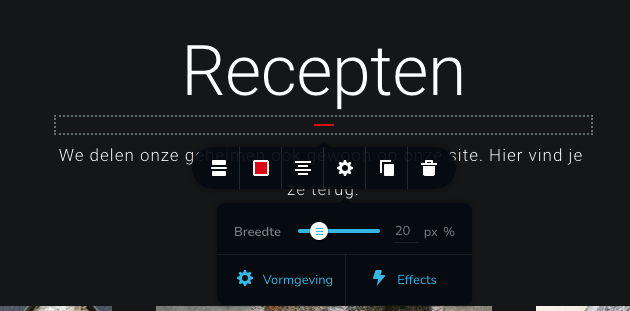
Brizy line element: it doesn’t load the right settings. It looks like it reads the % settings as the px setting. So if for example you have a 25% line, it shows a 25px line.
General topic of discussion/feedback:
I will repeat my earlier point of this weekend once again here: we truly love working with brizy (we've actually managed to grow a respectable business with brizy (pro) in our toolkit starting with just 1 website, but now we are over 30+), however the way updates are managed is a concern for us. We therefore no longer update brizy for several days/weeks after each update, because we know every update always introduces new bugs that need to be fixed. We are aware modern development follows the philosophy "Move fast and break things" however things break a little too much perhaps. We would really appreciate it if there would be a smarter update proces. Some of the bugs that are introduced in updates are really obvious to notice if you run a collection of "template websites" that use all features of brizy that you then test out updates on. I'm sure there are even smarter sollutions then this.
-

Hi B.j. Cbrtg,
We apologize for the inconvenience with the Archive element.
- The Archive element filter function no longer filters properly: There is no category filtering option for the archive element. I assume you're talking about the Posts element. Please try removing the category selection and adding it again to see if that resolves the problem with the Posts element.
- Search Template does not display results: I would like to take a look at this website and see if I can help fix this issue.
Please add me as a user to your WordPress Dashboard if you need assistance with either of the above websites. My email: kc.george@brizy.io. As shown in this screenshot: https://jmp.sh/sOSGGR3, please turn on the option "Send the new user an email about their account"
To let me know that this invitation is related to this topic, kindly put the website's URLs here.
Please let me know here when you send me an invitation.
0 -
Thanks for assisting. First, I've updated brizy to 2.4.11 since that is at this moment the latest release.
1. I had to remove and add the Posts element and select the category again. Then it worked again. It is a fix, but is unfortunate I need to do this for all websites. Very manually labor intensive. Do you think this will be fixed in the next update?
2. Please check your inbox. I've added you as admin on https://kosmosia.nl/
3. Since you haven't replied to this issue yet: this problem is still not fixed. Where you able to check in on this problem?
0 -
Hi B.J. Cbrtg,
The Archive element in your project does not show posts (CPTs) in the Brizy editor. The Archive element in the editor does function on my end and with other users. Hence, this might not be a common problem with the most recent Brizy release.
I created the archive element on my end, imported it into your project, and added it to your search template as a temporary fix. The imported block is now functional on the search page.
We'll keep looking into this matter on our end. Please continue to allow us access.
0 -
Thanks. Two questions:
1. Can you also please look at the custom post type "Rooftochten" on this page? https://kosmosia.nl/rooftochten/
(or let me know how I can fix it myself)2. The latest update seems to have bugged the Brizy line element: it doesn’t load the right settings. It looks like it reads the % settings as the px setting. So if for example you have a 25% line, it shows a 25px line. See the screenshot in my first post.
0 -
Hi B.J. Cbrtg,
- Please have a look at your CPT archive page at https://kosmosia.nl/rooftochten/. I just added the same block I had imported into this page as well.
- Can you please specify the URL of the page where you are facing issues with the line element?
0 -
1. Thanks KC George.
2. Regarding the page, here's an example url/website: https://restaurantblauw.nl/ The issue is on all pages on that particular website. Do you need access to this site too?
0 -
Hi B.J,
The line element appears to work fine with the most recent Brizy releases. Please have a look at this video for my test. https://jmp.sh/BWl2ofR
If you want me to fix the line issue with https://restaurantblauw.nl/, please add me as a user to your WordPress Dashboard. My email: kc.george@brizy.io. As shown in this screenshot: https://jmp.sh/sOSGGR3, please turn on the option "Send the new user an email about their account"
Please let me know here when you send me an invitation.
0 -
I've sent the invitation. Please check your inbox.
Adding a new line element seems to work fine. The issue is with line elements that already existed before updating.
0 -
Hi B.J. Cbrtg,
The problem with the line element on your wesbite, in my opinion, is that neither the pixel nor the % option was selected. If you select either option, the width appears functioning well. Please have a look at this screen capture. https://jmp.sh/1tXhY1Z
0 -
Unfortunately I have to respectfully disagree with you. This worked fine for the last two years this website was live, only after the update did it "unselect". Here is another website I had to manually re-configuer the line element: https://www.dba-zonwering.nl/ on various pages.
Previously it had % selected (or nothing at all as you suggest and therefore defaulting to %), and after the update it switched to px (or defaulting to px).
Instead of having to check and fix every page of every website we ever made it would be better if the change can be undone somehow.
0 -
Hi B.J. Cbrtg,
I agree with you. The update is responsible for the line element not having the pixel or the % option selected. I also agree that it requires a manual intervention to fix it.
If you want us go to each line element in all your projects, select the percentage or pixel option, we will be happy to do that. Please give us access and also instructions on what percentage/ pixel needs to be applied.
0 -
Thanks for offering your help but that won't be necessary. We've already went through all our websites ourselves. Our only wish is that future updates are better tested (as suggested in my first opening comment in this thread) before going live. Some bugs are really obvious and avoidable. Even though we love working with Brizy that is a major concern for us. For example: we would be happy to pay some form of monthly fee if that ensures better bugtesting.
0
Please sign in to leave a comment.
Comments
12 comments