Lato is back?

Hi,
This morning, I got an alert from semrush stating that some javascript and CSS files were not minified on one of our websites (agriconnexion.com). Weird because, besides Brizy's updates from last week, nothing had happened on that website. Then I saw the files listed and they are fonts.bunnt.net/css?family=Lato... CSS files! Obviously, we don't use Lato on that website, thus my surprise seeing these files loaded by the webpage.

Could you help me solve this issue, please? Thanks!
Best regards,
JP.
-

Hi JP,
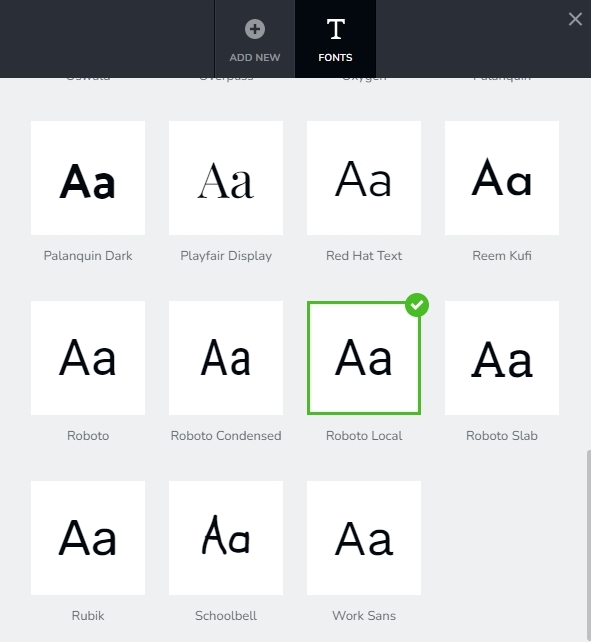
Please check the 'Default Font' in the Fonts tab of the Brizy Font manager. When the required font is not available, the Default Font is used as the fallback. Please make sure you choose a local font if you want to prevent sending font requests to a font hosting provider.
You can also delete the Lato font from here. As you can see from the waterfall of a Brizy website, it is possible to avoid any request going to an external server. https://jmp.sh/Bx5b8rT
 0
0 -
Hi!
Thank you for your answer! Could you help me find the Fonts tab of the Brizy Font manager, please? I have the same isssue on all our websites since the Brizy update of last week. Every website is making that call to Lato :(.
Best regars,
JP.
0 -
Hi JP,
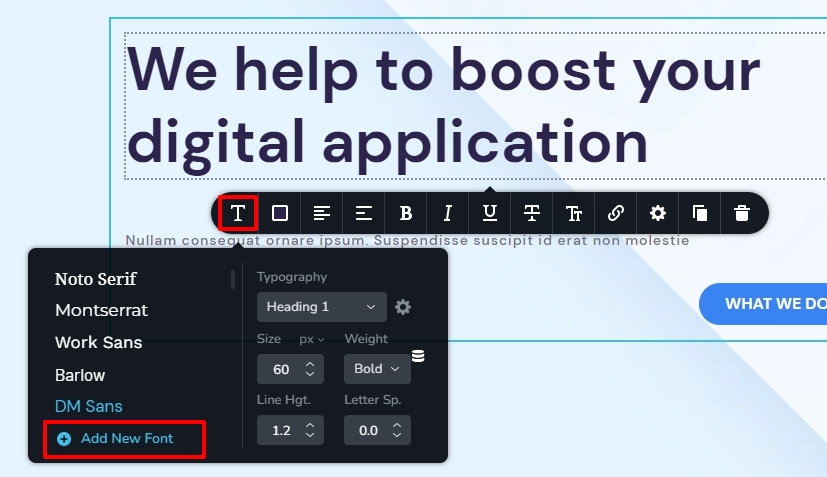
In the Brizy Editor, please
- Click on any text
- Select the Typography icon
- In the toolbar that pops up, click on 'Add New Fonts'
- Brizy Font Manager will open. Click on the 'Fonts' tab at the top
 0
0 -
Hi!
So it's a global setting that we can access from any text element, right? We did the process, set Roboto as the default font, and removed Lato from the font list, just to be sure. We also set Roboto as the font for all the styles defined, even the ones that we don't use.
When the page loads, there are only Roboto-related files loading, but we don't understand why some calls are made to fonts.bunny.net and others to fonts.gstatic.com when the homepage from agriconnexion.com and our other websites load :(.
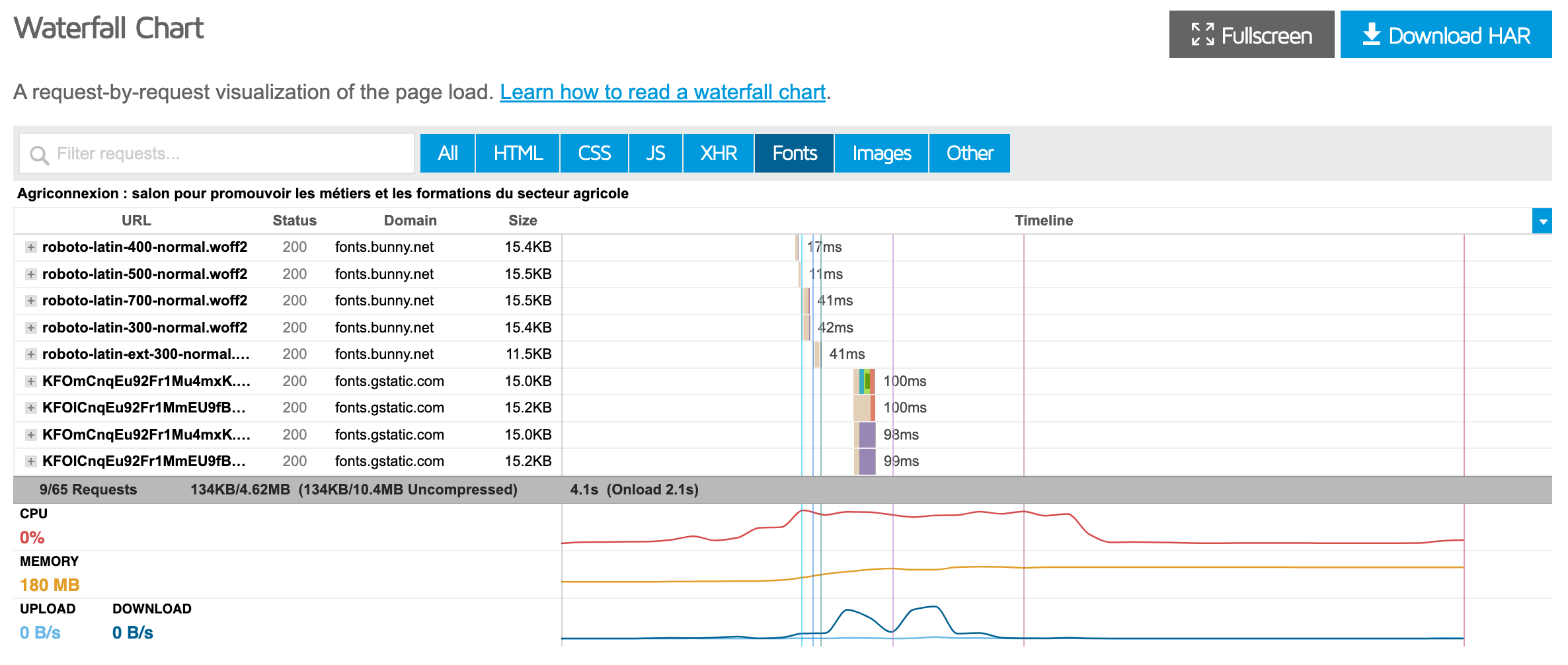
Do you have any idea why all these calls are made?
Thank you for your help!
Best regards,
JP.
0 -
Hi JP,
If you host fonts locally on your web server, you would not see external requests going to fonts.bunny.net or fonts.gstatic.com. Here is the procedure to host fonts locally. https://jmp.sh/ilw8LCU
0 -
Hi!
I have installed the Roboto font locally and deleted all the other fonts in the Brizy interface. I purged the website's cache also. But I still have calls to gstatic. :(
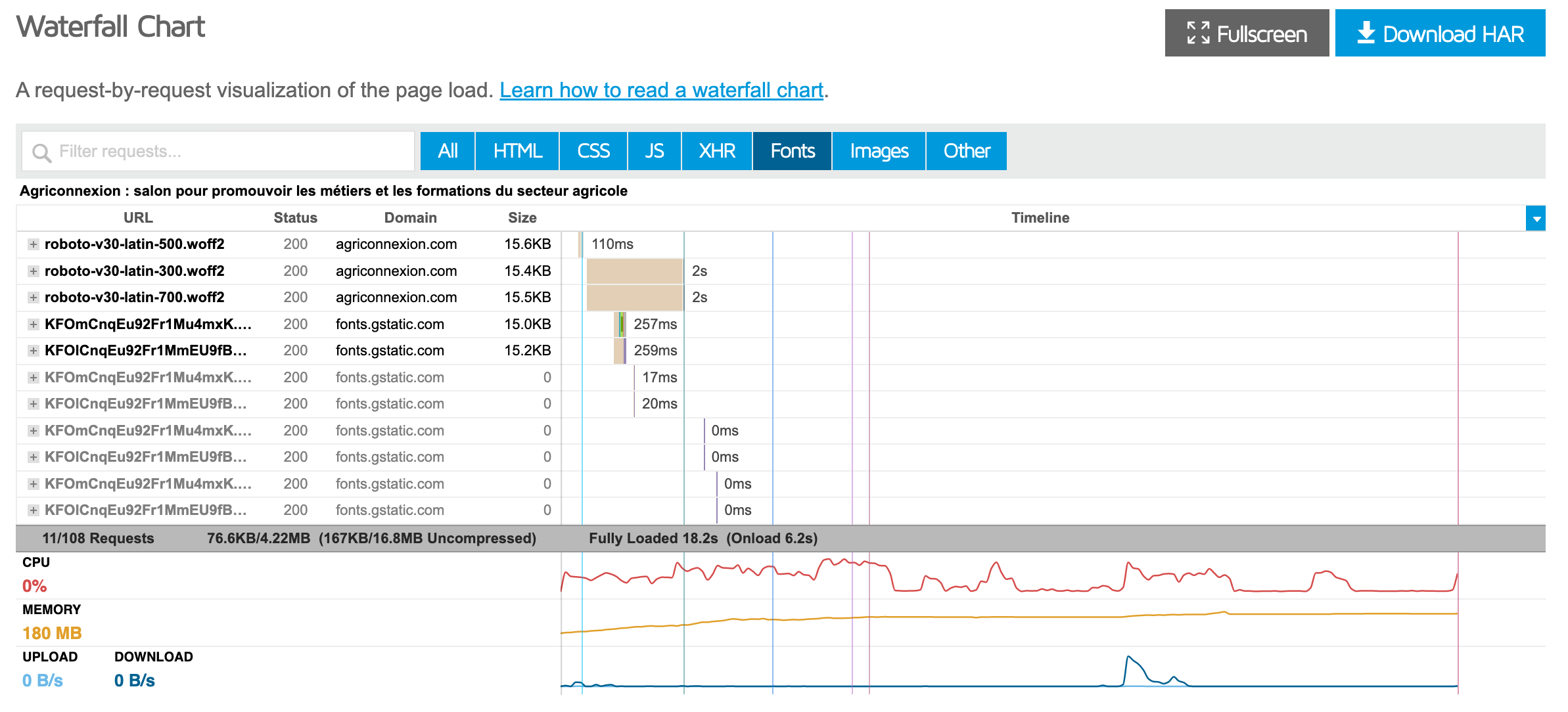
Could you help me understand why these calls are made, please? Thank you!
Have a nice day,
JP.
0 -
Hi JP Bouyer,
Have you made Roboto Local your default font?
To offer further help, I need to look into your WordPress Dashboard. Please add me as a user to your WordPress Dashboard if you need assistance with this. My email: kc.george@brizy.io. As shown in this screenshot: https://jmp.sh/sOSGGR3, please turn on the option "Send the new user an email about their account"
Please let me know here when you send me an invitation.
0 -
Yes, Roboto (local) is the default font! I just created your account and sent you the invitation. Thank you!
JP.
0 -
HI JP,
Your popups' embedded YouTube videos were making font requests to fonts.gstatic.com. I've made a new page. https://agriconnexion.com/new-home/ I've added video cover images for your YouTube videos in this page. This page does not send any font request to fonts.gstatic.com after inserting video cover images. Here is the GT Metrix report. https://gtmetrix.com/reports/agriconnexion.com/VzGVuz8R/
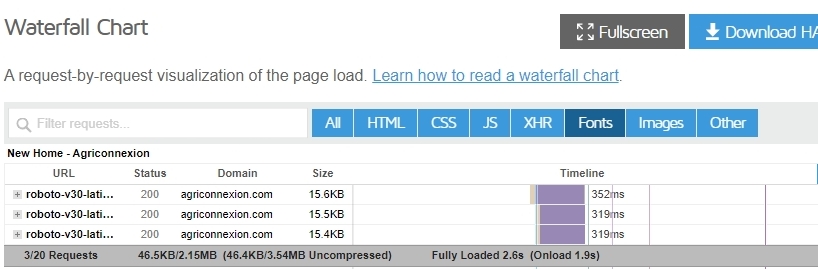
You can make the above page your new homepage if everything appears to be in order. In the Settings - Reading section of your WordPress Dashboard, you can change your home. Please review this screenshot. https://jmp.sh/gbpH7iN
0 -
Hi!
Thank you so much for finding the solution! I implemented it by adding video covers on the homepage, just to be sure to be able to do the process and I'll do it in all of our other website's pages that have a YouTube popup.
So, I assume it's mandatory to put a video cover? Or is it something to be fixed in the future?
Your solution also makes a huge difference regarding the JS calls, look :
before:
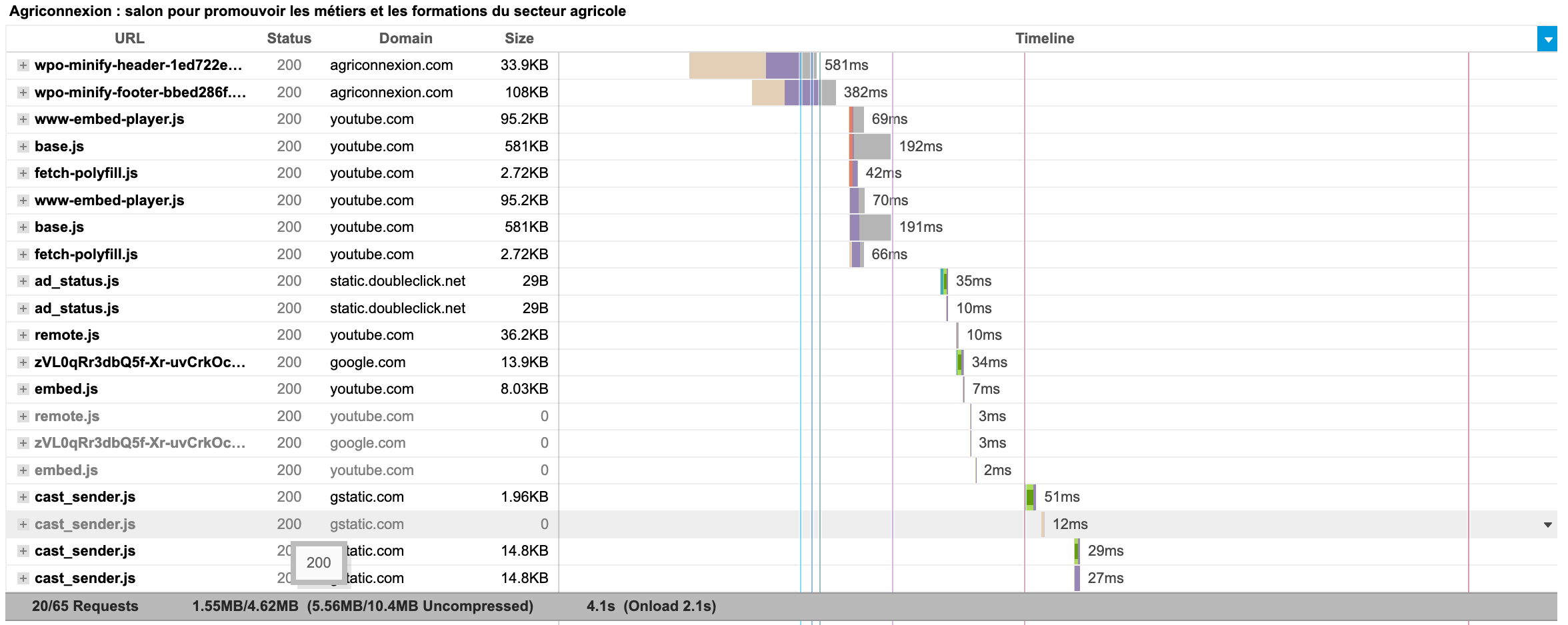
and after:

The difference is huge!!!
Do you want me to leave your access available on our website?
Have a great day!
JP.
0 -
Hi JP,
Please always add YouTube video cover images as a regular practice. It will help reduce the total number of HTTP requests.
Your images are comparatively bigger in size. Hence I have also enabled image optimization using WP Optimize.
You can remove my access to your WordPress Dashboard.
0 -
Hi again!
Thanks a lot!
Working on our other websites, I noticed that the problem occurs only if there is no video cover set for the video on YouTube. If there is a video cover set on YouTube, having no video cover in Brizy is not an issue. I hope that information could help you!
Have a great day!
JP.
0
Please sign in to leave a comment.
Comments
12 comments